














-57%
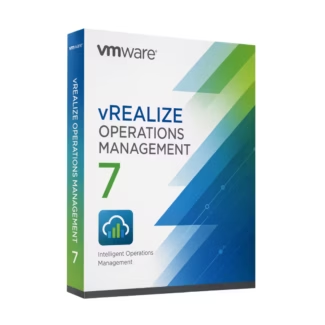
VMware vRealize Operations Management 7
29.90 $
Select optionsThis product has multiple variants. The options may be chosen on the product page
Yes—Parallels Desktop is widely used as a primary Windows environment on Mac, not just for occasional use. The key factor is your Mac’s hardware (RAM and CPU). With 16GB+ RAM, performance is usually smooth even for demanding applications. The main advantage is workflow efficiency—you can run Windows apps side-by-side with macOS without rebooting, which is a major productivity gain compared to dual boot setups.
The transition usually happens when you outgrow a single-machine setup. If you need multiple hosts, centralized VM management, failover, or team access, Workstation is no longer enough. vSphere becomes necessary when uptime, scalability, and infrastructure control matter more than local testing. A common trigger is when downtime or manual VM management starts affecting operations.
Use a VM with no shared folders, no clipboard sharing, and no network access (or isolated NAT). Take snapshots before testing so you can instantly revert. Also avoid logging into personal accounts inside the VM. Virtualization is very effective for isolation, but misconfigurations (like shared drives) are the biggest risk—not the virtualization software itself.
In most cases, the bottleneck is RAM, not CPU. Each VM reserves memory, and once your system runs out, performance drops significantly. Storage speed (SSD vs HDD) is the second most common issue. Before upgrading your system, try optimizing by reducing allocated RAM per VM and closing unused machines.
For lab environments, VMware Workstation Pro is often the best starting point because it supports snapshots, cloning, and virtual networking without needing multiple physical servers. As your lab grows, you can transition to a nested or full vSphere setup. The key is starting simple but choosing software that allows you to scale without rebuilding everything later.
To build a complete and efficient virtual infrastructure ecosystem, combine your tools from Virtualization
with Server Management solutions for centralized control, integrate Developer Tools for testing and deployment,
and secure your systems with Backup & Data solutions. Enhance performance and scalability using
technologies from VMware, VMware Workstation, VMware vCenter, Parallels, Parallels Desktop, and storage
tools from AOMEI to create a flexible and scalable infrastructure.

Customise your consent preferences for Cookie Categories and advertising tracking preferences for Purposes & Features and Vendors below. You can give granular consent for each Third Party Vendor and Google Ad Tech Provider. Most vendors require explicit consent for personal data processing, while some rely on legitimate interest. However, you have the right to object to their use of legitimate interest. Additionally, please note that your preferences regarding purposes and vendors are saved in a cookie named 'euconsent' on your device and may be retained for up to 730 days to remember your choices.
Necessary cookies are required to enable the basic features of this site, such as providing secure log-in or adjusting your consent preferences. These cookies do not store any personally identifiable data.
Analytical cookies are used to understand how visitors interact with the website. These cookies help provide information on metrics such as the number of visitors, bounce rate, traffic source, etc.
Advertisement cookies are used to provide visitors with customised advertisements based on the pages you visited previously and to analyse the effectiveness of the ad campaigns.
Functional cookies help perform certain functionalities like remembering your preferences and customising your experience on the website.
This section lists the purposes for which partners process your data and the features they use. You can object to the use of legitimate interests.
This section lists third-party vendors that may process your data. You can review and manage consent for each vendor individually.