























- Description
- Minimum Requirements
- Specifications
Windows 8.1 Enterprise is a powerful operating system built for advanced business environments and IT professionals. With instant digital delivery, lifetime usage, and a one-time purchase, it provides enterprise-level performance without any subscription.
Overview of Windows 8.1 Enterprise
- Platform: Windows
- Edition: Enterprise
- License Type: Retail
- Devices: 1 device
- License Duration: Lifetime
- Activation Method: Online activation
- Delivery: Instant digital delivery via email
- Support: Email and remote assistance
- Language Support: Multi-language
- Compliance: Genuine software licenses sourced through compliant distribution channels in line with U.S. laws and industry standards
Key Features
- Advanced Security Architecture: Includes enterprise-grade protection such as AppLocker and BitLocker to control access and secure sensitive data.
- DirectAccess Connectivity: Enables seamless remote connection to corporate networks without requiring VPN setup.
- AppLocker Management: Restricts unauthorized applications, improving system control and reducing security risks.
- Windows To Go: Run a full Windows environment from a USB drive, ideal for mobile workforces and IT deployment.
- Virtual Desktop Infrastructure (VDI): Supports virtualization, allowing businesses to centralize and manage desktops efficiently.
- Domain and Group Policy Control: Simplifies large-scale system management across networks and teams.
Main Features Explained
BitLocker Encryption
BitLocker protects sensitive business data by encrypting entire drives, ensuring that even if devices are lost, information remains secure.
AppLocker
AppLocker allows administrators to define which applications can run, reducing the risk of malware and unauthorized software usage.
DirectAccess
DirectAccess provides secure and automatic remote connectivity to corporate networks, eliminating the need for traditional VPNs.
Windows To Go
This feature enables users to carry a fully functional Windows environment on a USB drive, making it ideal for remote work and IT deployment.
Why Choose Windows 8.1 Enterprise?
Windows 8.1 Enterprise is designed for organizations, IT departments, and advanced users who require full control, enhanced security, and scalable management tools. It is particularly suited for companies managing multiple devices or remote teams.
Explore more operating systems in our Windows 8.1 category to compare available editions.
For smaller teams or less complex environments, Windows 8.1 Pro may provide all the necessary functionality without enterprise-level management overhead.
If you are planning long-term infrastructure upgrades, Windows 10 Enterprise introduces newer security models and continuous updates.
Windows 8.1 Enterprise vs Alternatives
Compared to Windows 8.1 Pro, the Enterprise edition includes advanced tools like DirectAccess, AppLocker, and Windows To Go. These features are critical for organizations that need centralized control and enhanced security policies across multiple systems.
Compared to Windows 10 Enterprise, Windows 8.1 Enterprise offers a more lightweight and stable environment, especially useful for legacy infrastructure or systems that do not require constant feature updates.
System Compatibility
Windows 8.1 Enterprise is compatible with a wide range of business hardware, including older workstations. It is often used in environments where stability and compatibility with legacy systems are more important than adopting newer OS versions.
License Type Explanation
This Retail license allows installation on one device and can be transferred if hardware changes occur. It is a one-time purchase that grants lifetime usage without subscription costs, making it suitable for long-term deployment planning.
Installation & Activation
- Purchase and receive your product instantly via email.
- Download the Windows 8.1 installation files.
- Install the system on your device.
- Enter your product key during setup.
- Activate online through Microsoft servers.
- Begin using your fully activated system.
Why Buy From Us
Digital License delivers professional-grade software solutions with reliability and full compliance.
- Instant digital delivery
- Genuine software licenses
- Secure payment options
- Responsive customer support
- Compliance with U.S. laws and industry standards
Digital License Is a Verified Microsoft Partner
Digital License is an official Microsoft Partner
(ID: 7033487), recognized for delivering genuine software licenses and
verified solutions across Europe. You can verify our partnership
directly on the Microsoft Partner Directory. This ensures every
license you purchase is authentic, secure, and fully compliant with
Microsoft standards and applicable U.S. laws and industry standards.
FAQ
We run a small company without a dedicated IT team. Is Windows 8.1 Enterprise too complex to manage daily?
In real-world scenarios, Windows 8.1 Enterprise can feel excessive for teams without IT expertise. While it offers powerful tools like Group Policy and AppLocker, these require setup and maintenance. If you do not actively use centralized management or security policies, a version like Pro may be easier to manage and more cost-effective.
We use legacy business software that only works on older Windows systems. Is this a safe long-term solution?
Yes, many companies specifically choose Windows 8.1 Enterprise to maintain compatibility with older applications. However, for long-term planning, you should consider isolating critical systems or using virtualization, since newer OS versions may eventually be required for security compliance.
Can employees working from different countries securely access internal systems without complicated setup?
Yes, DirectAccess allows remote users to connect to your company network automatically without manual VPN configuration. This is especially useful for distributed teams, as it reduces setup time and ensures consistent access across locations.
We frequently replace or upgrade office computers. Will this license cause issues during hardware changes?
Because this is a Retail license, you can transfer it to new machines when hardware is replaced. This is particularly valuable in environments where devices are regularly upgraded, as it avoids the need to purchase new licenses for each system.
We want to restrict employees from installing unauthorized software. Is this realistically enforceable?
Yes, using AppLocker, administrators can define strict rules about which applications are allowed to run. In real-world deployments, this significantly reduces security risks and prevents accidental installation of harmful or unapproved software.
| Component | Requirement |
| Processor | 1 GHz or faster with support for PAE, NX, and SSE2 |
| RAM | 1 GB for 32-bit or 2 GB for 64-bit |
| Storage | 16 GB for 32-bit or 20 GB for 64-bit |
| Operating System | Windows 8.1 Enterprise |
| Graphics Card | Microsoft DirectX 9 graphics device with WDDM driver |
| Display | 800 × 600 resolution or higher |
| Specification | Detail |
|---|---|
| Activation | Single PC (one-time activation) |
| License validity | Lifetime (does not expire after activation) |
| Delivery method | By email within 15 minutes |
| Languages | Multilingual |

1 – Buy
Shop securely with SSL encryption.

2 – Receive
You will receive the license key and download link.

3 – Download
Download and install the software.

4 – Activate
Enter the license key to the software.
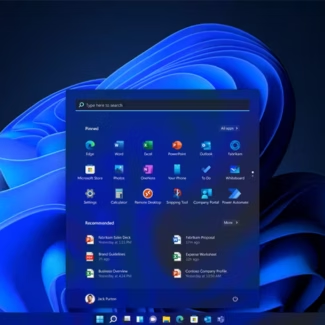
Windows 11 Pro for Workstations
Windows 10 Pro for Workstations
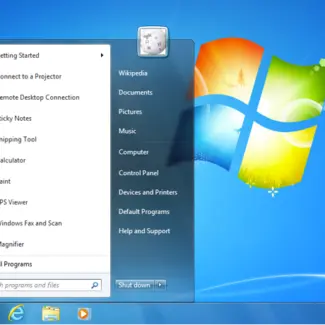
Office 2021 Professional Plus + Windows 10 Pro
