Bitdefender Licenses – Advanced Security for Every Device
Bitdefender is one of the most trusted names in cybersecurity software, offering award-winning protection for individuals, families, and businesses. With a Bitdefender license, you gain access to cutting-edge antivirus technology, real-time threat detection, and comprehensive privacy tools designed to keep your digital life safe.
Whether you are protecting a single PC or multiple devices across platforms, Bitdefender provides flexible licensing options tailored to your needs. Its advanced security engine uses AI-based threat detection to stop malware, ransomware, phishing attacks, and zero-day threats before they can cause harm.
Why Choose Bitdefender?
- Real-time protection: Blocks viruses, spyware, ransomware, and advanced threats instantly.
- Lightweight performance: Minimal impact on system speed and performance.
- Multi-platform support: Compatible with Windows, macOS, Android, and iOS.
- Advanced privacy tools: Includes VPN, anti-tracker, webcam protection, and more.
- Automatic updates: Keeps your system protected against the latest threats.
Popular Bitdefender Products
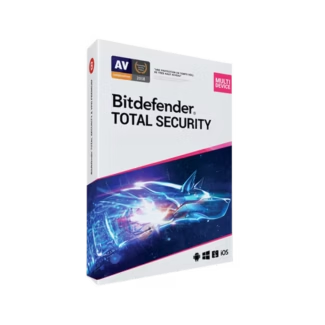
Bitdefender Total Security
The most complete solution is Bitdefender Total Security, which provides full multi-layer protection across multiple devices and operating systems. It combines antivirus, anti-malware, firewall, parental control, and optimization tools into one powerful package.
Key Features:
- Cross-platform protection for multiple devices
- Advanced threat defense and behavioral detection
- Integrated parental control tools
- Secure browsing VPN for privacy
- System optimization tools for better performance
How to Choose the Right Bitdefender License
Selecting the right Bitdefender license depends on your usage, number of devices, and desired level of protection.
1. Number of Devices
If you only need protection for one device, a basic license is sufficient. For families or multiple devices, consider multi-device security plans like Bitdefender Total Security.
2. Operating System Compatibility
Ensure your chosen product supports your devices. Bitdefender Total Security is ideal for users with a mix of Windows, macOS, Android, and iOS protection.
3. Security Features
- Basic protection: Antivirus and malware defense
- Advanced protection: Includes ransomware remediation and firewall
- Premium protection: Adds VPN, identity protection, and privacy tools
4. Usage Type
Home users benefit from all-in-one security solutions, while advanced users may prioritize specific features like VPN or encryption.
Compatibility and System Requirements
Bitdefender is designed to work seamlessly across modern systems:
- Windows 10 / 11 security support
- macOS protection compatibility
- Android and iOS mobile security
Its cloud-based scanning ensures minimal resource usage while maintaining maximum protection.
Installation and Activation Guide
Step 1: Purchase and Download
After purchasing your Bitdefender license, download the installation file from your account or confirmation email.
Step 2: Install the Software
- Run the installer file
- Follow the on-screen instructions
- Allow the system to complete setup
Step 3: Activate Your License
- Log into your Bitdefender account
- Enter your license key
- Confirm activation
Step 4: Run Initial Scan
After activation, perform a full system security scan to ensure your device is clean and fully protected.
Benefits of Buying Bitdefender Licenses Online
- Instant digital delivery
- Affordable software pricing
- Verified genuine licenses
- Quick and easy activation
Enhance Your Security Ecosystem
While Bitdefender provides comprehensive protection, you can further strengthen your setup with additional cybersecurity tools such as VPN services, password managers, and identity protection solutions.
Why Buy from Digital License?
At Digital License, we provide only authentic software licenses sourced from trusted distributors. Our platform ensures fast digital delivery, secure payments, and reliable customer support. When you purchase a Bitdefender license from us, you can be confident that you are getting genuine protection at the best value.