Microsoft Office Suites for Mac: Professional Productivity on macOS
Microsoft Office for Mac is a complete macOS office solution tailored specifically for Apple users who need reliable tools for document creation, data analysis, presentations, and communication. Whether you are working on a MacBook, iMac, or Mac Studio, Office for Mac delivers a familiar Microsoft experience optimized for macOS performance and interface standards.
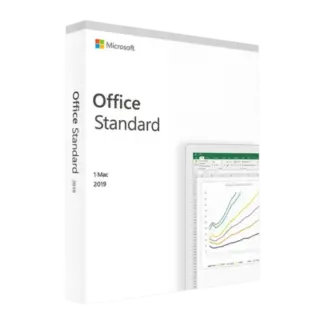
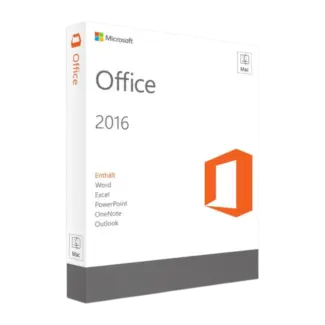
In this category, you can explore the main Microsoft Office Suites for Mac section and compare key versions such as Microsoft Office 2024 Mac Licenses, Microsoft Office 2021 Home & Business Mac, Microsoft Office 2019 Home & Business Mac, and Microsoft Office 2016 Home & Business Mac. Each version is designed to support different macOS environments and user requirements.
What Is Included in Microsoft Office for Mac?
Microsoft Office for Mac includes essential applications that cover the majority of productivity needs. These tools are designed to work together seamlessly, allowing users to create, edit, and share files across devices and platforms.
- Microsoft Word for document creation and editing
- Microsoft Excel for spreadsheets and data management
- Microsoft PowerPoint for presentations
- Microsoft Outlook for email and scheduling
These applications are optimized for macOS, offering a user-friendly interface that integrates well with Apple’s ecosystem while maintaining compatibility with Windows-based Office users.
How to Choose the Right Office Version for Mac
Choosing the right Microsoft Office version depends on your macOS version, your workflow, and how long you plan to use the software. If you are using a newer Mac and want the most up-to-date features and compatibility, Microsoft Office 2024 Mac Licenses is the most current option available in this category.
Microsoft Office 2021 Home & Business Mac is a strong choice for users who want a modern, stable version with long-term usability. It is widely used in business environments and provides a reliable balance between features and compatibility.
If you are working with slightly older Mac systems, Microsoft Office 2019 Home & Business Mac can still be a practical option. It supports many standard workflows while remaining compatible with earlier macOS versions.
Microsoft Office 2016 Home & Business Mac is generally suited for legacy systems or users who need compatibility with older setups.
Quick selection guide
- Office 2024 for the latest macOS systems and long-term use
- Office 2021 for modern, stable business workflows
- Office 2019 for compatibility with older Mac systems
- Office 2016 for legacy environments
Compatibility and macOS Considerations
Before choosing a Microsoft Office suite for Mac, it is important to confirm compatibility with your macOS version and hardware. Newer versions of Office are optimized for recent macOS releases, while older versions may be better suited for legacy systems.
If your workflow includes both Mac and Windows environments, Office for Mac ensures strong cross-platform compatibility. Files created on macOS can be easily shared and edited on Windows systems without major formatting issues. For Windows-based setups, you can also explore Operating systems, including Windows 11 and Windows 10.
Who Should Use Microsoft Office for Mac?
Office for Mac is suitable for a wide range of users. Professionals use it for reports, presentations, and communication. Students rely on it for assignments and research. Businesses depend on it for documentation, data management, and internal processes.
It is particularly useful for users who want a native Mac workflow experience without switching to alternative software ecosystems. The familiar Microsoft interface combined with macOS optimization makes it a reliable choice.
OEM vs Retail Licenses Explained
Microsoft Office licenses are typically available in two main types: OEM and Retail. Understanding the difference helps you choose the right option.
OEM License
An OEM license is usually tied to a single device after activation. It is often chosen by users who plan to use Office on one Mac long term and want a straightforward setup.
Retail License
A Retail license offers more flexibility and can typically be transferred between devices. It is suitable for users who may upgrade or change their Mac in the future.
Installation and Activation Overview
Installing Microsoft Office on Mac is a simple process and follows a standard software deployment process:
- Purchase the Office version that matches your macOS system
- Receive your product key and instructions
- Download the Office installation package
- Install the software on your Mac
- Enter the activation key
- Complete activation and verify functionality
Most installations are completed within minutes, and Office applications are ready to use immediately after activation.
Why Microsoft Office for Mac Remains Relevant
Despite the availability of alternative productivity tools, Microsoft Office remains a standard in many professional and academic environments. Its combination of cross-platform compatibility and stability ensures that users can work efficiently and collaborate easily across systems.
Security and Additional Software
If you handle business documents or sensitive data, securing your Mac is essential. Many users complement Office with Antivirus licenses or solutions like Kaspersky. For specialized workflows, tools such as Autodesk can also be integrated into your environment.
Why Buy from Digital License?
Choosing the right Office version is important, but so is selecting a reliable provider that offers a verified software source and structured purchasing experience.
For additional trust, Digital License is listed as a Microsoft Partner. Microsoft Partner ID : 7033487