







- Description
- Minimum Requirements
- Specifications
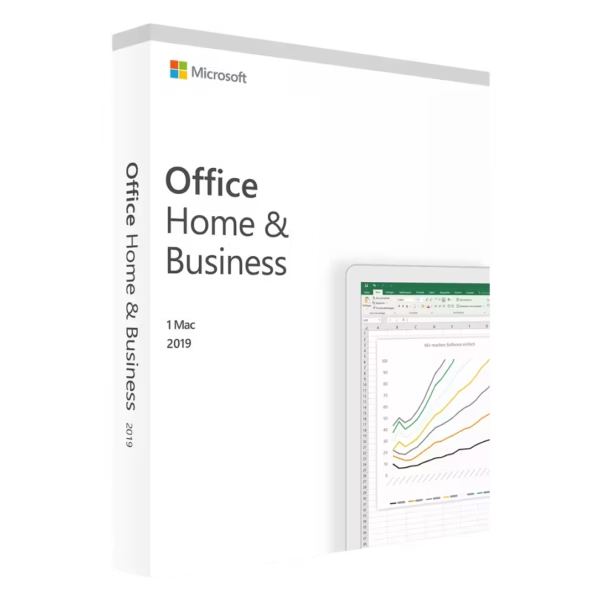
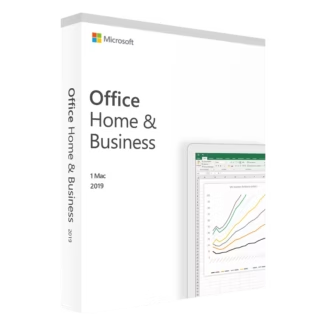
Microsoft Office 2019 Home & Business Mac is a reliable productivity suite built for macOS users who need instant delivery, lifetime usage, and no subscription. It provides essential tools for work, communication, and organization in a stable and familiar environment.
Overview of Microsoft Office 2019 Home & Business Mac
- Platform: Mac
- Edition: Home & Business
- License Type: Bind (linked to Microsoft account)
- Devices: 1 device
- License Duration: Lifetime
- Activation Method: Online activation
- Delivery: Instant digital delivery via email
- Support: Email and remote assistance
- Language Support: Multi-language
- Compliance: Genuine software licenses sourced through compliant distribution channels in line with U.S. laws and industry standards
Key Features
- Optimized for macOS: Designed to work smoothly within the Mac ecosystem, ensuring seamless performance and familiar navigation.
- Account-Based Activation: Linked to your Microsoft account, allowing easy reinstallation and centralized access to your software.
- Essential Productivity Tools: Includes core applications for document creation, data handling, presentations, and communication.
- Lifetime Access: One-time purchase provides permanent use without recurring subscription costs.
- Consistent Performance: Stable version ensures predictable workflows without frequent feature changes.
- Offline Functionality: After activation, applications work without continuous internet access.
- Instant Setup: Fast delivery enables quick installation and immediate productivity.
Main Features Explained
Microsoft Word
Word is used for creating structured documents such as contracts, reports, and business communication. It helps users maintain professional formatting and consistency in their work.
Microsoft Excel
Excel allows users to manage data, perform calculations, and create reports. It is widely used for budgeting, tracking, and analyzing structured information.
Microsoft PowerPoint
PowerPoint enables the creation of clear and engaging presentations for meetings, training, and communication, helping deliver ideas effectively.
Microsoft Outlook
Outlook combines email, calendar, and contact management, helping users stay organized and manage communication efficiently.
Microsoft OneNote
OneNote helps users capture and organize notes, making it easier to manage ideas, tasks, and project information in one place.
Why Choose Microsoft Office 2019 Home & Business Mac?
This version is ideal for professionals, freelancers, and home users who need essential productivity tools on macOS without subscription commitments. It supports daily workflows such as document creation, communication, and data organization.
Explore more options in the Microsoft Office 2019 licenses category to compare different editions. If you require advanced business features, you can review Microsoft Office 2019 Professional Plus Bind as a more feature-rich alternative.
For users considering newer versions, the Microsoft Office 2021 Professional Plus Bind provides updated tools and enhancements.
Microsoft Office 2019 Home & Business Mac vs Alternatives
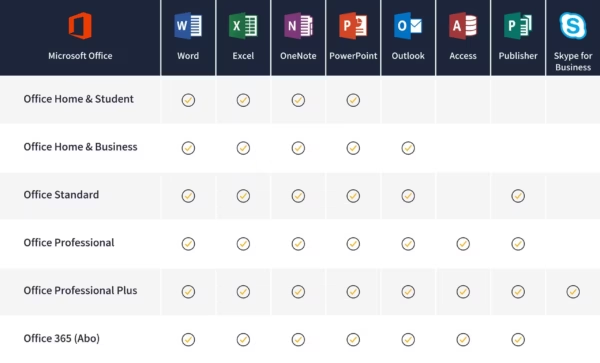
Compared to Professional Plus editions, this version focuses on essential tools without advanced database or enterprise features. It is a streamlined solution for users who need core functionality without additional complexity.
Compared to subscription-based Office plans, it offers permanent access with no recurring fees, making it a practical long-term choice.
System Compatibility
This software is designed specifically for macOS and works efficiently on supported Mac devices. It integrates well with the Mac environment, ensuring smooth performance and usability.
License Type Explanation
The Bind license links the software to your Microsoft account, allowing easy access and reinstallation. It is tied to one account and device, making it simple to manage but not transferable between users.
This is a one-time purchase with lifetime usage, providing full ownership without subscription costs.
Installation & Activation
- Receive your product details via email after purchase
- Sign in with your Microsoft account
- Download the Office installation files for Mac
- Install the applications on your device
- Complete online activation
- Start using all included applications
Why Buy From Us
We provide a secure and reliable purchasing experience with dedicated support.
- Instant digital delivery
- Genuine software licenses
- Secure payment methods
- Professional customer support
- Compliance with U.S. laws and industry standards
Digital License Is a Verified Microsoft Partner
Digital License is an official Microsoft Partner
(ID: 7033487), recognized for delivering genuine software
licenses and verified solutions worldwide. You can verify our
partnership directly on the Microsoft Partner Directory. This ensures
every license you purchase is authentic, secure, and fully compliant
with Microsoft standards and applicable U.S. laws and industry standards.
FAQ
Can I reinstall the software if I replace or reset my Mac?
Yes. Since the software is linked to your Microsoft account, you can reinstall it by signing in again, without needing a new activation code.
Is this version suitable for users working in both personal and business contexts?
Yes. It is designed to handle everyday business tasks such as emails and documents, while also supporting personal productivity needs.
Will this work smoothly with macOS updates over time?
Yes. It is designed to function reliably within the Mac environment, although compatibility may depend on your macOS version.
Can I use this version without being constantly connected to the internet?
Yes. After activation, all applications work offline, allowing uninterrupted use without internet dependency.
Is this a good option for users who want a simple, non-subscription setup?
Yes. It is ideal for users who prefer a one-time purchase and a stable set of tools without ongoing subscription requirements.

| Component | Requirement |
| Processor | Intel processor |
| RAM | 4 GB RAM |
| Storage | 10 GB of available disk space; HFS+ hard disk format (also known as macOS Extended or APFS) |
| Operating System | macOS Sierra (10.12), macOS High Sierra (10.13), or macOS Mojave (10.14) |
| Graphics | No specific GPU requirement |
| Display | 1280 × 800 screen resolution or higher |
| Specification | Detail |
|---|---|
| Activation | Single PC (one-time activation) |
| License validity | Lifetime (does not expire after activation) |
| Delivery method | By email within 15 minutes |
| Languages | Multilingual |

1 – Buy
Shop securely with SSL encryption.

2 – Receive
You will receive the license key and download link.

3 – Download
Download and install the software.

4 – Activate
Enter the license key to the software.
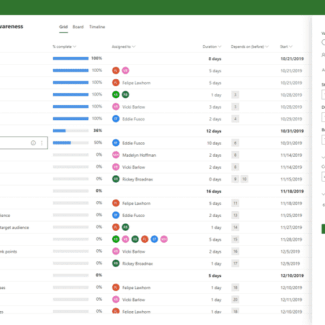
Microsoft Project 2021 Professional
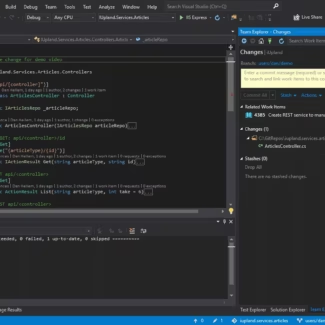
Microsoft Visual Studio 2019 Professional
Microsoft Visual Studio 2022 Enterprise

Microsoft Visual Studio 2022 Professional