














-60%
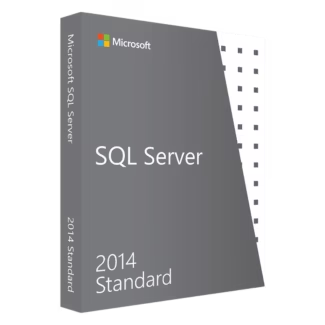
SQL Server 2014 Standard
Original price was: 99.90 $.39.90 $Current price is: 39.90 $.
Add to cart
The biggest risk is partial compatibility. Even if the system installs, you may encounter issues with reporting modules, stored procedures, or database connections that were never tested on newer SQL versions. Some ERP vendors will also refuse support if you’re not using the validated SQL version. If your ERP explicitly requires SQL Server 2014, staying with it avoids hidden instability and support problems.
This is a classic trade-off. If your current system is stable and tied to business-critical processes, keeping SQL Server 2014 is often the safer short-term decision. However, you should create a parallel migration plan (test environment, compatibility checks, staged rollout) instead of forcing an immediate switch. Many companies run 2014 in production while testing newer versions in parallel.
In most real-world scenarios, migration is preferred to avoid data loss and configuration issues. However, if your current setup has accumulated technical debt (old configurations, unused databases, inconsistent settings), a clean installation with controlled migration of only necessary data can be better. The decision depends on how clean and documented your current environment is.
Not necessarily. Performance issues are usually caused by hardware limitations, poor indexing, inefficient queries, or misconfigured resources—not the SQL Server version itself. Before purchasing, analyze CPU usage, RAM allocation, disk speed, and query performance. In many cases, optimization or infrastructure upgrades solve the problem without changing the SQL version.
Yes, if your current system depends on it and needs to remain stable during that transition period. Think of SQL Server 2014 as a continuity solution rather than a long-term investment. It allows you to maintain operations without risking compatibility issues, while giving you time to properly plan and test your future system migration.
To support your database environment with a complete business software setup, you can combine
your solution with Operating systems, including Windows 11 and Windows 10, as well as productivity
tools like Microsoft Office, Microsoft Office 2024, and Microsoft Office 2021. For improved protection
and system reliability, consider Antivirus licenses or trusted solutions such as Kaspersky, and explore
additional tools through Computer programs, professional software like Autodesk, or convenient Bundle
options to create a well-structured digital infrastructure.

Customise your consent preferences for Cookie Categories and advertising tracking preferences for Purposes & Features and Vendors below. You can give granular consent for each Third Party Vendor and Google Ad Tech Provider. Most vendors require explicit consent for personal data processing, while some rely on legitimate interest. However, you have the right to object to their use of legitimate interest. Additionally, please note that your preferences regarding purposes and vendors are saved in a cookie named 'euconsent' on your device and may be retained for up to 730 days to remember your choices.
Necessary cookies are required to enable the basic features of this site, such as providing secure log-in or adjusting your consent preferences. These cookies do not store any personally identifiable data.
Analytical cookies are used to understand how visitors interact with the website. These cookies help provide information on metrics such as the number of visitors, bounce rate, traffic source, etc.
Advertisement cookies are used to provide visitors with customised advertisements based on the pages you visited previously and to analyse the effectiveness of the ad campaigns.
Functional cookies help perform certain functionalities like remembering your preferences and customising your experience on the website.
This section lists the purposes for which partners process your data and the features they use. You can object to the use of legitimate interests.
This section lists third-party vendors that may process your data. You can review and manage consent for each vendor individually.