








- Description
- Minimum Requirements
- Specifications
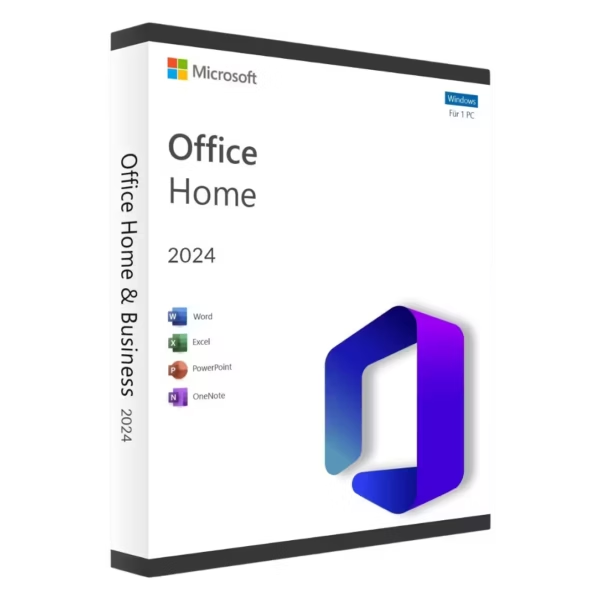
Microsoft Office 2024 Home is a practical and user-friendly productivity suite designed for everyday tasks. With instant digital delivery, lifetime usage, and no subscription required, it provides essential tools for home users, students, and personal projects.
Overview of Microsoft Office 2024 Home
- Platform: Windows / Mac
- Edition: Home
- License Type: Bind (linked to Microsoft account)
- Devices: 1 device
- License Duration: Lifetime
- Activation Method: Online activation
- Delivery: Instant digital delivery via email
- Support: Email and remote assistance 24/7
- Language Support: Multi-language
- Compliance: Genuine software licenses sourced through compliant distribution channels in line with U.S. laws and industry standards
Key Features
- Essential Office Applications: Includes Word, Excel, PowerPoint, and OneNote for daily productivity tasks.
- Cross-Platform Compatibility: Works on both Windows and Mac, offering flexibility across devices.
- Account-Based Activation: Linked to your Microsoft account for easy reinstallation and access.
- Offline Productivity: Use all applications without needing a constant internet connection.
- Simple and Efficient Interface: Designed for easy navigation, making it ideal for home users and students.
- One-Time Purchase: Lifetime access eliminates the need for recurring payments or subscriptions.
Main Features Explained
Microsoft Word
Word is used for writing documents such as school assignments, personal letters, and reports. It is widely used by students and home users for structured writing, offering templates and formatting tools that improve clarity and presentation.
Microsoft Excel
Excel helps users manage budgets, track expenses, and organize data. In real-world use, it is ideal for personal finance tracking, planning, and simple data analysis.
Microsoft PowerPoint
PowerPoint allows users to create presentations for school, projects, or personal use. It helps communicate ideas visually, making it useful for both education and everyday communication.
Microsoft OneNote
OneNote provides a flexible way to take notes, organize ideas, and plan tasks. It is especially useful for students managing coursework or individuals organizing daily activities.
Why Choose Microsoft Office 2024 Home?
Microsoft Office 2024 Home is ideal for students, families, and individuals who need reliable tools for everyday productivity. It provides all essential applications without unnecessary complexity, making it perfect for personal use.
Explore more options in our Office 2024 category to compare different editions.
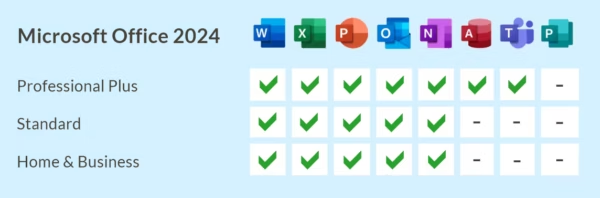
If you need email management and business features, Microsoft Office Home & Business may be a better choice.
For advanced tools such as Access and expanded functionality, Microsoft Office 2024 Professional Plus offers a more complete solution.
Microsoft Office 2024 Home vs Alternatives
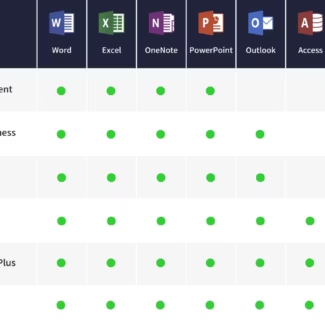
Compared to Microsoft Office Home & Business, this version focuses on essential productivity tools and does not include Outlook, making it more suitable for personal use.
Compared to Microsoft Office 2024 Professional Plus, this edition is simpler and more streamlined, without advanced features like database management or enterprise tools.
System Compatibility
Microsoft Office 2024 Home is compatible with both Windows and Mac systems, making it a versatile choice for users working across different platforms.
License Type Explanation
This Bind license is linked to your Microsoft account, allowing easy access and reinstallation. It is a one-time purchase with lifetime usage, providing long-term value without recurring costs.
Installation & Activation
- Complete your purchase and receive your product instantly via email.
- Sign in with your Microsoft account.
- Download the Office installation files.
- Install the applications on your device.
- Activate online through your Microsoft account.
- Start using your Office applications.
Why Buy From Us
Digital License provides secure and reliable access to essential software solutions.
- Instant digital delivery
- Genuine software licenses
- Secure payment methods
- 24/7 customer support
- Compliance with U.S. laws and industry standards
Digital License Is a Verified Microsoft Partner
Digital License is an official Microsoft Partner
(ID: 7033487), recognized for delivering genuine software
licenses and verified solutions worldwide. You can verify our
partnership directly on the Microsoft Partner Directory. This ensures
every license you purchase is authentic, secure, and fully compliant
with Microsoft standards and applicable U.S. laws and industry standards.
FAQ
I use both a MacBook and a Windows PC. Can I install this on both devices?
This license is valid for one device only. However, since it supports both Windows and Mac, you can choose which device to install it on and switch later by linking it to your Microsoft account.
I don’t want a subscription. Will this version require any future payments?
No, Microsoft Office 2024 Home is a one-time purchase with lifetime usage, meaning you will not have recurring subscription costs.
Is this suitable for students doing assignments and presentations?
Yes, it includes Word, Excel, PowerPoint, and OneNote, which cover all common academic tasks such as writing, data analysis, and presentations.
Can I reinstall Office if I change my computer?
Yes, since the license is linked to your Microsoft account, you can reinstall it on another device if needed, provided it is used on one device at a time.
Do I need an internet connection to use the applications daily?
No, after activation, all applications can be used offline. Internet access is only required for installation, activation, and updates.

| Component | Requirement |
| Processor | Windows: 1.6 GHz or faster, 2-core processor Mac: Intel processor or Apple Silicon (M1, M2, etc.) |
| RAM | Windows: 4 GB for 64-bit systems Mac: 4 GB |
| Storage | Windows: At least 4 GB of available disk space Mac: At least 10 GB of available disk space on an HFS+ or APFS formatted drive |
| Operating System | Windows 10, Windows 11 macOS Monterey (12), Ventura (13), Sonoma (14) or later |
| Graphics | Windows: DirectX 9 or later with WDDM 2.0 driver Mac: Graphics requirements met by macOS |
| Display | Minimum resolution of 1280 × 768 (Windows and Mac) |
| Browser | Current version of Microsoft Edge, Safari, Chrome, or Firefox |
| Specification | Detail |
|---|---|
| Activation | Single PC (one-time activation) |
| License validity | Lifetime (does not expire after activation) |
| Delivery method | By email within 15 minutes |
| Languages | Multilingual |

1 – Buy
Shop securely with SSL encryption.

2 – Receive
You will receive the license key and download link.

3 – Download
Download and install the software.

4 – Activate
Enter the license key to the software.
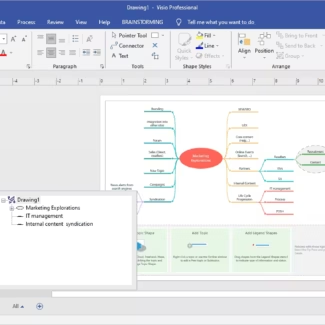
Microsoft Visio 2019 Professional
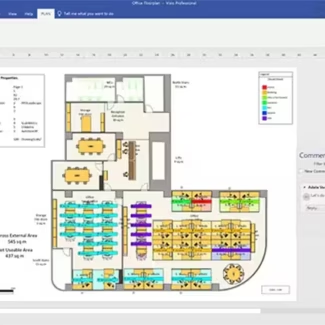
Microsoft Visio 2021 Professional
Microsoft Visual Studio 2022 Enterprise
Microsoft Office Home & Student 2016
Microsoft Office 2021 Professional Plus