























- Description
- Minimum Requirements
- Specifications
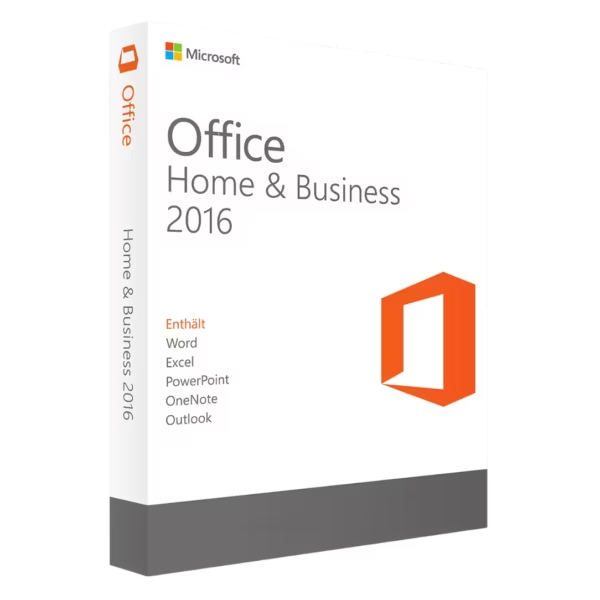
Microsoft Office 2016 Home & Business is a powerful productivity suite designed for Mac users who need reliable tools for work and everyday tasks. Enjoy instant digital delivery, lifetime usage, and a one-time purchase with no subscription required.
Perfect for professionals and home users alike, this version combines essential Office applications with seamless performance and long-term value.
Overview of Microsoft Office 2016 Home & Business
- Platform: Mac
- Edition: Home & Business
- License Type: Bind (linked to Microsoft account)
- Devices: 1 device
- License Duration: Lifetime
- Activation Method: Online activation
- Delivery: Instant digital delivery via email
- Support: Email and remote assistance
- Language Support: Multi-language
- Compliance: Genuine software licenses sourced through compliant distribution channels in line with U.S. laws and industry standards
Key Features
- Lifetime access with no subscription: Pay once and use the software forever, eliminating recurring costs and ensuring long-term savings.
- Optimized for Mac performance: Designed specifically for macOS, delivering smooth performance and seamless integration with your Apple ecosystem.
- Account-bound activation: Your license is securely linked to your Microsoft account, making reinstallations and access simple and reliable.
- Essential productivity tools included: Access core Office apps to handle documents, spreadsheets, presentations, and communication efficiently.
- Offline functionality: Work without an internet connection, ensuring productivity anytime, anywhere.
- Multi-language support: Easily switch between languages for a personalized and flexible user experience.
- Business-ready tools: Ideal for managing emails, creating reports, and organizing tasks in a professional environment.
Main Features Explained
Microsoft Word
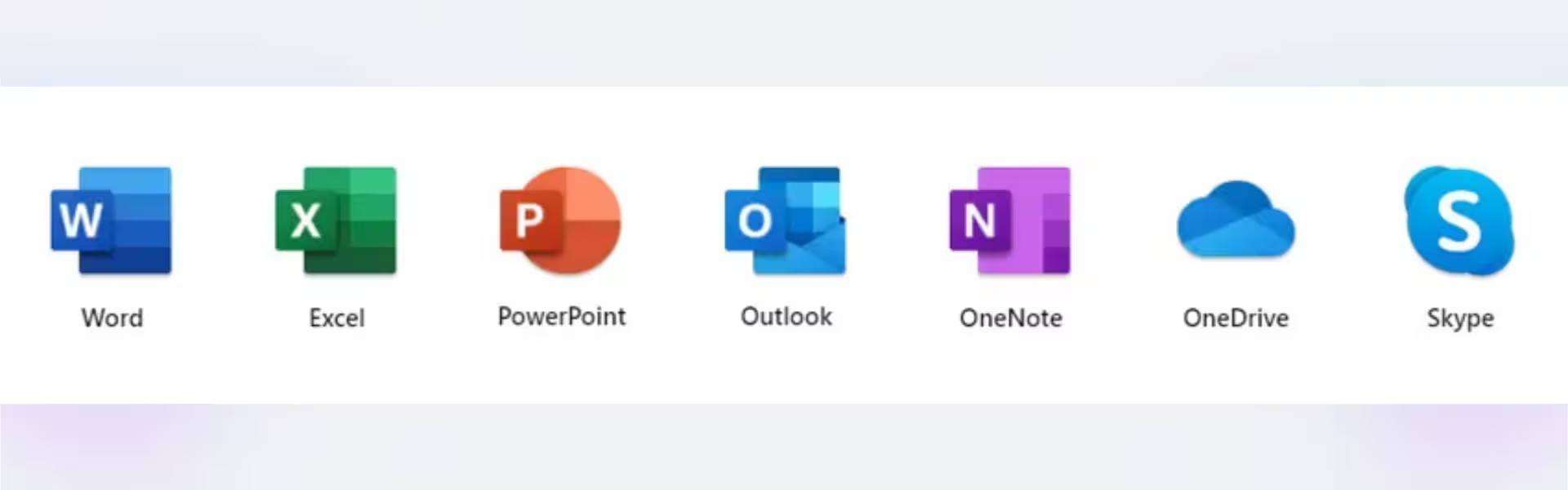
Word allows you to create professional documents such as reports, letters, and contracts. Whether you’re drafting business proposals or academic papers, its formatting tools and templates help you produce polished results quickly and efficiently.
Microsoft Excel
Excel is essential for managing data, budgeting, and financial analysis. From tracking expenses to creating advanced spreadsheets with formulas and charts, it helps users make informed decisions based on clear data insights.
Microsoft PowerPoint
PowerPoint enables you to design impactful presentations for meetings, training sessions, or school projects. With visual tools and slide transitions, you can communicate ideas clearly and professionally.
Microsoft Outlook
Outlook centralizes your email, calendar, and contacts. It helps you stay organized, manage appointments, and maintain efficient communication—especially valuable for business users.
OneNote
OneNote acts as a digital notebook where you can store ideas, notes, and project plans. It’s ideal for organizing information across multiple devices and keeping everything accessible in one place.
Why Choose Microsoft Office 2016 Home & Business?
Microsoft Office 2016 Home & Business is perfect for professionals, freelancers, students, and home users who need dependable productivity tools without ongoing subscription fees. It offers a complete solution for document creation, communication, and organization.
Explore more Office versions in our Microsoft Office 2016 collection to find the best fit for your needs.
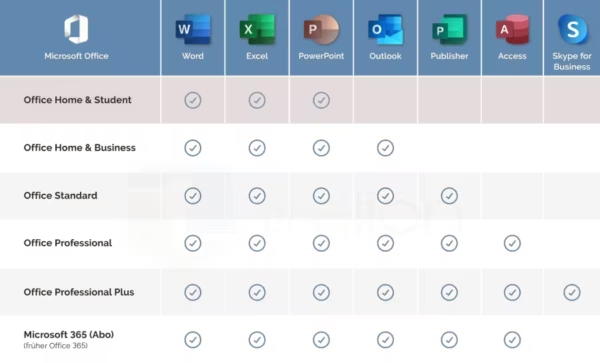
If you require more advanced features, consider upgrading to Microsoft Office 2016 Professional Plus, which includes additional business tools.
For newer features and updated performance, you may also consider Microsoft Office 2019 Home & Business for Mac.
Microsoft Office 2016 Home & Business vs Alternatives
Compared to newer versions like Office 2019, Office 2016 offers a more budget-friendly option with essential features that cover most productivity needs. While it lacks some modern cloud integrations found in newer editions, it remains a stable and efficient choice for offline work.
Compared to Professional Plus editions, this version focuses on core applications without advanced enterprise tools, making it ideal for smaller businesses and individual users.
System Compatibility
This version is designed exclusively for Mac systems. It runs smoothly on supported macOS versions, ensuring compatibility with Apple hardware and a seamless user experience. Make sure your device meets basic system requirements for optimal performance.
License Type Explanation
This Bind license is linked directly to your Microsoft account, providing secure and easy access. It allows you to reinstall the software on the same device whenever needed. With a one-time purchase and lifetime validity, you avoid recurring subscription costs while maintaining full functionality.
Installation & Activation
- Purchase the product and receive your license via email instantly.
- Download the installation file using the provided instructions.
- Install the software on your Mac device.
- Sign in with your Microsoft account.
- Activate the product using online activation.
- Start using all included Office applications immediately.
Why Buy From Us
We provide a secure, reliable, and customer-focused purchasing experience with every order.
- Instant digital delivery directly to your email
- Genuine and verified software licenses
- Secure payment processing
- 24/7 customer support with remote assistance
- Full compliance with U.S. laws and industry standards
Digital License Is a Verified Microsoft Partner
Digital License is an official Microsoft Partner
(ID: 7033487), recognized for delivering genuine software
licenses and verified solutions worldwide. You can verify our
partnershipdirectly on the Microsoft Partner Directory. This ensures
every license you purchase is authentic, secure, and fully compliant with
Microsoft standards and applicable U.S. laws and industry standards.
FAQ
How do I receive my product?
Your product is delivered instantly via email after purchase, including download and activation instructions.
Is this a one-time purchase?
Yes, this is a lifetime license with no subscription or recurring fees.
Can I reinstall the software?
Yes, since the license is linked to your Microsoft account, you can reinstall it on the same device anytime.
Is this compatible with Windows?
No, this version is specifically designed for Mac systems only.
Do I need an internet connection?
An internet connection is required for activation, but you can use the applications offline afterward.
Is the license genuine?
Yes, all licenses are genuine and sourced through compliant distribution channels.
Can I transfer the license to another device?
This license is intended for use on one device and is linked to your Microsoft account.
What support is included?
You receive 24/7 email and remote assistance for installation and activation help.
| Component | Requirement |
| Processor | Intel processor |
| RAM | 4 GB RAM |
| Storage | 10 GB of available disk space; HFS+ hard disk format (also known as macOS Extended or APFS) |
| Operating System | macOS Sierra (10.12), macOS High Sierra (10.13), or macOS Mojave (10.14) |
| Graphics | No specific GPU requirement |
| Display | 1280 × 800 screen resolution or higher |
| Specification | Detail |
|---|---|
| Activation | Single PC (one-time activation) |
| License validity | Lifetime (does not expire after activation) |
| Delivery method | By email within 15 minutes |
| Languages | Multilingual |

1 – Buy
Shop securely with SSL encryption.

2 – Receive
You will receive the license key and download link.

3 – Download
Download and install the software.

4 – Activate
Enter the license key to the software.
Microsoft Project 2019 Professional
Microsoft Visio 2021 Professional
Microsoft Visual Studio 2019 Enterprise

Microsoft Visual Studio 2022 Enterprise
Microsoft Office 2013 Professional Plus
Microsoft Office 2019 Professional Plus Bind
