















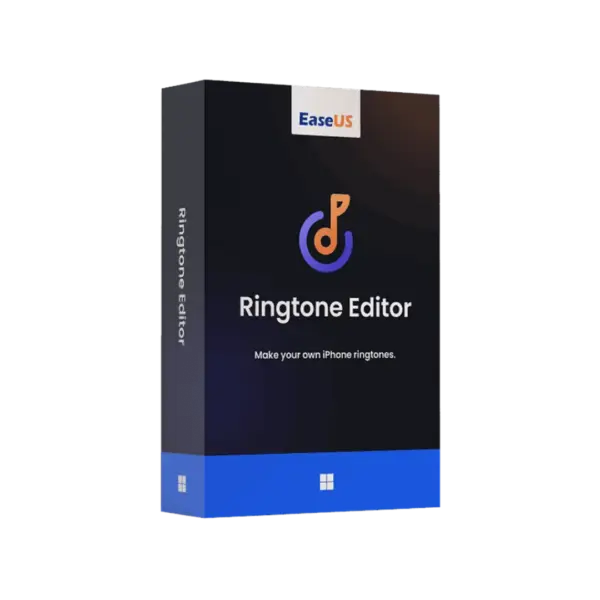








- Description
- Minimum Requirements
- Specifications
- Additional information
EaseUS Ringtone Editor is a simple Windows tool for creating custom ringtones from your favorite audio files. It includes instant digital delivery, online activation, and flexible duration options, including lifetime usage with no subscription.
It is ideal for users who want fast ringtone creation without complex audio software. You can cut, edit, and prepare tones for personal use in a few clear steps.
Overview of EaseUS Ringtone Editor
- Platform: Windows
- Devices: 1 Device
- License Duration: 1 Month/ 1 Year/ Lifetime
- Activation Method: Online activation
- Delivery: Instant digital delivery via email
- Support: Email and remote assistance
- Language Support: Multi-language
- Compliance: Genuine software licenses sourced through compliant distribution channels in line with U.S. laws and industry standards
Key Features
- Custom ringtone creation: Turn music or audio clips into personal ringtones, so your phone sounds unique.
- Simple audio trimming: Cut only the part you need, which saves time and avoids extra editing work.
- Windows-based workflow: Edit ringtones from your computer with a clear interface and better file control.
- Fast export process: Prepare ringtone files quickly, making it useful for everyday personal use.
- Flexible duration options: Choose short-term access or lifetime usage based on your needs.
- Online activation: Activate the software quickly and start editing without delays.
Main Features Explained
Audio Cutting and Trimming
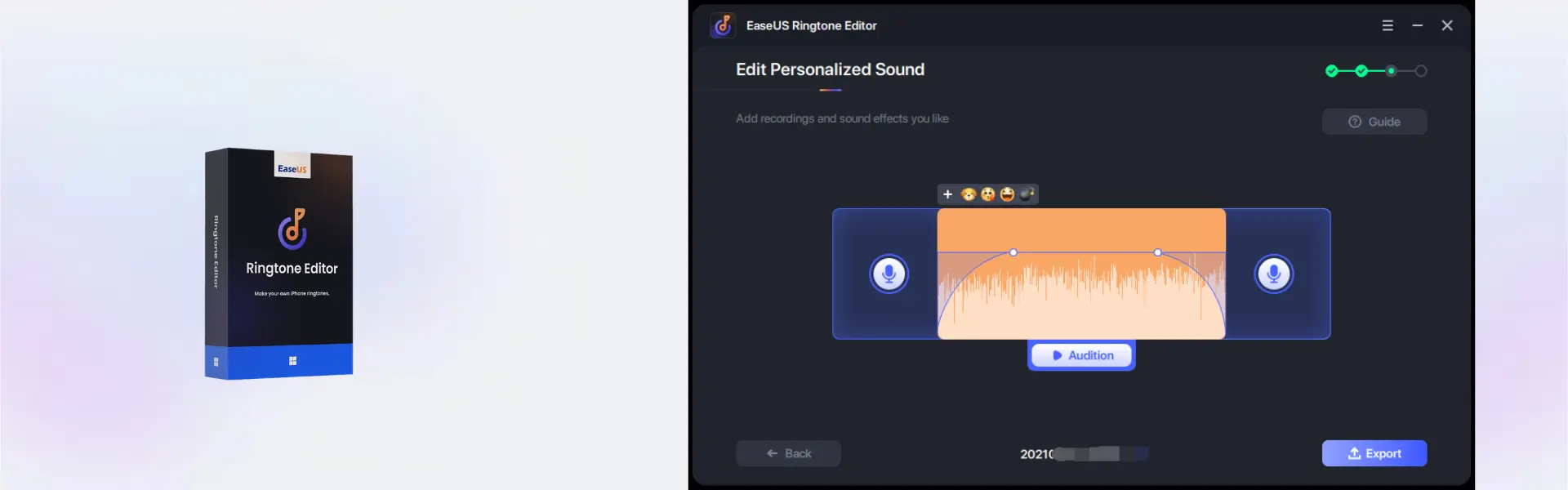
EaseUS Ringtone Editor helps you select the exact part of a song, voice recording, or audio file that you want to use as a ringtone. This is useful for home users who want a favorite chorus, students who want custom alert tones, or business users who prefer a clean notification sound.
Ringtone Personalization
You can create tones that match your style instead of using standard phone sounds. As a result, calls and alerts become easier to recognize in real situations.
Easy Windows Editing
The software is designed for Windows users who want a practical editing tool without a steep learning curve. Therefore, it works well for beginners and casual users who need quick results.
Fast Digital Setup
With instant email delivery and online activation, you can install and use the product soon after purchase. This makes it a convenient choice for users who need a ringtone editor right away.
Why Choose EaseUS Ringtone Editor?
EaseUS Ringtone Editor is made for users who want a focused, simple, and reliable way to create custom ringtones. It is a strong choice for personal use, small business phones, and anyone who wants better control over phone alerts.
If you are browsing practical computer programs, this product offers a lightweight solution for ringtone editing without unnecessary tools. For users who also need phone unlocking features, EaseUS MobiUnlock is a related EaseUS product with a different purpose.
EaseUS Ringtone Editor vs Alternatives
Compared with full audio editing suites, EaseUS Ringtone Editor is easier to use because it focuses on ringtone creation. Large audio programs may offer advanced mixing tools, but they can be too complex for users who only need to trim and prepare ringtone files.
Compared with mobile-only ringtone apps, this Windows solution gives you better file management and a more comfortable editing workflow on a larger screen.
System Compatibility
EaseUS Ringtone Editor is designed for Windows devices. Before installation, make sure your computer has a stable internet connection for online activation and enough storage space for the software and audio files.
License Type Explanation
This product supports use on 1 device. Once activated, the selected duration applies according to the purchased option, including 1 month, 1 year, or lifetime usage. Since no Retail, Bind, or LTSC type is provided for this product, those Microsoft-specific license rules do not apply here.
Installation & Activation
- Complete your order and check your email for digital delivery.
- Download the software using the instructions provided after purchase.
- Install EaseUS Ringtone Editor on your Windows device.
- Open the program and start the online activation process.
- Enter the activation details exactly as received.
- After activation, start creating custom ringtones.
Why Buy From Us?
Digital License provides a fast, secure, and professional purchase experience for software users. You receive genuine software licenses through compliant distribution channels with reliable support when you need help.
- Instant digital delivery via email
- Genuine software licenses
- Secure payment process
- Email and remote assistance support
- Compliance with U.S. laws and industry standards
Trust & Reliability
We focus on secure software delivery, clear activation guidance, and dependable customer support. Every order is handled with professional care, so you can purchase with confidence.
Frequently Asked Questions
How is EaseUS Ringtone Editor delivered?
It is delivered instantly by email after purchase.
How do I activate EaseUS Ringtone Editor?
You activate it online using the activation details provided with your order.
Is EaseUS Ringtone Editor compatible with Windows?
Yes, this product is designed for Windows devices.
Can I use EaseUS Ringtone Editor on more than one device?
No, the product is provided for 1 device.
Does EaseUS Ringtone Editor include lifetime usage?
Yes, lifetime usage is available when you choose the lifetime duration option.
Is there a subscription?
No subscription is required when you select the lifetime option.
Can the activation be transferred?
Transfer terms depend on the product activation rules. This product is provided for use on 1 device.
Is this product legal?
Yes, the software licenses are sourced through compliant distribution channels in line with U.S. laws and industry standards.
| Component | Requirement |
| Processor | 1 GHz or faster processor |
| RAM | 1 GB minimum (2 GB recommended) |
| Storage | At least 200 MB free disk space for installation |
| Operating System | Windows 11/10/8.1(32-bit & 64-bit) |
| Sound Card | Standard Windows-compatible audio device |
| Display | 1024 × 768 screen resolution or higher |
| Internet Connection | Required for activation, updates, and downloading online resources |
| Specification | Detail |
|---|---|
| Activation | Single Device License (1 PC) |
| License validity | 1 Month/ 1 Year/ Lifetime (one-time purchase) |
| Delivery method | By email within 5–15 minutes |
| Languages | Multilingual |
Additional information
| Subscription period | 1 Month, 1 Year, Lifetime |
|---|

1 – Buy
Shop securely with SSL encryption.

2 – Receive
You will receive the license key and download link.

3 – Download
Download and install the software.

4 – Activate
Enter the license key to the software.
Ashampoo 3D CAD Architecture 10
Parallels Desktop Standard 20 Mac
Vmware vCenter Server 8 Standard
