Wondershare Licenses – Creative Software for Video Editing and Digital Projects
Wondershare Licenses are designed for users who need accessible, efficient, and feature-rich software for creative work, video editing, media production, and everyday digital projects. Wondershare is especially popular among content creators, marketers, students, educators, freelancers, businesses, and home users who want professional-looking results without a complicated learning curve.
This category focuses on Wondershare software for visual content creation, especially video editing. Whether you are producing YouTube videos, social media clips, tutorials, product demos, presentations, online course materials, or personal projects, Wondershare tools help simplify the editing process while still offering powerful creative features.
Featured Wondershare Product
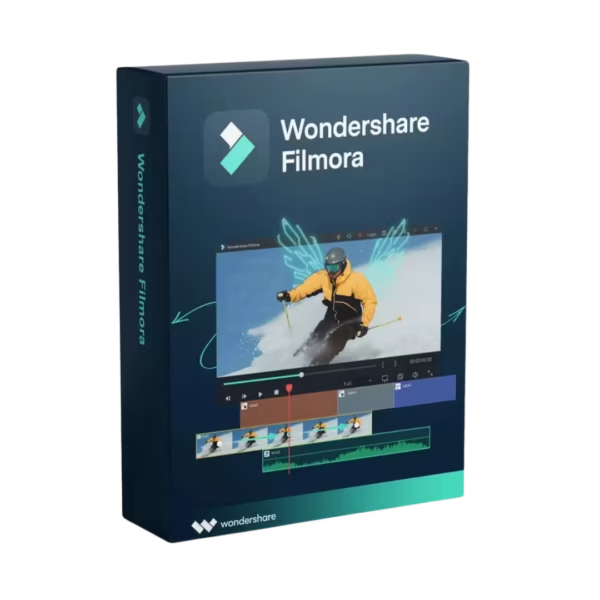
Wondershare Filmora is a user-friendly video editor built for creators who want fast editing, polished effects, transitions, titles, audio tools, and export options in one intuitive interface. It is suitable for beginners who want simple drag-and-drop editing, as well as more experienced users who need practical tools for daily video production.
Filmora is a strong choice for social media creators, small businesses, educators, vloggers, and marketing teams. It helps users cut clips, add music, apply effects, include text, adjust colors, create intros, and export finished videos for different platforms.
Why Choose Wondershare Software?
Wondershare products are known for combining practical features with approachable design. Instead of requiring advanced technical knowledge, Wondershare software focuses on clear workflows, guided tools, and creative flexibility.
- Video editing tools for cutting, trimming, and arranging clips
- Creative effects for transitions, overlays, titles, and motion elements
- Audio editing features for music, voiceovers, and sound adjustment
- Export options for social media, presentations, and personal projects
- User-friendly interface for beginners and professionals
- Content creation support for marketing, education, and entertainment
- Practical workflow for fast editing and publishing
Who Should Use Wondershare Licenses?
Content Creators
Creators can use Wondershare software to edit YouTube videos, Instagram reels, TikTok clips, tutorials, product reviews, podcasts, and short promotional videos. Filmora helps simplify the creative process while offering enough features for polished results.
Businesses and Marketing Teams
Small businesses and marketing teams can create product videos, ads, training content, explainer clips, testimonials, and social media posts. Wondershare tools make it easier to produce professional-looking content without relying on complex production software.
Students and Educators
Students and teachers can use Wondershare software for class projects, presentations, online lessons, research videos, and educational content. The intuitive interface makes it suitable for users who need quick results without advanced editing experience.
Freelancers and Professionals
Freelancers, designers, consultants, and creative professionals can use Wondershare tools to prepare client videos, portfolio content, tutorials, presentations, and branded visuals for online platforms.
Choosing the Right Wondershare License
Before purchasing a Wondershare license, consider your main workflow. If your priority is video creation, Wondershare Filmora is the key product to review. It is especially useful if you need a balanced video editor that combines ease of use with creative features.
Key Factors to Check Before Purchase
- Software version and included editing tools
- License duration and activation method
- Operating system compatibility
- Export formats and supported video resolutions
- Creative features such as effects, titles, audio tools, and templates
- Device limits and installation requirements
Compatibility and Workflow Guidance
Wondershare products are commonly available for Windows and macOS, depending on the product and version. Before choosing your license, always check the individual product page to confirm operating system support, hardware requirements, activation details, and included features.
Video editing can require stronger system performance than basic office software. Users working with high-resolution footage, long videos, multiple effects, or large media files should consider processor power, RAM, graphics performance, and available storage before installation.
License Types Explained: OEM vs Retail
Retail licenses are generally intended for end users who purchase software directly for personal, professional, or business use. They usually provide straightforward activation and are commonly selected by users who need direct access to creative software.
OEM licenses are typically linked to specific hardware or the first device where the software is activated. They are often associated with pre-installed software and may offer less flexibility than Retail licenses.
For Wondershare products, activation terms can vary depending on the edition, subscription, and license type. Always review the product page before purchase to confirm the exact license duration, activation method, supported devices, and usage conditions.
Installation and Activation Overview
Installing and activating Wondershare software is usually straightforward and suitable for both beginners and experienced users.
- Choose the Wondershare product that matches your creative workflow.
- Complete your purchase securely.
- Receive your digital license or activation details by email.
- Download and install the Wondershare application.
- Open the software and sign in or enter your activation details if required.
- Confirm activation and update the software if needed.
- Start importing media, editing your project, and exporting your final file.
After activation, you can create a new project, import video clips, add music, apply transitions, edit text, adjust visuals, and export your finished content for sharing, publishing, or presentation.
Build a Complete Creative Software Setup
Wondershare is a strong solution for video editing and creative media work, but many users combine it with other design, illustration, document, and recovery tools. For broader creative workflows, explore CorelDRAW for vector design, Corel software for creative production, and CorelPainter for digital painting and illustration.
Users working on multimedia projects may also benefit from 3D Design & Animation software, PDF & Documents tools for project files and client documents, EaseUS utilities, Backup & Data Recovery software to protect media files, and Ashampoo solutions for additional productivity and multimedia needs.
Why Choose Digital License?
Digital License offers genuine digital licenses, fast digital delivery, secure checkout, competitive pricing, and professional customer support. Whether you need Wondershare software for video editing, content creation, marketing, education, or personal projects, this category makes it easy to choose and activate the right license for your creative workflow.