







- Description
- Minimum Requirements
- Specifications
- Additional information
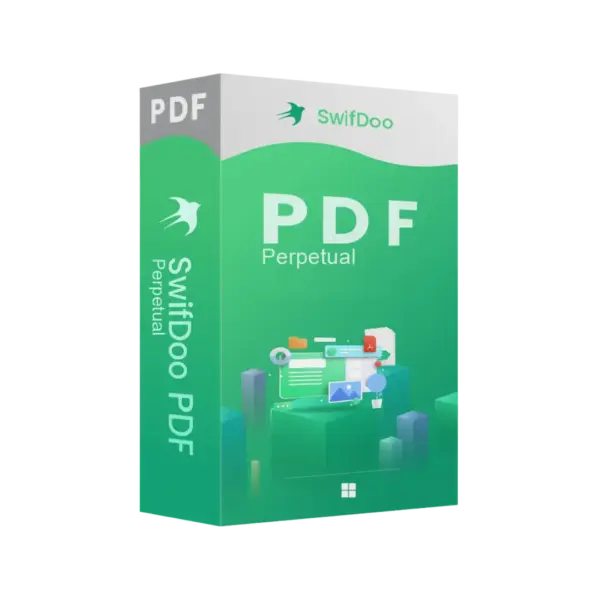
Swifdoo pdf for Windows is a practical PDF solution for creating, editing, converting, and managing documents on a Windows device. With instant digital delivery via email, you can start quickly and choose a flexible duration, including a lifetime option for long-term use without a subscription.
It is ideal for business users, students, freelancers, and home users who need fast PDF tools for daily document work. Therefore, it helps you save time, improve accuracy, and keep your workflow simple.
Overview of Swifdoo pdf for Windows
- Platform: Windows
- Devices: 1 Device/ 2 Devices
- License Duration: 1 month/ 3 months/ 1 Year/ 2 Years/ Lifetime
- Activation Method: Online activation
- Delivery: Instant digital delivery via email
- Support: Email and remote assistance
- Language Support: Multi-language
- Compliance: Genuine software licenses sourced through compliant distribution channels in line with U.S. laws and industry standards
Key Features
- PDF editing tools: Edit text, images, and page content, so you can update documents without recreating them from scratch.
- PDF conversion: Convert PDF files into editable formats, which helps you reuse content for reports, contracts, and study files.
- PDF creation: Create professional PDF documents from common file types for easier sharing and archiving.
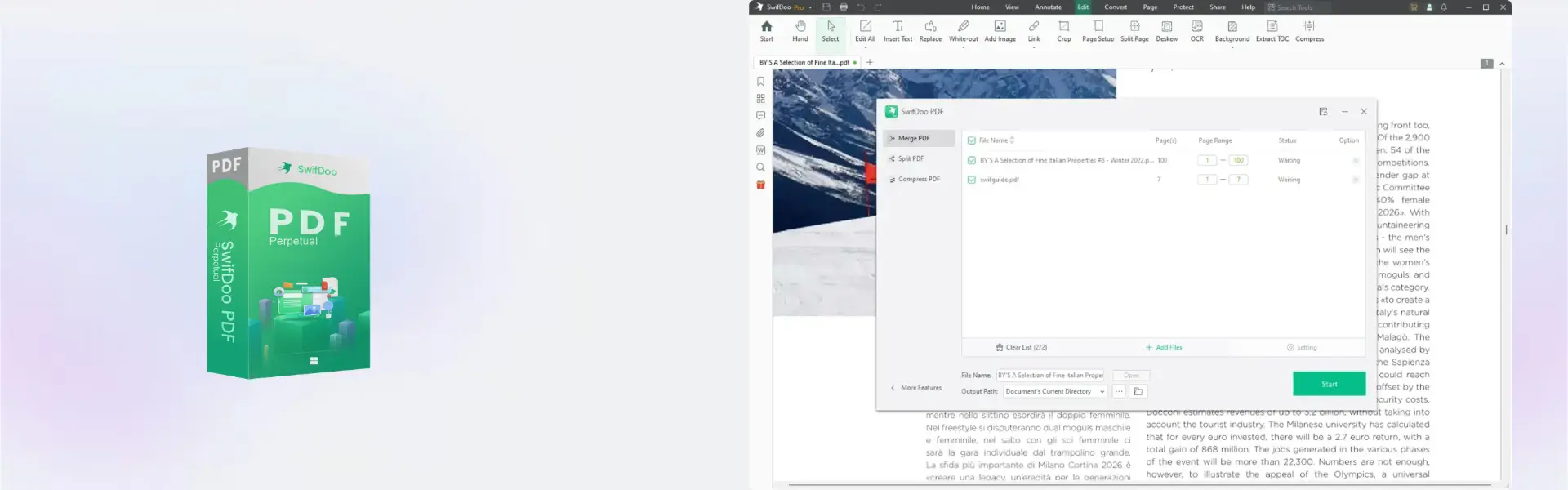
- Page management: Merge, split, rotate, and organize pages to build cleaner, more useful documents.
- Annotation tools: Add notes, comments, and highlights to review contracts, learning materials, and business files more clearly.
- Form and signature support: Fill forms and handle document approvals faster for office, finance, and admin tasks.
- Flexible duration options: Choose short-term access or lifetime usage depending on your work needs and budget.
Main Features Explained
PDF Editing
Swifdoo pdf for Windows lets you edit text, adjust images, and improve document layouts. This is useful when you need to correct invoices, update proposals, revise reports, or prepare files for clients.
PDF Conversion
You can convert PDFs into editable formats for easier content reuse. For example, students can extract notes, while business users can update contracts, quotes, and internal documents more efficiently.
Page Organization
The software helps you merge multiple files, split large PDFs, rotate pages, and remove unnecessary content. As a result, your documents become easier to share, store, and present.
Annotations and Review
With comments, highlights, and markup tools, teams can review documents more clearly. This improves collaboration for office users, teachers, students, and anyone working with shared PDF files.
Why Choose Swifdoo pdf for Windows?
Swifdoo pdf for Windows is built for users who need a fast, lightweight, and capable PDF tool for everyday work. It supports document editing, conversion, organization, and review, making it a strong choice for offices, remote workers, students, and home users.
If you want to explore similar tools, visit our PDF document management software category. For users who need a more advanced enterprise-style PDF solution, Nuance Power PDF Advanced 21 may be a useful comparison.
Swifdoo pdf for Windows vs Alternatives
Swifdoo pdf for Windows is a strong choice for users who want a simple and efficient PDF editor for daily tasks. Compared with Corel PDF Fusion, Swifdoo focuses on quick editing, conversion, and document handling for everyday Windows users.
If your main work involves writing and editing text documents before exporting them as PDFs, Microsoft Word 2024 may also be useful. However, Swifdoo is better when your workflow starts with PDF files and requires direct PDF editing.
System Compatibility
Swifdoo pdf for Windows is designed for Windows devices. Before installation, make sure your computer has internet access for online activation, enough storage space for the software, and administrator permission to complete setup.
License Type Explanation
This product is supplied for one or two devices, depending on the selected option. Activation is completed online, and the usage duration depends on the selected plan, including monthly, yearly, multi-year, and lifetime options.
Installation & Activation
- Complete your order and check your email for digital delivery details.
- Download Swifdoo pdf for Windows using the provided instructions.
- Install the software on your Windows device.
- Open the program and start online activation.
- Follow the activation prompts until the product is ready to use.
- Begin editing, converting, and managing your PDF documents.
Why Buy From Us
Digital License gives you a secure and convenient way to purchase software for personal, student, and business use.
- Instant digital delivery via email
- Genuine software licenses
- Secure payment process
- Email and remote assistance support
- Compliance with U.S. laws and industry standards
Trust & Reliability
Digital License focuses on genuine software, clear delivery, and dependable customer support. Our software licenses are sourced through compliant distribution channels in line with U.S. laws and industry standards.
FAQ
How do I activate Swifdoo pdf for Windows?
You activate it online after installation by following the instructions delivered by email.
How will I receive the product?
You receive instant digital delivery via email after your order is completed.
Is Swifdoo pdf for Windows compatible with MacOS?
No, this product is listed for Windows.
Can I use it on more than one device?
Yes, depending on the option selected, it is available for one device or two devices.
Does it include a lifetime option?
Yes, lifetime usage is available as one of the duration options.
Can I transfer it to another computer?
Use depends on the selected product terms and device option. Our support team can help with activation guidance.
Is this product legal?
Yes, Digital License supplies genuine software licenses sourced through compliant distribution channels in line with U.S. laws and industry standards.
Do you provide support?
Yes, email and remote assistance support are available for installation and activation help.
| Component | Requirement |
| Processor | 1 GHz or faster x86/x64 processor |
| RAM | 1 GB minimum (2 GB recommended) |
| Storage | At least 500 MB of available disk space |
| Operating System | Windows 10, 11 (32-bit and 64-bit) |
| Graphics card | DirectX-compatible graphics device |
| Display | 1024 × 768 screen resolution or higher |
| Specification | Detail |
|---|---|
| Activation | Single Device or Two Device License |
| License validity | 1 Month / 3 Months / 1 Year / 2 Years / Lifetime (1 Device) / Lifetime (2 Devices) |
| Delivery method | Digital delivery via email within 5–15 minutes |
| Languages | Multilingual |
| Supported Platform | Windows PC |
Additional information
| Devices | 1 Device, 2 Devices |
|---|---|
| Subscription period | 1 Month, 3 Months, 1 Year, 2 Years, Lifetime |

1 – Buy
Shop securely with SSL encryption.

2 – Receive
You will receive the license key and download link.

3 – Download
Download and install the software.

4 – Activate
Enter the license key to the software.
Ashampoo 3D CAD Professional 10

Ashampoo 3D CAD Professional 11
VMware vCenter Server 7 Standard