























- Description
- Minimum Requirements
- Specifications
- Additional information
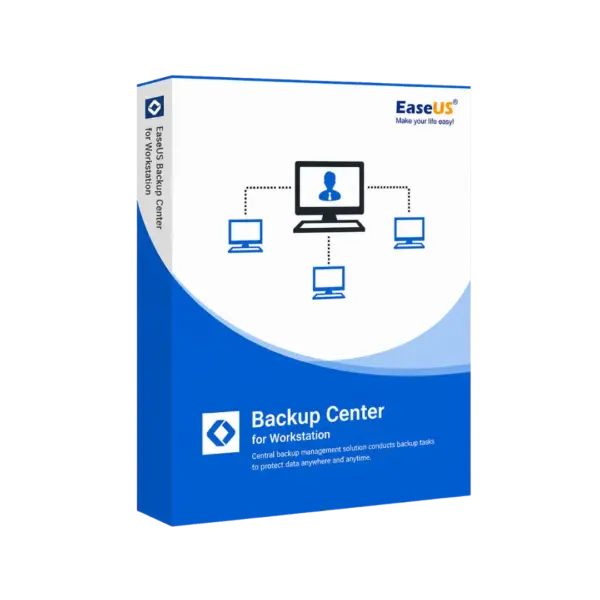
EaseUS Backup Center for Workstation is a professional Windows solution designed to centrally manage backup tasks for workstation environments with speed, control, and reliability. It is delivered instantly by email, offers lifetime usage when the lifetime option is selected, and works without a subscription for long-term data protection.
Built for businesses, IT teams, and advanced workstation users, EaseUS Backup Center for Workstation helps simplify backup administration, reduce manual work, and protect important data from loss, system failure, or operational disruption.
Overview of EaseUS Backup Center for Workstation
- Platform: Windows
- Devices: 1 Device
- License Duration: 1 Years/ 2 Years / Lifetime
- Activation Method: Online activation
- Delivery: Instant digital delivery via email
- Support: Email and remote assistance 24/7
- Language Support: Multi-language
- Compliance: Genuine software licenses sourced through compliant distribution channels in line with U.S. laws and industry standards
Key Features
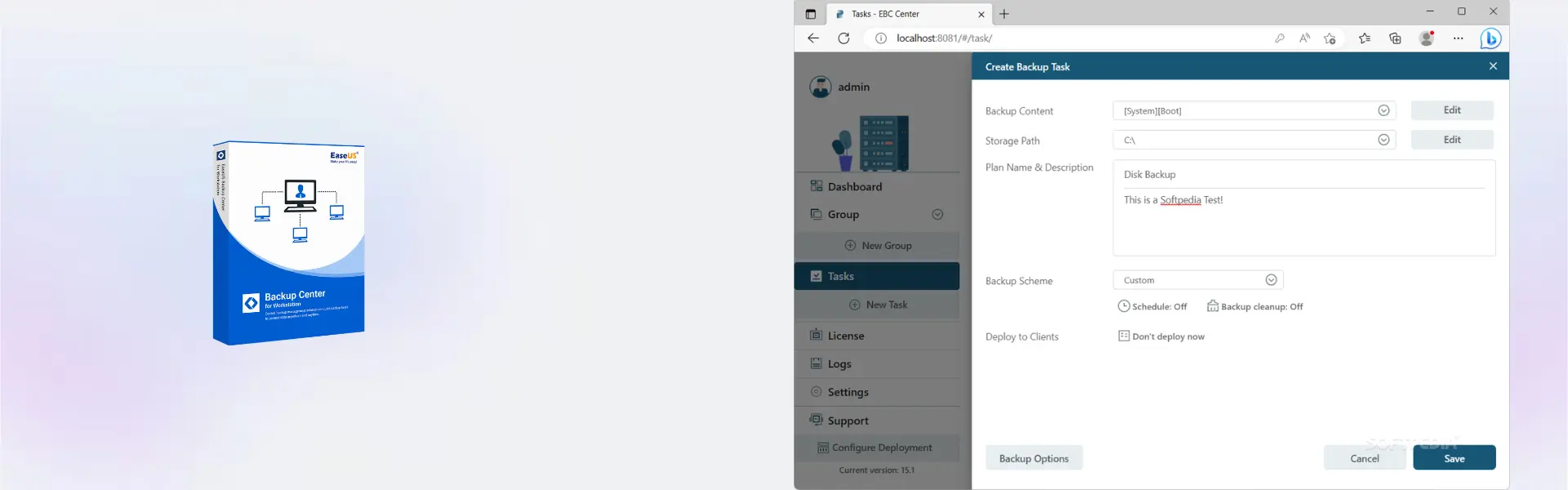
- Centralized backup management: Manage multiple workstation backup tasks from one console, saving time and improving administrative control.
- Remote task deployment: Create and assign backup jobs without manually configuring every workstation, helping IT teams work more efficiently.
- System and file backup control: Protect operating systems, business files, and important workstation data against accidental loss or corruption.
- Backup monitoring: Track backup status and task progress to quickly identify failed or incomplete jobs before they become serious risks.
- Flexible scheduling: Automate backup operations at suitable times, reducing disruption during working hours.
- Workstation-focused protection: Designed for Windows workstation environments where reliable data continuity is essential.
- Professional IT workflow support: Helps administrators reduce repetitive tasks and maintain consistent backup policies across devices.
Main Features Explained
Central Backup Console
The central backup console allows administrators to control backup tasks from one place instead of managing each workstation separately. In real business environments, this is useful for offices, service desks, and IT teams that need to keep multiple systems protected with consistent rules.
Remote Backup Task Management
With remote backup management, users can create, start, stop, and monitor backup tasks without physically accessing every computer. This improves productivity and helps businesses maintain stronger protection across distributed workstation setups.
System and Data Protection
System backup and file-level protection help safeguard important Windows environments, business documents, and user data. This matters when a workstation fails, files are deleted, or a recovery process is needed quickly to reduce downtime.
Backup Scheduling and Monitoring
Automated schedules make it easier to run backups regularly, while monitoring tools help confirm that tasks are completed successfully. For business users, this means fewer missed backups and better confidence in daily data protection.
Why Choose EaseUS Backup Center for Workstation?
EaseUS Backup Center for Workstation is ideal for small businesses, IT departments, technicians, and professional users who need a reliable way to manage workstation backups centrally. It is especially useful when manual backup handling becomes too time-consuming or inconsistent.
As part of our backup and data recovery software range, this product focuses on centralized control, workstation protection, and efficient backup administration. Users who need a standalone workstation backup tool may also compare it with EaseUS Todo Backup Workstation, which is more focused on direct backup and recovery for individual workstation use.
For more advanced IT environments, EaseUS Todo Backup Technician may be better suited for service providers, while EaseUS Backup Center for Advanced Server is designed for broader server-focused backup management.
EaseUS Backup Center for Workstation vs Alternatives
EaseUS Backup Center for Workstation is designed for centralized management of workstation backup tasks, making it suitable for teams that need oversight and control across multiple backup operations. In comparison, EaseUS Todo Backup Workstation is better for users who mainly need backup and recovery features on a single workstation.
Compared with Advanced Server versions, EaseUS Backup Center for Workstation is more focused on Windows workstation environments rather than server infrastructure. This makes it a practical choice for office networks, managed workstations, and business PCs.
System Compatibility
EaseUS Backup Center for Workstation is built for Windows-based systems and is suitable for professional workstation environments. Before installation, make sure the device has a stable internet connection for online activation and enough system resources to manage backup tasks smoothly.
License Type Explanation
This product is supplied as a digital software license for 1 Device. The license duration depends on the option selected: 1 year, 2 years, or lifetime. Once activated, it is intended for use on the activated device according to the selected license term.
This is not a Microsoft Retail, Bind, or LTSC license. Transferability and reactivation rights depend on the software vendor activation rules and the selected license duration.
Installation & Activation
- Complete your order and receive the digital delivery email.
- Download the official installation file using the provided instructions.
- Install EaseUS Backup Center for Workstation on your Windows device.
- Open the software and choose the activation option.
- Enter the activation details provided with your order.
- Complete online activation and start configuring your backup management tasks.
Why Buy From Us
Digital License provides a secure and professional way to purchase EaseUS Backup Center for Workstation with fast digital delivery, reliable support, and compliant software sourcing.
- Instant delivery by email after purchase
- Genuine licenses sourced through compliant distribution channels
- Secure payment for a safe checkout experience
- Email and remote assistance available 24/7
- Compliance with U.S. laws and industry standards
FAQ
How is EaseUS Backup Center for Workstation activated?
It is activated online using the activation details provided after purchase. A stable internet connection is required during activation.
How will I receive the product?
Delivery is instant by email after checkout, including the necessary activation and installation information.
Is EaseUS Backup Center for Workstation compatible with Windows?
Yes, the product is designed for Windows workstation environments.
Can I use it on more than one device?
This product is supplied for 1 Device. For multiple devices, separate licenses may be required.
Does the lifetime option require a subscription?
No. When the lifetime option is selected, it provides long-term usage without a subscription.
Can the license be transferred?
Transfer rights depend on the vendor activation rules and the selected license duration. It is intended for use on the activated device.
Is this software suitable for business users?
Yes. It is suitable for businesses, IT teams, and professional workstation environments that need centralized backup management.
Is the license legal and compliant?
Yes. Licenses are sourced through compliant distribution channels in line with U.S. laws and industry standards.
| Component | Requirement |
| Processor | x86/x64-compatible CPU, 2 GHz or faster |
| RAM | 4 GB minimum (8 GB or more recommended) |
| Storage | At least 1 GB of free disk space for installation |
| Operating System | Windows 11 / 10 (64-bit) |
| Graphics card | Standard VGA compatible graphics |
| Display | 1024 × 768 resolution or higher |
| Specification | Detail |
|---|---|
| Activation | Single Device License (1 PC) |
| License validity | 1 Year / 2 Years / Lifetime (one-time purchase) |
| Delivery method | By email within 5–15 minutes |
| Languages | Multilingual |
Additional information
| Subscription period | 1 Year, 2 Years, Lifetime |
|---|

1 – Buy
Shop securely with SSL encryption.

2 – Receive
You will receive the license key and download link.

3 – Download
Download and install the software.

4 – Activate
Enter the license key to the software.
Ashampoo 3D CAD Architecture 10

Corel Painter Essentials 7 (PC - Mac)
Vmware vCenter Server 8 Standard
