









- Description
- Minimum Requirements
- Specifications
- Additional information
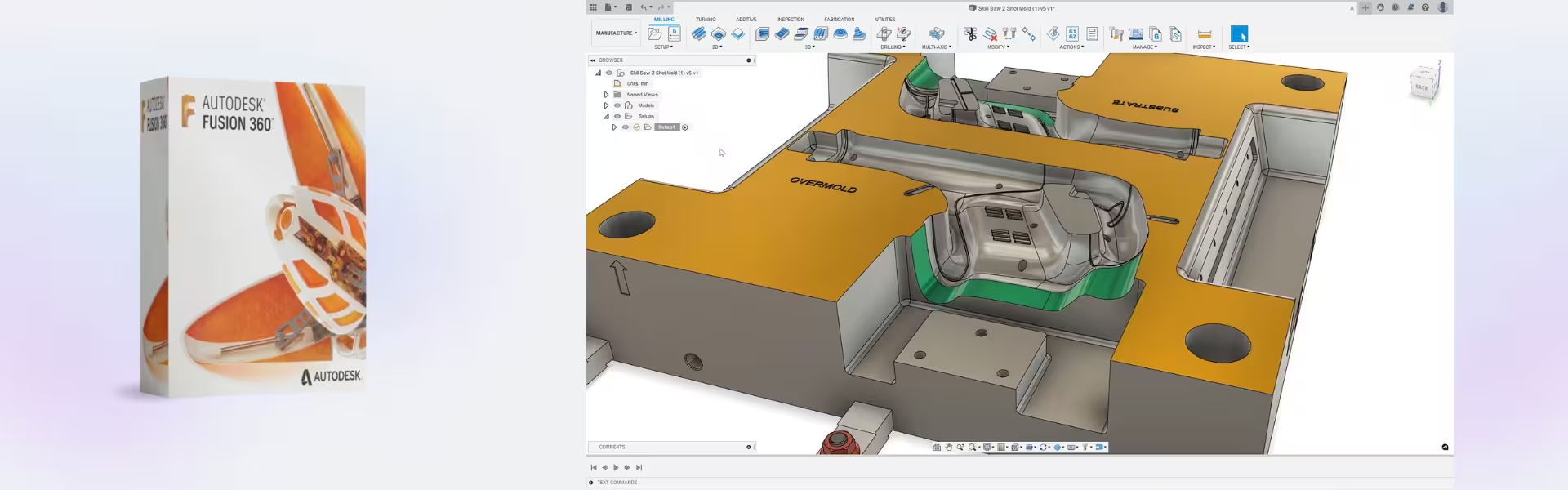
Autodesk Fusion 360 is a powerful, cloud-based 3D design and engineering solution built for modern creators and professionals. Enjoy instant delivery and seamless subscription access, giving you lifetime productivity benefits throughout your license period. Whether you’re designing products or collaborating remotely, Fusion 360 delivers performance and flexibility.
Overview of Autodesk Fusion 360
- Platform: Windows (64-bit) / Mac
- Edition: Fusion 360
- License Type: Educational
- Devices: 1 Device
- License Duration: 1 Year / 3 Years
- Activation Method: Online activation
- Delivery: Instant digital delivery via email
- Support: Email and remote assistance
- Language Support: Multi-language
- Compliance: Genuine software licenses sourced through compliant distribution channels in line with U.S. laws and industry standards
Key Features
- Cloud-Based Collaboration: Work on projects from anywhere while syncing changes in real time, improving team efficiency and reducing delays.
- Integrated CAD, CAM, and CAE: Combine design, simulation, and manufacturing in one platform to streamline workflows and reduce the need for multiple tools.
- Parametric and Freeform Modeling: Create precise technical designs or organic shapes, giving flexibility for both engineering and creative projects.
- Simulation Tools: Test product performance digitally to identify issues early, saving time and material costs.
- Manufacturing Integration: Generate toolpaths and prepare CNC operations directly within the software for faster production readiness.
- Version Control and Data Management: Track design changes and manage revisions efficiently, minimizing errors in complex projects.
- Cross-Platform Support: Use the software seamlessly on both Windows and Mac systems without compromising performance.
Main Features Explained
3D Product Design
Fusion 360 enables users to design complex 3D models using parametric and direct modeling tools. Engineers and students can create prototypes, modify designs quickly, and iterate faster, making it ideal for product development and innovation.
Simulation and Testing
The built-in simulation tools allow users to analyze stress, motion, and thermal performance before manufacturing. This reduces costly mistakes and ensures products meet real-world requirements.
CAM (Computer-Aided Manufacturing)
Fusion 360 provides integrated CAM capabilities, allowing users to generate CNC machining instructions directly from their designs. This improves manufacturing accuracy and speeds up production workflows.
Cloud Collaboration
Teams can collaborate in real time, share designs, and track updates through cloud storage. This feature is essential for remote teams, improving communication and project transparency.
Electronics and PCB Design
Fusion 360 includes tools for electronic circuit and PCB design, allowing engineers to combine mechanical and electrical workflows in a single environment.
Why Choose Autodesk Fusion 360?
Autodesk Fusion 360 is ideal for students, engineers, startups, and product designers who need an all-in-one solution for design, simulation, and manufacturing. It simplifies complex workflows while improving productivity and collaboration.
If you’re exploring professional-grade tools, you can also browse our full range of CAD & engineering software to find the perfect solution for your needs. For traditional drafting and 2D design workflows, consider Autodesk AutoCAD as a complementary option.
For specialized workflows such as architectural design or 3D animation, solutions like Autodesk Revit and Autodesk Maya can further expand your capabilities.
Autodesk Fusion 360 vs Alternatives
Compared to traditional CAD tools like AutoCAD, Fusion 360 offers a fully integrated environment combining CAD, CAM, and CAE in one platform. While AutoCAD focuses on drafting and 2D design, Fusion 360 provides advanced 3D modeling, simulation, and manufacturing capabilities, making it more suitable for product development workflows.
System Compatibility
Autodesk Fusion 360 is compatible with both Windows (64-bit) and macOS systems. It runs efficiently on modern hardware and leverages cloud computing, reducing the need for extremely high-end local resources while still delivering powerful performance.
License Type Explanation
This educational subscription is designed for single-device use, offering full access to Fusion 360 features during the selected license period. While it is not transferable between multiple users simultaneously, it ensures consistent performance and secure usage. The subscription provides long-term value with continuous updates and cloud-based functionality.
Installation & Activation
- Purchase Autodesk Fusion 360 from our website.
- Receive your activation details instantly via email.
- Download and install the software from the official Autodesk platform.
- Log in with your Autodesk account.
- Activate using the provided credentials.
- Start designing, simulating, and collaborating immediately.
Why Buy From Us
We provide a reliable and secure way to access professional software solutions with complete peace of mind.
- Instant digital delivery via email
- Genuine and compliant software licenses
- Secure and encrypted payment processing
- 24/7 customer support with remote assistance
- Full compliance with U.S. laws and industry standards
Trusted by Professionals Worldwide
Thousands of users trust Digital License for fast delivery, verified software, and responsive support. We ensure every purchase meets strict compliance standards while delivering exceptional value.
FAQ
How do I activate Autodesk Fusion 360?
You can activate the software online using the credentials provided after purchase.
When will I receive my software?
Your product is delivered instantly via email after successful payment.
Is Autodesk Fusion 360 compatible with Mac?
Yes, it supports both macOS and Windows (64-bit) systems.
Can I use the software on multiple devices?
No, this license is valid for one device only.
Is this a genuine Autodesk product?
Yes, all licenses are sourced through compliant channels and meet U.S. industry standards.
Can I transfer the license to another user?
This license is intended for a single user and is not transferable between multiple users.
Does the software include updates?
Yes, you receive updates and improvements throughout your subscription period.
What support is available?
We offer 24/7 email and remote assistance for installation and activation help.
| Component | Requirement |
| Processor | 2.5 GHz or faster processor (recommended) |
| RAM | 8 GB (minimum); 16 GB or more (recommended) |
| Storage | 10 GB free disk space (SSD recommended) |
| Operating System | 64-bit Windows 11 or Windows 10 |
| Graphics | DirectX 11–compatible GPU with 1 GB VRAM (minimum) 4 GB VRAM (recommended for complex models) |
| Display | 1920 × 1080 resolution with True Color High Resolution & 4K supported |
| Specification | Detail |
|---|---|
| Activation | Single device (one-time activation) |
| License validity | 1 year / 3 years (renewable annually) |
| Delivery method | By email within 15 minutes |
| Languages | Multilingual |
Additional information
| Operating systems | Mac, Windows |
|---|---|
| Subscription period | 1 Year, 3 Years |

1 – Buy
Shop securely with SSL encryption.

2 – Receive
You will receive the license key and download link.

3 – Download
Download and install the software.

4 – Activate
Enter the license key to the software.
Ashampoo 3D CAD Professional 11