














-7%
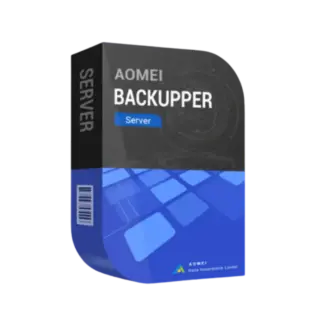
AOMEI Backupper Server
139.90 $
Select optionsThis product has multiple variants. The options may be chosen on the product page
Yes, this is one of AOMEI’s strongest use cases. With disk cloning or system migration, you can transfer your OS, installed programs, and settings directly to the new SSD. The key is making sure the target drive is large enough (or using sector-by-sector or intelligent cloning). Most users complete this in under an hour without reinstalling anything.
AOMEI supports incremental and differential backups, meaning only changes are saved after the first full backup. This drastically reduces storage usage. You can also set retention rules to automatically delete old backups. Without this setup, backups can grow fast—so proper configuration is essential.
You’ll need to create bootable recovery media in advance (USB or CD). If your system fails, you boot from that device and restore your system image. Many users overlook this step until it’s too late, so setting up recovery media immediately after installation is critical.
Yes, but only with the right edition. Business or technician versions allow you to deploy and manage backups across multiple systems more efficiently. For small setups, you can still configure each machine individually, but centralized management becomes important as you scale.
Yes, but it depends on how your VMs are structured. AOMEI can back up the entire host system (including VM files), or you can back up virtual disks separately. For critical environments, many users combine AOMEI backups with native VM snapshots to ensure full recovery flexibility.
If you’re building a robust data management environment, AOMEI solutions can be
combined with enterprise backup strategies from Backup & Data or extended with infrastructure
tools like Server Management. For virtual systems, explore platforms such as Virtualization, VMware,
including VMware Workstation and VMware vCenter. Mac users can benefit from Parallels and
Parallels Desktop, while alternative backup tools are available through EaseUS.

Customise your consent preferences for Cookie Categories and advertising tracking preferences for Purposes & Features and Vendors below. You can give granular consent for each Third Party Vendor and Google Ad Tech Provider. Most vendors require explicit consent for personal data processing, while some rely on legitimate interest. However, you have the right to object to their use of legitimate interest. Additionally, please note that your preferences regarding purposes and vendors are saved in a cookie named 'euconsent' on your device and may be retained for up to 730 days to remember your choices.
Necessary cookies are required to enable the basic features of this site, such as providing secure log-in or adjusting your consent preferences. These cookies do not store any personally identifiable data.
Analytical cookies are used to understand how visitors interact with the website. These cookies help provide information on metrics such as the number of visitors, bounce rate, traffic source, etc.
Advertisement cookies are used to provide visitors with customised advertisements based on the pages you visited previously and to analyse the effectiveness of the ad campaigns.
Functional cookies help perform certain functionalities like remembering your preferences and customising your experience on the website.
This section lists the purposes for which partners process your data and the features they use. You can object to the use of legitimate interests.
This section lists third-party vendors that may process your data. You can review and manage consent for each vendor individually.