







- Description
- Minimum Requirements
- Specifications
- Additional information
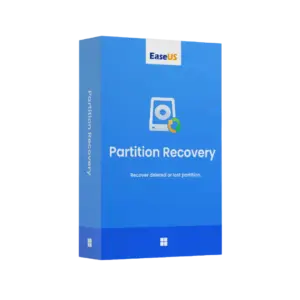
EaseUS Partition Recovery is a practical recovery tool for Windows users who need to restore lost or deleted partitions with confidence. It includes instant digital delivery, online activation, and flexible duration options, including lifetime usage with no subscription.
Whether a partition was deleted by mistake, lost after a system issue, or affected during disk changes, EaseUS Partition Recovery helps you find and recover it through a clear, guided process.
Overview of EaseUS Partition Recovery
- Platform: Windows 10/ 11
- Edition: Partition Recovery
- License Type: Retail
- Devices: 1 Device
- License Duration: 1 month/ 1 Year/ Lifetime
- Activation Method: Online activation
- Delivery: Instant digital delivery via email
- Support: Email and remote assistance
- Language Support: Multi-language
- Compliance: Genuine software licenses sourced through compliant distribution channels in line with U.S. laws and industry standards
Key Features
- Lost partition recovery: Scan drives to locate missing partitions, helping you regain access to important storage areas.
- Deleted partition detection: Identify partitions removed by mistake, so you can recover them before data becomes harder to restore.
- Guided recovery workflow: Follow a clear step-by-step process, reducing confusion for home users and business users.
- Windows 10 and Windows 11 support: Use the software on modern Windows systems for practical recovery after disk or system problems.
- Preview before recovery: Review detected partitions before restoring, which helps you choose the correct recovery target.
- Fast digital setup: Receive the product by email and activate it online, so you can begin recovery work quickly.
- Flexible duration choices: Select monthly, yearly, or lifetime usage depending on how often you need partition recovery.
Main Features Explained
Partition Scan
EaseUS Partition Recovery scans your selected disk to search for lost or deleted partitions. This is useful for users who changed disk layouts, removed partitions by accident, or experienced unexpected partition loss after a system event.
Partition Recovery
After the scan, the software helps restore the selected partition so it can become accessible again. This matters for business users with stored documents, students with project files, and home users with photos, videos, or personal data.
Recovery Preview and Selection
The recovery process lets you review detected partitions before confirming the restore. As a result, you can avoid choosing the wrong partition and improve recovery accuracy.
Simple Windows Workflow
The interface is designed to make partition recovery easier for non-technical users. Therefore, you can focus on restoring access instead of learning complex disk commands.
Emergency Disk Recovery Support
When a partition disappears after formatting, partition table issues, or disk management changes, the tool provides a focused recovery path. This helps reduce downtime and supports a faster return to normal work.
Why Choose EaseUS Partition Recovery?
EaseUS Partition Recovery is ideal for Windows users who need a dedicated solution for missing or deleted partitions. It is useful for home computers, office workstations, repair tasks, and situations where important disk areas suddenly disappear.
If you are browsing reliable computer programs for recovery and maintenance, this product offers a focused way to recover partitions without using overly complex tools. For deeper file-level restoration, EaseUS Data Recovery Wizard Professional is a related EaseUS solution designed for recovering lost files.
For extra protection before data loss happens, EaseUS Todo Backup Home can help create backups, while EaseUS Partition Master Professional is suitable for advanced partition management tasks.
EaseUS Partition Recovery vs Alternatives
Compared with general file recovery tools, EaseUS Partition Recovery focuses specifically on recovering missing partitions. This makes it more suitable when the issue is not just a deleted file, but an entire partition that no longer appears correctly.
Compared with full disk management software, it is easier for users who only need partition recovery. However, users who also need resizing, moving, or managing partitions may prefer a dedicated partition management solution.
System Compatibility
EaseUS Partition Recovery is compatible with Windows 10 and Windows 11. For best results, install it on a working Windows system with a stable internet connection for online activation and enough free storage for recovery operations.
To improve recovery chances, avoid writing new data to the affected drive before scanning. This helps protect the lost partition structure and reduces the risk of overwriting recoverable information.
License Type Explanation
This is a Retail product for 1 device. It can be installed and activated only once on one computer. It cannot be transferred or used again on another device after activation.
Once activated, the selected duration applies according to your purchase option. If the software is uninstalled or the device is formatted, the activation may be lost.
Installation & Activation
- Complete your order and check your email for instant digital delivery.
- Download EaseUS Partition Recovery using the provided instructions.
- Install the software on your Windows 10 or Windows 11 device.
- Open the program and begin the online activation process.
- Enter the activation details exactly as received.
- After activation, scan your drive and start the partition recovery process.
Why Buy From Us?
Digital License provides a secure and efficient way to purchase recovery software online. You receive fast delivery, genuine software licenses, and professional support to help you activate and use your product with confidence.
- Instant digital delivery via email
- Genuine licenses sourced through compliant channels
- Secure payment process
- Email and remote assistance support
- Compliance with U.S. laws and industry standards
Trust & Reliability
We focus on secure software delivery, clear activation guidance, and dependable customer support. Every order is handled with professional care, so you can purchase with confidence.
Frequently Asked Questions
How is EaseUS Partition Recovery delivered?
It is delivered instantly by email after purchase.
How do I activate EaseUS Partition Recovery?
You activate it online using the activation details provided with your order.
Is EaseUS Partition Recovery compatible with Windows 10 and Windows 11?
Yes, this product supports Windows 10 and Windows 11.
Can I use EaseUS Partition Recovery on more than one device?
No, this Retail product is provided for 1 device only.
Can I transfer the activation to another computer?
No, this Retail product can be installed and activated only once on one computer and cannot be transferred after activation.
Does EaseUS Partition Recovery include lifetime usage?
Yes, lifetime usage is available when you choose the lifetime duration option.
Is EaseUS Partition Recovery a subscription?
The lifetime option does not require a subscription. Monthly and yearly options are also available depending on your selection.
What can EaseUS Partition Recovery recover?
It is designed to help recover lost or deleted partitions on supported Windows systems.
Is this product legal?
Yes, the software licenses are sourced through compliant distribution channels in line with U.S. laws and industry standards.

| Component | Requirement |
| Processor | x86/x64-compatible CPU, 500 MHz or faster |
| RAM | 512 MB minimum (1 GB recommended) |
| Storage | At least 100 MB free disk space for installation |
| Operating System | Windows 11/10 (32-bit & 64-bit) |
| Supported File Systems | FAT12, FAT16, FAT32, NTFS, EXT2, EXT3 |
| Graphics card | Standard VGA compatible graphics device |
| Display | 800 × 600 screen resolution or higher |
| Specification | Detail |
|---|---|
| Activation | Single Device License (1 PC) |
| License validity | 1 Month/ 1 Year/ Lifetime (one-time purchase) |
| Delivery method | By email within 5–15 minutes |
| Languages | Multilingual |
Additional information
| Subscription period | 1 Month, 1 Year, Lifetime |
|---|

1 – Buy
Shop securely with SSL encryption.

2 – Receive
You will receive the license key and download link.

3 – Download
Download and install the software.

4 – Activate
Enter the license key to the software.
Ashampoo 3D CAD Professional 11