







- Description
- Minimum Requirements
- Specifications
- Additional information
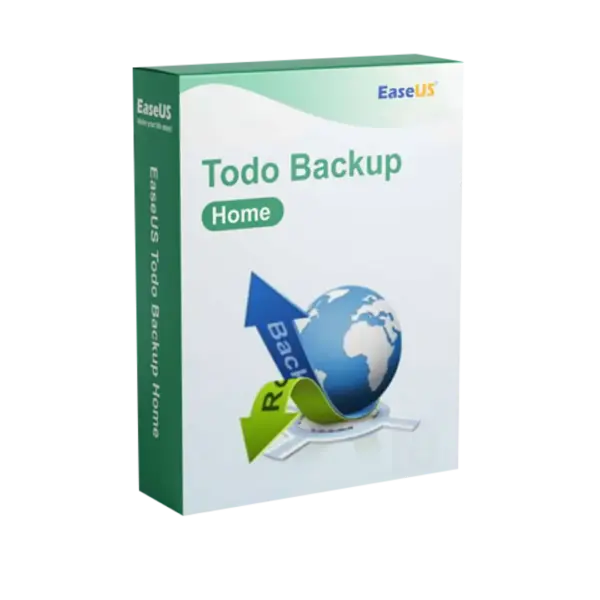
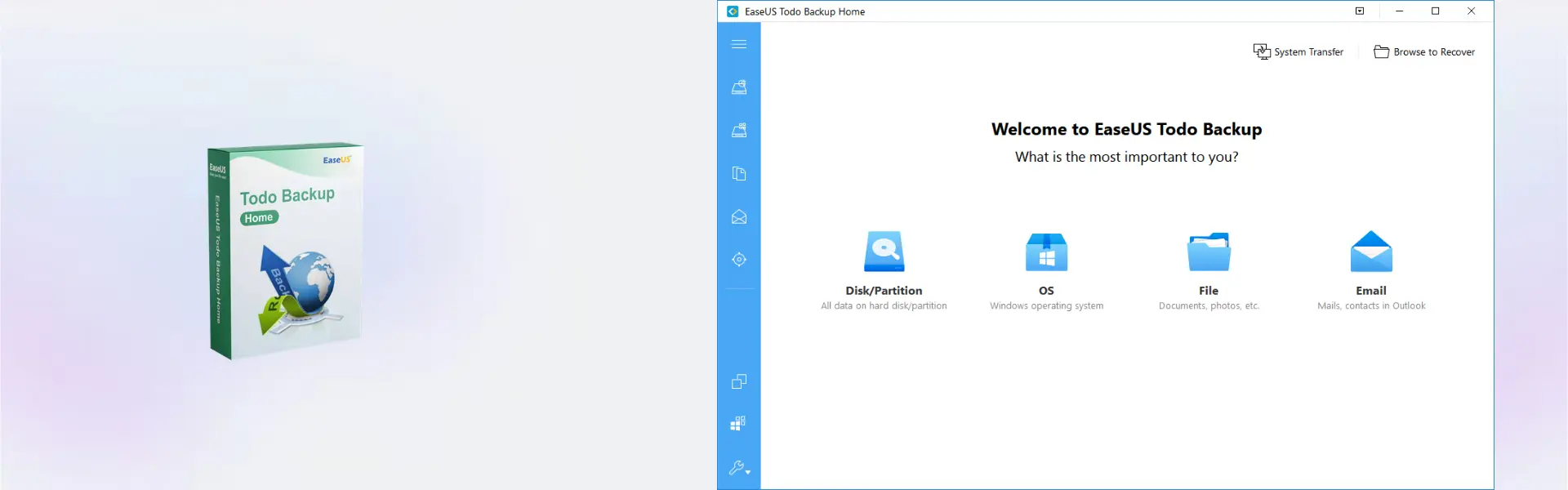
EaseUS Todo Backup Home is a powerful Windows backup solution for protecting personal files, system data, and important documents. It includes instant digital delivery, lifetime usage when selected, and no subscription for users who want long-term data protection.
Designed for home users, students, freelancers, and everyday PC owners, EaseUS Todo Backup Home helps prevent data loss and makes recovery simple when unexpected problems happen.
Overview of EaseUS Todo Backup Home
- Platform: Windows
- Edition: Home
- Devices: 1 Device
- License Duration: 1 Year/ 2 Years/ Lifetime
- Activation Method: Online activation
- Delivery: Instant digital delivery via email
- Support: Email and remote assistance 24/7
- Language Support: Multi-language
- Compliance: Genuine software licenses sourced through compliant distribution channels in line with U.S. laws and industry standards
Key Features
- Complete PC backup: Protect files, folders, and system data so you can restore important information after errors or data loss.
- System recovery: Restore your Windows environment after crashes, failed updates, or disk problems.
- Scheduled backups: Automate regular backups to reduce manual work and avoid forgotten protection.
- File and folder backup: Save only the data you need, such as photos, documents, work files, and personal folders.
- Disk and partition backup: Create copies of drives or partitions to protect larger storage structures.
- Flexible license duration: Choose 1 year, 2 years, or lifetime usage based on your long-term needs.
Main Features Explained
File Backup
File backup protects documents, photos, videos, school files, invoices, and work folders. It is useful for home users and professionals who want quick access to important files if something is deleted or damaged.
System Backup
System backup creates a recoverable copy of your Windows setup. This helps users restore their PC after software errors, system crashes, or failed updates without rebuilding everything from the beginning.
Scheduled Backup
Scheduled backup allows users to run backups automatically at chosen times. This improves efficiency because important data stays protected without requiring daily manual action.
Disk and Partition Backup
Disk backup and partition protection help secure larger storage areas, making them valuable for users with multiple drives, important archives, or organized workspaces.
Why Choose EaseUS Todo Backup Home?
EaseUS Todo Backup Home is ideal for Windows users who want simple, reliable, and secure data protection for everyday use. It is especially useful for protecting family photos, personal files, study material, business documents, and important PC settings.
As part of our backup and data recovery software range, this product focuses on easy Windows backup and recovery for personal use. Users who need more advanced workstation features can compare it with EaseUS Todo Backup Workstation.
For Mac users, EaseUS Todo Backup for Mac is the better platform-specific option, while Acronis True Image 2025 offers a broader backup and cyber protection alternative.
EaseUS Todo Backup Home vs Alternatives
EaseUS Todo Backup Home is designed for personal Windows backup, making it suitable for home users and everyday PC protection. EaseUS Todo Backup Workstation is more suitable for professional and business workstation environments that require stronger administrative features.
Compared with Acronis True Image 2025, EaseUS Todo Backup Home offers a focused and simple backup experience for users who mainly need file, system, disk, and recovery protection on one Windows device.
System Compatibility
EaseUS Todo Backup Home is designed for Windows and can be used on 1 device. A stable internet connection is required for online activation, and enough local, external, or network storage is recommended for saving backup files safely.
License Type Explanation
This product is supplied for 1 Device with a selectable duration of 1 year, 2 years, or lifetime. Once activated, it is intended for use on the activated Windows device according to the selected license duration.
This is not a Microsoft Retail, Bind, or LTSC product. Transfer and reactivation rights depend on EaseUS activation rules and the selected license option.
Installation & Activation
- Complete your order and receive instant digital delivery by email.
- Download the software using the instructions provided.
- Install EaseUS Todo Backup Home on your Windows device.
- Open the software and select the online activation option.
- Enter the activation details from your order email.
- Create your first backup plan and choose where to store your backup files.
Why Buy From Us
Digital License provides EaseUS Todo Backup Home with fast delivery, secure checkout, professional support, and compliant software sourcing.
- Instant delivery by email after purchase
- Genuine licenses sourced through compliant distribution channels
- Secure payment for a safe checkout experience
- 24/7 support by email and remote assistance
- Compliance with U.S. laws and industry standards
FAQ
How is EaseUS Todo Backup Home activated?
It is activated online using the activation details provided after purchase.
How will I receive the product?
You will receive instant digital delivery by email after your order is completed.
Is EaseUS Todo Backup Home compatible with Windows?
Yes, it is designed for Windows and can be used on 1 device.
Does the lifetime option require a subscription?
No, the lifetime option provides long-term usage without a subscription.
Can I transfer it to another computer?
Transfer options depend on EaseUS activation rules. The product is intended for use on the activated device.
Can I back up my full system?
Yes, the software supports system backup to help restore Windows after crashes or serious errors.
Is it suitable for home users?
Yes, it is designed for personal data protection, home PC backup, and everyday file recovery needs.
Is the product legally sourced?
Yes, licenses are sourced through compliant distribution channels in line with U.S. laws and industry standards.
| Component | Requirement |
| Processor | x86 or x64-compatible CPU, 1 GHz or faster |
| RAM | 1 GB minimum (2 GB or more recommended) |
| Storage | At least 1 GB of free disk space for installation |
| Operating System | Windows 8.1 / 10 / 11 (32-bit & 64-bit) |
| Graphics card | Standard VGA compatible graphics |
| Display | 1024 × 768 resolution or higher |
| Specification | Detail |
|---|---|
| Activation | Single Device License (1 PC) |
| License validity | 1 Year / 2 Years / Lifetime (one-time purchase) |
| Delivery method | By email within 5–15 minutes |
| Languages | Multilingual |
Additional information
| Subscription period | 1 Year, 2 Years, Lifetime |
|---|

1 – Buy
Shop securely with SSL encryption.

2 – Receive
You will receive the license key and download link.

3 – Download
Download and install the software.

4 – Activate
Enter the license key to the software.
CorelDRAW Graphics Suite - Mac