








- Description
- Minimum Requirements
- Specifications
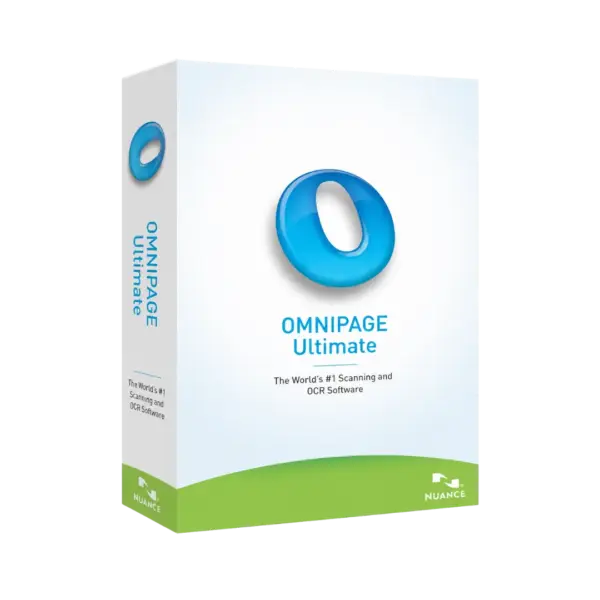
Nuance OmniPage 19.2 Ultimate is a powerful OCR software and document conversion solution for turning paper files, PDFs, and images into editable digital content. It includes instant digital delivery, lifetime usage, and no subscription, making it ideal for long-term professional workflows.
Use it to save time, reduce manual typing, and create searchable documents for business, study, or home office needs.
Overview of Nuance OmniPage 19.2 Ultimate
- Platform: Windows
- Edition: Ultimate
- License Type: Retail
- Devices: 1 Device
- License Duration: Lifetime
- Activation Method: Online activation
- Delivery: Instant digital delivery via email
- Support: Email and remote assistance
- Language Support: Multi-language
- Compliance: Genuine software licenses sourced through compliant distribution channels in line with U.S. laws and industry standards
Key Features
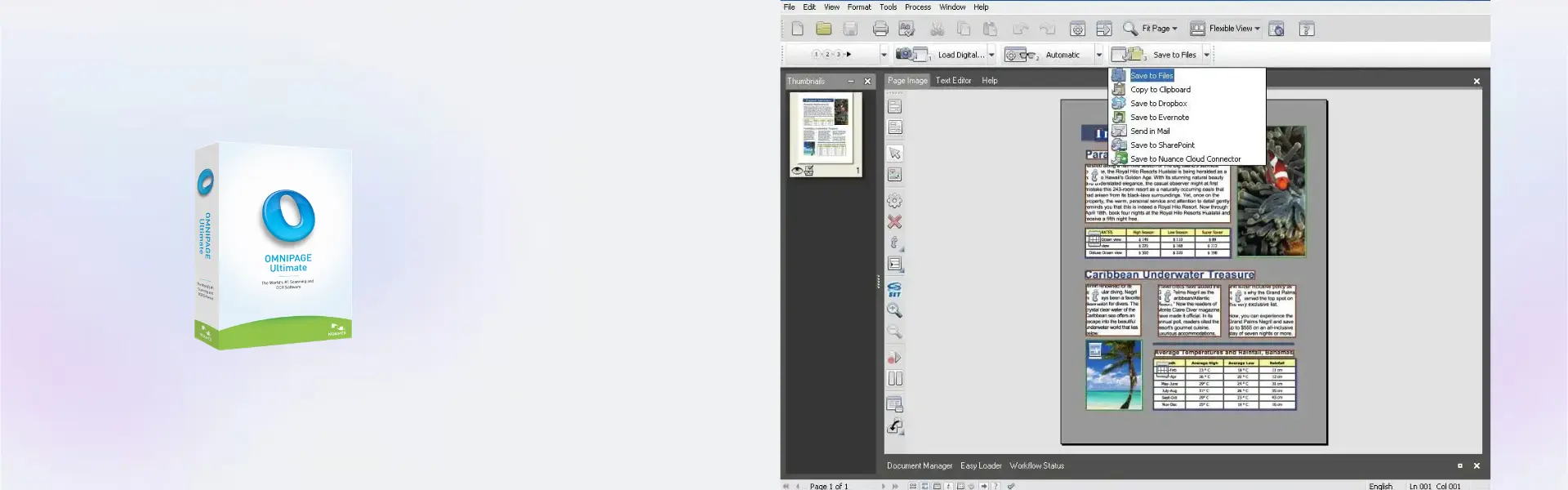
- Advanced OCR conversion: Convert scanned documents, PDFs, and images into editable text, helping you avoid slow manual retyping.
- PDF to Office conversion: Turn documents into Word, Excel, and other editable formats so you can reuse content faster.
- High document accuracy: Preserve layouts, tables, and text structure, which saves time during editing.
- Batch processing: Convert multiple files at once, improving productivity for offices and archive projects.
- Searchable PDF creation: Create searchable files that are easier to store, find, and manage.
- Multi-language support: Work with documents in different languages, making it useful for international teams.
- Professional workflow tools: Automate common document tasks and reduce repetitive work.
Main Features Explained
Optical Character Recognition
The OCR engine reads text from scanned pages, images, and PDF files. In real use, this helps businesses digitize contracts, students convert research pages, and home users organize paper records. As a result, documents become editable and easier to manage.
PDF Conversion
Nuance OmniPage 19.2 Ultimate can convert PDF content into editable formats. This is useful when you need to update reports, reuse tables, or extract text from fixed document layouts. It improves efficiency because you spend less time rebuilding files from scratch.
Document Archiving
Create searchable digital files from paper records. For offices, this supports faster document retrieval. For personal users, it helps organize invoices, letters, and important paperwork in a clean digital library.
Batch Document Processing
Batch processing lets you handle several files in one workflow. This matters when converting large archives, client documents, or study materials. Therefore, users can complete repetitive tasks with less effort.
Why Choose Nuance OmniPage 19.2 Ultimate?
Nuance OmniPage 19.2 Ultimate is built for users who need accurate OCR, reliable file conversion, and a professional way to manage scanned documents. It is a strong choice for offices, freelancers, students, legal teams, and anyone who works with paper or PDF files every day.
If you need more tools for editing, converting, and organizing files, explore our PDF document management software category. For users who focus more on document organization and scanning workflows, Nuance PaperPort Professional 14.5 is also a useful comparison option.
For broader PDF editing workflows, you may also consider Nuance Power PDF Advanced 21. If your main need is PDF conversion, Nuance PDF Converter Professional 8 may be relevant as well.
Nuance OmniPage 19.2 Ultimate vs Alternatives
Nuance OmniPage 19.2 Ultimate focuses on OCR accuracy, scanned document conversion, and searchable file creation. In comparison, Nuance PaperPort Professional 14.5 is more focused on organizing scanned documents and managing digital paperwork.
Meanwhile, Nuance Power PDF Advanced 21 is better suited for users who need full PDF editing, security, and business PDF tools. Therefore, OmniPage is the better option when OCR and editable document conversion are your main priorities.
System Compatibility
This product is designed for Windows computers. Before installation, make sure your device has a compatible Windows version, enough storage space, and a stable internet connection for online activation. For the best experience, close other programs during installation.
License Type Explanation
This is a Retail license for one Windows computer. It is installed and activated on one device only. Once activated, it does not expire.
Please note that this license cannot be transferred or used again on another computer. If the software is uninstalled or the device is formatted, the license is lost.
Installation & Activation
- Complete your order and check your email for instant digital delivery.
- Download the software using the instructions provided after purchase.
- Run the installer on your Windows computer.
- Follow the setup steps until installation is complete.
- Activate the software online using the provided activation details.
- Contact support if you need help with installation or activation.
Why Buy From Us?
Digital License provides fast delivery, professional support, and genuine software licenses for secure digital purchasing. We help customers activate their products smoothly and use them with confidence.
- Instant digital delivery via email
- Genuine licenses sourced through compliant channels
- Secure payment process
- Email and remote assistance support
- Compliance with U.S. laws and industry standards
Trust & Reliability
We provide genuine software licenses sourced through compliant distribution channels in line with U.S. laws and industry standards. Our team offers email and remote assistance to help with installation, activation, and product guidance.
FAQ
How is Nuance OmniPage 19.2 Ultimate delivered?
It is delivered digitally by email after purchase, so you can start the installation process quickly.
Does Nuance OmniPage 19.2 Ultimate require a subscription?
No. This product includes lifetime usage after activation and does not require a subscription.
How many devices can I activate it on?
This Retail license is for one Windows computer only.
Can I transfer the license to another computer?
No. This Retail license cannot be transferred or reused on another device after activation.
What happens if I uninstall the software or format my device?
If the software is uninstalled or the device is formatted, the license is lost and cannot be used again.
Is online activation required?
Yes. Online activation is required to activate Nuance OmniPage 19.2 Ultimate.
Is this product compatible with Windows?
Yes. Nuance OmniPage 19.2 Ultimate is designed for Windows computers.
Is the license legal?
Yes. The software licenses are sourced through compliant distribution channels in line with U.S. laws and industry standards.
| Component | Requirement |
| Processor | 1 GHz Intel Pentium processor or higher (or equivalent) |
| RAM | 1 GB RAM minimum (2 GB recommended) |
| Storage | 2.7 GB free disk space for full installation |
| Operating System | Windows 11 / 10 / 8.1 / 8 / 7 (32-bit and 64-bit) |
| Display | 1024 × 768 resolution with 16-bit color or higher |
| Browser | Microsoft Internet Explorer 9 or later |
| Additional Requirements | Internet connection for activation and updates; TWAIN, WIA, or ISIS-compatible scanner for scanning features |
| Specification | Detail |
|---|---|
| Activation | Single PC (one-time activation) |
| License validity | Lifetime (does not expire after activation) |
| Delivery method | By email within 15 minutes |
| Languages | Multilingual |

1 – Buy
Shop securely with SSL encryption.

2 – Receive
You will receive the license key and download link.

3 – Download
Download and install the software.

4 – Activate
Enter the license key to the software.