























- Description
- Minimum Requirements
- Specifications
- Additional information
Microsoft Powerpoint 2016 Mac helps you create polished presentations for work, school, and home projects. You get instant digital delivery, lifetime usage, and no subscription fees.
It is a practical choice for Mac users who want a classic, reliable presentation tool with online activation and fast setup.
Overview of Microsoft Powerpoint 2016 Mac
- Platform: Mac
- Edition: Powerpoint 2016
- License Type: File
- Devices: 1/ 5 Devices
- License Duration: Lifetime
- Activation Method: Online activation
- Delivery: Instant digital delivery via email
- Support: Email and remote assistance
- Language Support: Multi-language
- Compliance: Genuine software licenses sourced through compliant distribution channels in line with U.S. laws and industry standards
Key Features
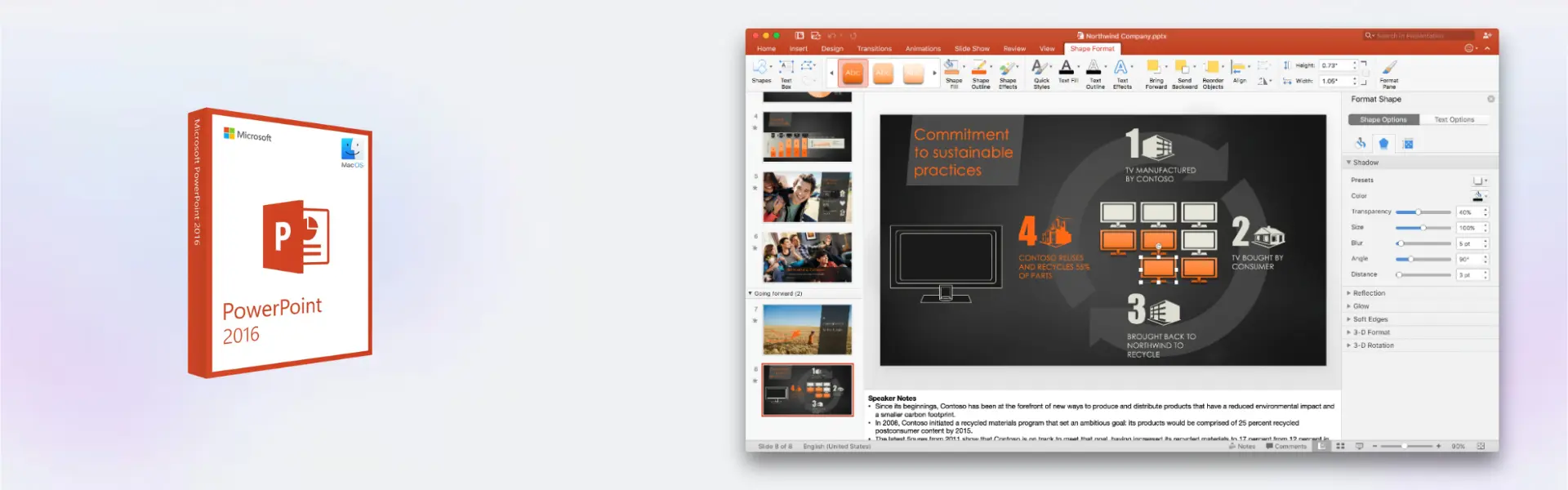
- Professional slide creation: Build clean, visual presentations that make business, school, and personal ideas easier to explain.
- Ready-made templates: Start faster with built-in layouts, so you spend less time designing and more time presenting.
- Charts and visual tools: Turn data into clear visuals that help your audience understand key points quickly.
- Multimedia support: Add images, audio, and video to make your slides more engaging and memorable.
- Smooth transitions: Create a polished flow between slides for meetings, lessons, and client presentations.
- Offline access: Work on presentations without depending on a browser or active subscription.
- Mac-focused usability: Use familiar PowerPoint tools in a layout designed for productive work on macOS.
Main Features Explained
Slide Design and Layouts
PowerPoint 2016 helps you create structured slides with titles, text boxes, images, tables, and visual layouts. This is useful for sales decks, school projects, training materials, and reports. As a result, you can present ideas clearly and professionally.
Charts, Tables, and Visual Content
You can add charts and tables to explain numbers, trends, and comparisons. This matters for business users, students, and teachers who need to turn information into easy-to-read visuals.
Transitions and Animations
Animations and transitions help control how information appears during a presentation. Therefore, you can guide your audience step by step and keep attention on the most important message.
Presenter Tools
Presenter features help you prepare and deliver slides with more confidence. They are useful for meetings, classroom talks, online lessons, and professional pitches.
Why Choose Microsoft Powerpoint 2016 Mac?
Microsoft Powerpoint 2016 Mac is ideal for users who want reliable presentation software without ongoing subscription costs. It gives Mac users the tools needed to create business slides, academic projects, visual lessons, and client-ready decks.
For more options in the same family, you can explore our Microsoft PowerPoint for Mac licenses. If you prefer a newer release with updated features, compare it with Microsoft PowerPoint 2019 Mac.
This version is especially useful for customers who prefer a familiar interface, stable performance, and lifetime access after activation.
Microsoft Powerpoint 2016 Mac vs Alternatives
Compared with newer options like Microsoft PowerPoint 2021 Mac, the 2016 version offers classic PowerPoint tools at a practical level for everyday presentation work. It is a strong choice for users who do not need the latest interface updates.
For users who want the most recent feature set, Microsoft PowerPoint 2024 Mac may be more suitable. However, Microsoft Powerpoint 2016 Mac remains a dependable option for standard slide creation, editing, and delivery.
System Compatibility
Microsoft Powerpoint 2016 Mac is designed for compatible Mac systems that support Office 2016 applications. Before activation, make sure your device has enough storage, an active internet connection for online activation, and a supported macOS environment for this edition.
License Type Explanation
This product is supplied as a File license. It is delivered digitally and activated online for the selected device option. Once activated, it provides lifetime usage without a subscription. If the software is removed, the device is formatted, or major system changes are made, reactivation may not be guaranteed.
Installation & Activation
- Complete your order and check your email for instant digital delivery.
- Download the provided installation file or follow the included setup instructions.
- Install PowerPoint on your compatible Mac device.
- Open the software and start the online activation process.
- Follow the activation instructions included with your order.
- Contact our support team if you need email or remote assistance.
Why Buy From Us?
Digital License provides a secure and professional way to purchase genuine software licenses with fast delivery and reliable support.
- Instant digital delivery via email
- Genuine licenses from compliant distribution channels
- Secure payment process
- Email and remote assistance
- Compliance with U.S. laws and industry standards
Digital License Is a Verified Microsoft Partner
Digital License is an official Microsoft Partner
(ID: 7033487), recognized for delivering genuine software licenses and
verified solutions worldwide. You can verify our partnership
directly on the Microsoft Partner Directory. This ensures every
license you purchase is authentic, secure, and fully compliant with
Microsoft standards and applicable U.S. laws and industry standards.
FAQ
How is Microsoft Powerpoint 2016 Mac delivered?
Your order is delivered digitally by email with the required installation and activation details.
Does Microsoft Powerpoint 2016 Mac require a subscription?
No. It includes lifetime usage after activation, with no recurring subscription fee.
How do I activate the software?
Activation is completed online using the instructions provided after purchase.
Is this product compatible with Mac?
Yes. This product is intended for compatible Mac systems that support PowerPoint 2016.
Can I transfer the license to another device?
This File license is intended for the selected activated device option. Transfer or reactivation after formatting, uninstalling, or changing devices may not be available.
Is the license legal?
Yes. Digital License supplies genuine software licenses sourced through compliant distribution channels in line with U.S. laws and industry standards.
Can I get help with installation?
Yes. Email and remote assistance are available if you need support during setup or activation.
Which users is this product best for?
It is suitable for business users, students, teachers, freelancers, and home users who need reliable presentation software for Mac.
| Component | Requirement |
| Processor | Intel processor-based Mac |
| RAM | 4 GB RAM or more |
| Storage | 6 GB of available disk space |
| Operating System | Mac OS X 10.10 Yosemite or later |
| Graphics | No special graphics card required |
| Display | 1280 × 800 screen resolution or higher |
| Specification | Detail |
|---|---|
| Activation | 1 device / 5 devices |
| License validity | Lifetime (does not expire after activation) |
| Delivery method | By email within 15 minutes |
| Languages | Multilingual |
Additional information
| Devices | 1 Device, 5 Devices |
|---|

1 – Buy
Shop securely with SSL encryption.

2 – Receive
You will receive the license key and download link.

3 – Download
Download and install the software.

4 – Activate
Enter the license key to the software.
Microsoft Visio 2021 Professional
Microsoft Office 2013 Professional Plus
Microsoft Office 2016 Professional Plus Bind
Microsoft Office Home & Student 2016
Microsoft Office 2019 Professional Plus
Microsoft Office 2021 Professional Plus Bind
