








- Description
- Minimum Requirements
- Specifications
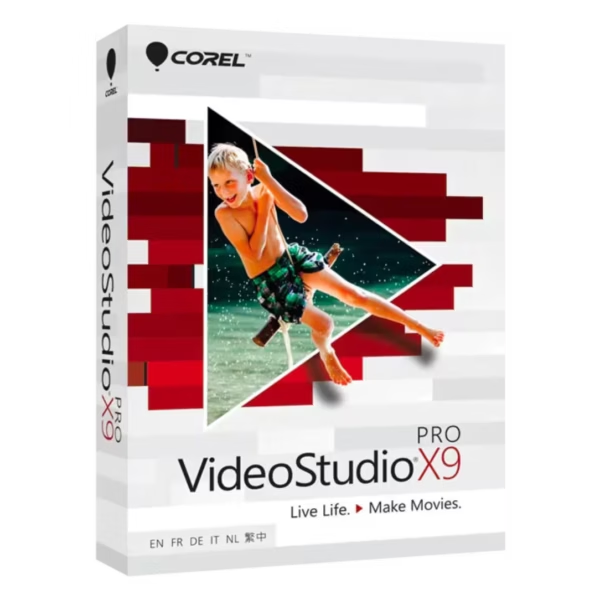
Corel VideoStudio Pro X9 is a powerful video editing solution designed for creators who want professional results without complexity. With instant digital delivery and lifetime usage, it offers a complete editing experience without relying on a subscription.
Whether you are producing content for social media, business, or personal projects, this software provides the tools needed to create high-quality videos efficiently.
Overview of Corel VideoStudio Pro X9
- Platform: Windows
- Edition: VideoStudio Pro X9
- License Type: Retail
- Devices: 1 Device
- License Duration: Lifetime
- Activation Method: Online activation
- Delivery: Instant digital delivery via email
- Support: Email and remote assistance
- Language Support: Multi-language
- Compliance: Genuine software licenses sourced through compliant distribution channels in line with U.S. laws and industry standards
Key Features
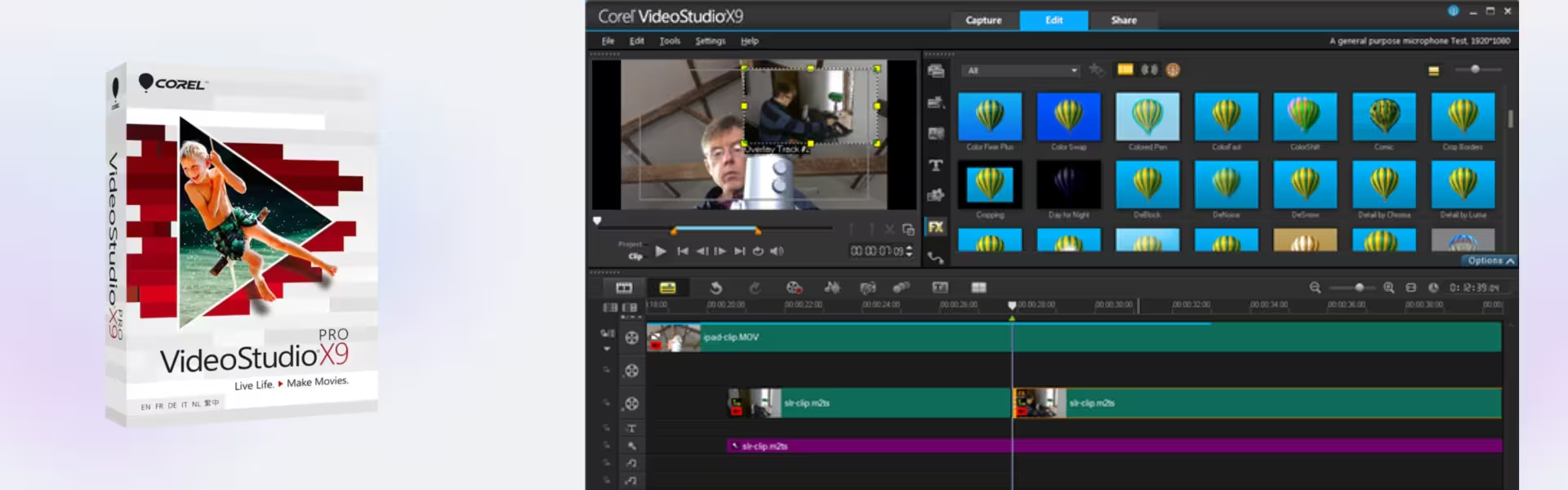
- Multi-Track Timeline Editing: Edit multiple video and audio layers simultaneously, allowing more complex and professional video projects.
- 4K Video Support: Create and edit ultra-high-definition videos, ensuring sharp and detailed output for modern platforms.
- Built-In Effects and Transitions: Enhance videos with a wide range of effects, improving visual storytelling and engagement.
- Screen Recording Tools: Capture on-screen activity, ideal for tutorials, presentations, and educational content.
- Audio Editing Features: Adjust sound levels, add music, and improve audio quality for a complete production experience.
- Easy-to-Use Interface: Designed for both beginners and experienced users, reducing editing time and increasing productivity.
- Fast Rendering Performance: Export projects quickly, saving time when working on deadlines or multiple videos.
Main Features Explained
Timeline-Based Video Editing
This feature allows users to arrange clips, audio, and effects in a structured timeline. It is essential for creating polished videos for YouTube, business presentations, or personal projects.
4K Video Production
Edit and export high-resolution videos suitable for modern displays and platforms. This is especially important for content creators aiming for professional quality output.
Screen Recording Capability
Record tutorials, gameplay, or presentations directly from your screen. This is useful for educators, trainers, and online content creators.
Effects and Transitions Library
Enhance videos with creative effects and smooth transitions. This helps improve viewer engagement and overall video quality.
Audio Editing Tools
Fine-tune audio tracks, add voiceovers, and adjust sound levels. This ensures clear and professional audio in every project.
Why Choose Corel VideoStudio Pro X9?
Corel VideoStudio Pro X9 is ideal for content creators, marketers, educators, and small businesses who need reliable video editing software. It offers a balance between advanced features and ease of use, making it suitable for both beginners and experienced users.
Explore more creative solutions in our Corel software collection to enhance your digital workflow.
Compared to image-focused tools like Corel PaintShop Pro X9, this software is dedicated to video editing and production, making it the better choice for motion content.
For advanced video editing workflows, Corel Pinnacle Studio Ultimate 26 offers additional professional features, while Corel AfterShot Pro 3 is ideal for photo editing and RAW processing.
Corel VideoStudio Pro X9 vs Alternatives
Compared to Corel Pinnacle Studio Ultimate 26, VideoStudio Pro X9 is more user-friendly and suitable for everyday video editing tasks. Pinnacle Studio provides more advanced tools for professionals, while VideoStudio offers a simpler workflow for faster results.
System Compatibility
This software is designed for Windows systems and runs efficiently on modern PCs. It supports high-resolution video editing while maintaining stable performance for both simple and complex projects.
License Type Explanation
This retail license provides lifetime usage on one device, eliminating the need for subscriptions.
Installation & Activation
- Receive your product via email instantly after purchase
- Download the installation file on your Windows device
- Install Corel VideoStudio Pro X9
- Enter your activation details
- Complete online activation
- Start editing and exporting your videos
Why Buy From Us
We provide a secure and reliable purchasing experience with full customer support.
- Instant digital delivery
- Genuine software licenses
- Secure payment methods
- 24/7 customer support
- Compliance with U.S. laws and industry standards
Trust & Reliability
All products are sourced through compliant distribution channels, ensuring authenticity and legal compliance. Our support team is available 24/7 to assist with installation and activation.
FAQ
How will I receive Corel VideoStudio Pro X9?
You will receive your product via email instantly after purchase.
Is this a lifetime product?
Yes, it is a one-time purchase with lifetime usage.
Can I install it on multiple devices?
No, this license is valid for one device only.
Is internet required for activation?
Yes, online activation is required.
Is it compatible with macOS?
No, this version is designed for Windows systems only.
Do I get support after purchase?
Yes, 24/7 email and remote assistance are available.
Is the software legally compliant?
Yes, all licenses are sourced through compliant channels in line with U.S. laws.
| Component | Requirement |
| Processor | Intel Core i3 or AMD A4 series or higher |
| RAM | 4 GB RAM (8 GB recommended for HD/4K editing) |
| Storage | 6 GB of available disk space for installation |
| Operating System | Windows 7, Windows 8, Windows 8.1, Windows 10 (64-bit) |
| Graphics | DirectX 11 compatible graphics card with latest drivers |
| Display | Minimum resolution of 1366 × 768 |
| Specification | Detail |
|---|---|
| Activation | Single PC (one-time activation) |
| License validity | Lifetime (does not expire after activation) |
| Delivery method | By email within 15 minutes |
| Languages | Multilingual |

1 – Buy
Shop securely with SSL encryption.

2 – Receive
You will receive the license key and download link.

3 – Download
Download and install the software.

4 – Activate
Enter the license key to the software.