








- Description
- Minimum Requirements
- Specifications
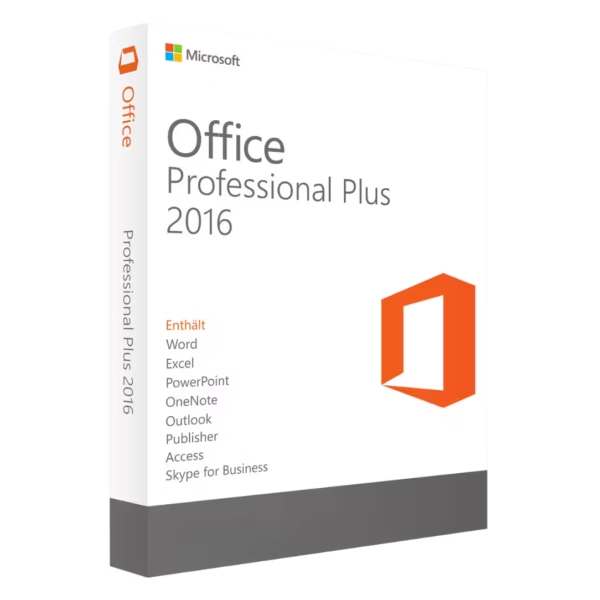
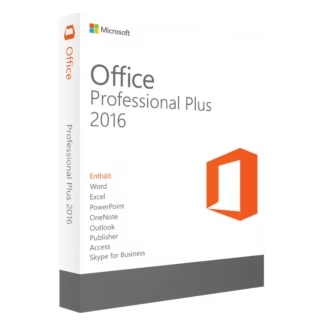
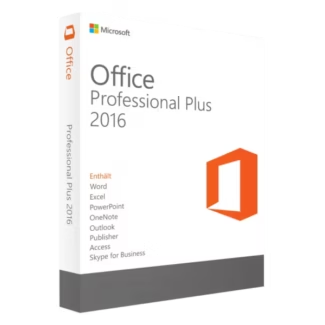
Microsoft Office 2016 Professional Plus is a proven productivity suite built for users who need instant delivery, lifetime usage, and no subscription. It delivers reliable performance and essential business tools in a familiar environment trusted by professionals worldwide.
Overview of Microsoft Office 2016 Professional Plus
- Platform: Windows
- Edition: Professional Plus
- License Type: LTSC
- Devices: 1 device
- License Duration: Lifetime
- Activation Method: Online activation
- Delivery: Instant digital delivery via email
- Support: Email and remote assistance
- Language Support: Multi-language
- Compliance: Genuine software licenses sourced through compliant distribution channels in line with U.S. laws and industry standards
Key Features
- Established Productivity Environment: A widely adopted version trusted for consistent performance in business and professional workflows.
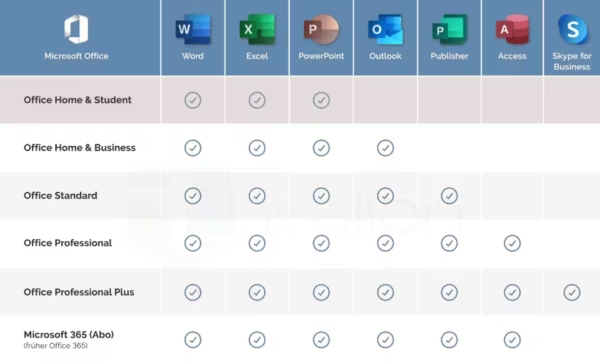
- Complete Application Suite: Includes tools for documents, data, presentations, communication, and database management in one package.
- Lifetime Access: One-time purchase ensures long-term use without recurring subscription costs.
- Optimized for Stability: Designed to deliver reliable performance without frequent updates or interface changes.
- Efficient Workflow Integration: Seamless interaction between applications reduces time spent switching between tools.
- Offline Functionality: After activation, all applications work without requiring constant internet access.
- Quick Deployment: Instant delivery enables fast setup and immediate productivity.
Main Features Explained
Microsoft Word
Word is used for creating structured documents such as contracts, reports, and internal documentation. It ensures consistency and professional formatting across all written communication.
Microsoft Excel
Excel enables data analysis, financial tracking, and reporting. It is essential for managing spreadsheets, analyzing trends, and handling large datasets efficiently.
Microsoft PowerPoint
PowerPoint allows users to create clear and engaging presentations for meetings, training sessions, and client communication, helping convey ideas effectively.
Microsoft Outlook
Outlook manages email, calendars, and contacts in a centralized system, improving communication efficiency and daily organization.
Microsoft Access & Publisher
Access supports database creation and management for structured data, while Publisher enables the design of marketing materials and internal documents.
Why Choose Microsoft Office 2016 Professional Plus?
This version is ideal for users who prefer a stable and familiar Office environment without the need for the latest updates. It is suitable for businesses, professionals, and users working on systems where newer versions may not be required.
Explore more options in the Microsoft Office 2016 licenses category to compare available editions. If you prefer account-based activation, you can review Microsoft Office 2016 Professional Plus Bind.
For users who need a simpler version, the Microsoft Office Home & Student 2016 provides essential tools for everyday use.
Microsoft Office 2016 Professional Plus vs Alternatives
Compared to newer versions, Office 2016 focuses on stability and familiarity rather than feature updates. It is a strong choice for users who prioritize consistent workflows over new features.
Unlike subscription-based Office solutions, it provides permanent access without recurring payments, making it a cost-effective long-term solution.
System Compatibility
This software is compatible with Windows devices and works efficiently on a wide range of systems, including older hardware that may not support newer Office versions.
License Type Explanation
The LTSC license ensures long-term stability without subscription requirements or frequent feature changes. It is designed for users who prefer a predictable working environment.
This is a one-time purchase with lifetime usage, offering full ownership and eliminating recurring costs.
Installation & Activation
- Receive your product details via email immediately after purchase
- Download the Office installation files
- Install the software on your device
- Enter your activation details
- Complete online activation
- Start using all included applications
Why Buy From Us
We provide a secure and professional purchasing experience with reliable support.
- Instant digital delivery
- Genuine software licenses
- Secure payment options
- 24/7 customer support
- Compliance with U.S. laws and industry standards
Digital License Is a Verified Microsoft Partner
Digital License is an official Microsoft Partner
(ID: 7033487), recognized for delivering genuine software
licenses and verified solutions worldwide. You can verify our
partnership directly on the Microsoft Partner Directory. This ensures
every license you purchase is authentic, secure, and fully compliant with
Microsoft standards and applicable U.S. laws and industry standards.
FAQ
Is this version still practical for modern work environments?
Yes. It is widely used in environments where stability and compatibility are more important than having the latest features, especially in established workflows.
Can I use this version on older hardware without performance issues?
Yes. It is optimized to run efficiently on a wide range of systems, including older machines that may not support newer Office versions.
Is this suitable for handling business reporting and documentation?
Yes. It includes all essential tools for creating reports, managing data, and producing professional documents.
Does this version support long-term projects without changes?
Yes. Its stable environment ensures consistent functionality, making it ideal for long-term use without unexpected updates.
Can I work offline after activation?
Yes. Once activated, all applications function fully offline without requiring continuous internet access.
| Component | Requirement |
| Processor | 1 GHz or faster x86 or x64 processor with SSE2 |
| RAM | 2 GB for 64-bit; 1 GB for 32-bit systems |
| Storage | 3.0 GB of available disk space |
| Operating System | Windows 7 SP1, Windows 8, Windows 8.1, Windows 10, or Windows Server 2008 R2/2012/2012 R2/2016 |
| Graphics | Graphics hardware acceleration requires a DirectX 10 graphics card |
| Display | Minimum resolution of 1280 × 800 pixels |
| Specification | Detail |
|---|---|
| Activation | Single PC (one-time activation) |
| License validity | Lifetime (does not expire after activation) |
| Delivery method | By email within 15 minutes |
| Languages | Multilingual |

1 – Buy
Shop securely with SSL encryption.

2 – Receive
You will receive the license key and download link.

3 – Download
Download and install the software.

4 – Activate
Enter the license key to the software.
Microsoft Visual Studio 2022 Professional
Microsoft Office 2010 Professional Plus
Microsoft Office 2016 Professional Plus Bind
Microsoft Office 2019 Professional Plus
Microsoft Office 2021 Professional Plus Bind