







- Description
- Minimum Requirements
- Specifications
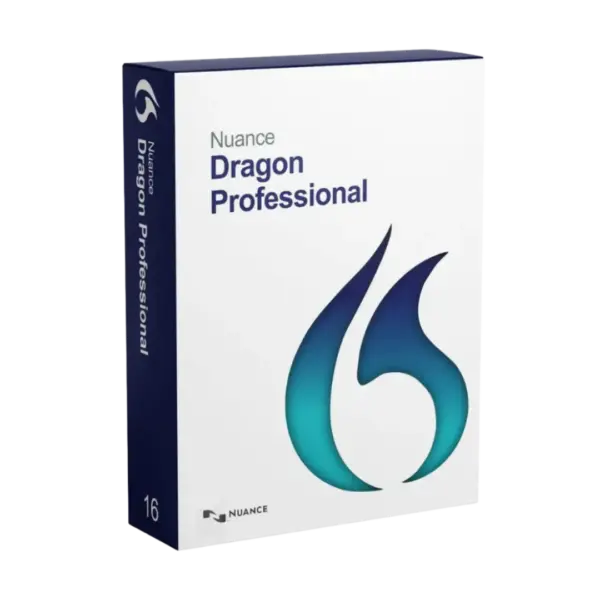
Nuance Dragon Professional 16 turns spoken words into accurate text and streamlines professional workflows on Windows. Get instant digital delivery, lifetime usage, and no subscription or recurring renewal fees.
Overview of Nuance Dragon Professional 16
- Platform: Windows
- Edition: Professional
- License Type: Retail
- Devices: 1 Device
- License Duration: Lifetime
- Activation Method: Online activation
- Delivery: Instant digital delivery via email
- Support: Email and remote assistance 24/7
- Supported languages: English
- Compliance: Genuine software licenses sourced through compliant distribution channels in line with U.S. laws and industry standards
Key Features
- Accurate speech recognition: The software converts natural speech into text, helping you create documents faster than traditional typing.
- Real-time dictation: Words appear as you speak, allowing you to capture ideas without interrupting your train of thought.
- Voice-controlled editing: Select, correct, format, and navigate text with spoken commands, reducing your dependence on a keyboard and mouse.
- Custom vocabulary: Add specialist terms, names, and abbreviations to improve recognition within your profession or industry.
- Personal voice commands: Automate repeated actions and standard text blocks, saving valuable time during routine tasks.
- Audio transcription: Convert compatible recordings into editable text for faster processing of interviews, meetings, and voice notes.
- Adaptive voice profile: Dragon learns your voice and pronunciation, improving recognition accuracy through regular use.
Main Features Explained
Speech-to-Text Dictation
Nuance Dragon Professional 16 writes your words as you speak. Therefore, you can produce reports, letters, emails, and detailed notes more efficiently. This feature benefits professionals who create large volumes of written content every day.
Voice-Controlled Document Editing
Spoken commands let you select text, correct mistakes, and apply formatting. You can also move between paragraphs without reaching for the mouse. As a result, document editing becomes faster and more comfortable.
Customized Professional Vocabulary
You can teach the software specialist terminology, uncommon names, and frequently used abbreviations. Dragon can then recognize the language used in your profession more accurately. This matters for legal, consulting, technical, and administrative work.
Workflow Automation
Custom commands can perform repeated actions or insert prepared text. For example, one command can add a standard signature or frequently used paragraph. Consequently, you complete routine work with fewer manual steps.
Recorded Audio Transcription
The software can process compatible audio recordings and turn speech into editable text. This feature helps consultants, journalists, researchers, and managers document recorded information more quickly.
Why Choose Nuance Dragon Professional 16?
Designed for Professional Workflows
Nuance Dragon Professional 16 suits consultants, lawyers, writers, managers, and administrative professionals. It also supports users who want to reduce repetitive keyboard work. You can dictate reports, correspondence, notes, and documentation directly on your Windows computer.
Explore more productivity and document solutions in our Nuance software collection. The category includes specialized tools for speech recognition, PDF management, and document conversion.
Practical Benefits for Daily Work
Voice input helps you record ideas without disrupting your concentration. Meanwhile, customized commands simplify repetitive tasks. These tools support faster content creation and a more efficient working routine.
The software supports English, Spanish, German, French, and Italian. It therefore serves professionals and organizations that work in any of these supported languages.
Nuance Dragon Professional 16 vs Alternatives
Dragon Professional 16 vs Dragon NaturallySpeaking Premium 13
Nuance Dragon NaturallySpeaking Premium 13 provides essential tools for personal dictation. Nuance Dragon Professional 16 targets advanced business use instead. It offers stronger customization, workflow automation, and support for more modern Windows environments.
Alternative for PDF Workflows
If you mainly create and edit PDF documents, consider Nuance Power PDF Advanced 2.1. It focuses on PDF creation, conversion, and editing. Dragon focuses on dictation, transcription, and voice-controlled productivity.
Alternative for Scanned Documents
Nuance OmniPage 19.2 Ultimate converts scanned pages into editable digital documents. Dragon converts spoken language into text. Your ideal choice depends on whether you work primarily with scanned documents or recorded speech.
System Compatibility
Windows Requirements
Nuance Dragon Professional 16 works on compatible Windows computers. Check your Windows version and the technical requirements before starting the installation. You also need a stable internet connection for downloading and online activation.
A clear microphone or compatible headset improves recognition accuracy. In addition, a quiet environment reduces errors during dictation. The product does not support macOS, Linux, ChromeOS, or mobile operating systems.
Retail License Explained
One Activation for One Computer
This Retail license allows one installation on one Windows computer. You cannot transfer it to another device or reuse the activation.
You make a one-time purchase without recurring subscription charges. After activation, you receive lifetime usage on the same computer. However, uninstalling the software or formatting the device causes the activation to become unavailable. Choose your permanent computer before activating the product.
Installation and Activation
- Receive the digital product information by email after completing your payment.
- Confirm that your Windows computer meets the required system specifications.
- Download the installation file by following the supplied instructions.
- Launch the installer and complete the steps displayed on the screen.
- Enter the provided activation information and finish the online activation.
- Configure your microphone and voice profile before starting your first dictation.
Why Buy from Digital License?
Digital License provides a secure and straightforward experience from payment to activation. Furthermore, our support team can assist you throughout the installation process.
- Instant delivery: Receive your digital product information directly by email.
- Genuine licenses: We source products through compliant and verified distribution channels.
- Secure payment: Protected payment methods support a safe checkout experience.
- Professional support: Access email and remote assistance whenever you need help.
- Legal compliance: Our distribution follows applicable U.S. laws and recognized industry standards.
Trusted Digital Software Purchase
We combine secure payments, fast digital delivery, and responsive assistance. Clear instructions guide you from download to activation. Therefore, you can install the software confidently and begin working without unnecessary delays.
Frequently Asked Questions
Delivery and Activation
How do I activate Nuance Dragon Professional 16?
Install the software on your compatible Windows computer. Then enter the supplied information and complete the online activation process.
When will I receive the product?
You will receive the download and activation information digitally by email after your payment is completed.
Does activation require an internet connection?
Yes. You need a stable internet connection to download the software and complete online activation.
Do I need a special microphone?
You can use a compatible microphone or headset. However, a clear microphone usually provides more accurate speech recognition.
Usage and License Terms
Can I transfer the product to another computer?
No. The license remains assigned to the computer used for the first activation and cannot be transferred.
Does the license expire?
No. It provides lifetime usage on the activated computer without recurring subscription or renewal fees.
What happens if I uninstall the software or format my computer?
You will lose the activation if you uninstall the software or format the device. You cannot use the license again.
Is the product legal?
Yes. The product comes through distribution channels that comply with applicable U.S. laws and recognized industry standards.
| Component | Requirement |
| Processor | Intel or AMD processor with a minimum speed of 2.2 GHz |
| RAM | 4 GB minimum; 8 GB or more recommended |
| Storage | At least 8 GB of available disk space |
| Operating System | Windows 10 or Windows 11 (64-bit) |
| Audio | Compatible sound card and a high-quality noise-cancelling microphone |
| Internet | Required for product activation, registration, and updates |
| Specification | Detail |
|---|---|
| Product | Nuance Dragon Professional 16 |
| Activation | Single PC activation |
| License validity | Lifetime |
| Delivery method | Digital delivery by email within 15 minutes |
| Platform | Windows |
| Supported languages | English, Spanish, German, French, and Italian |

1 – Buy
Shop securely with SSL encryption.

2 – Receive
You will receive the license key and download link.

3 – Download
Download and install the software.

4 – Activate
Enter the license key to the software.