







- Description
- Minimum Requirements
- Specifications
- Additional information
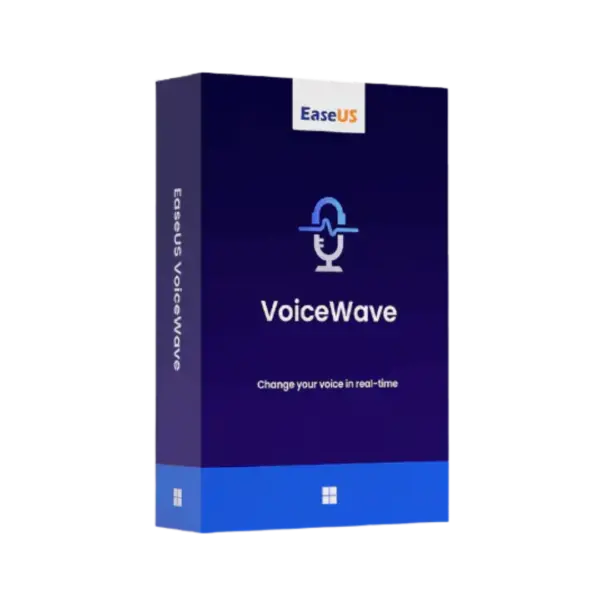
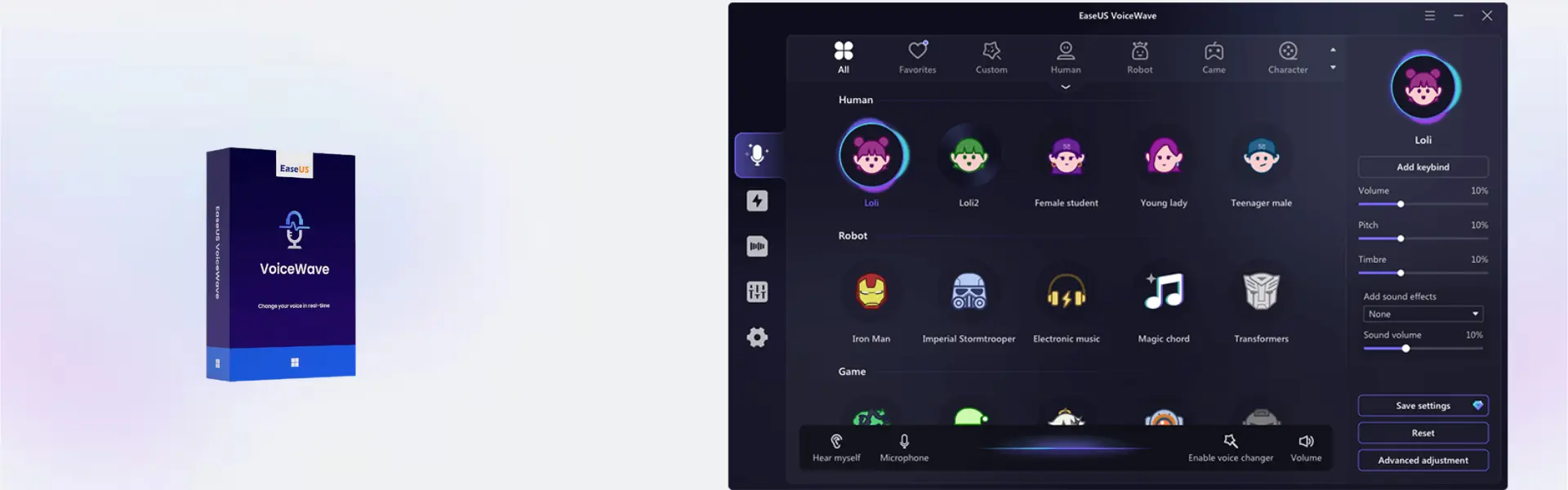
EaseUS VoiceWave Pro is a professional voice changing and audio enhancement tool for Windows users who create, stream, record, or communicate online. With instant digital delivery via email, you can install and activate it quickly, while lifetime usage is available for users who prefer long-term access without a recurring subscription.
It is ideal for gamers, content creators, online teachers, streamers, and remote workers who want better control over voice effects and sound quality. Therefore, it helps make conversations, recordings, and live sessions more engaging and polished.
Overview of EaseUS VoiceWave Pro
- Platform: Windows 10/ 11
- Edition: Professional
- Devices: 1 Device
- License Duration: 1 month/ 1 Year/ Lifetime
- Activation Method: Online activation
- Delivery: Instant digital delivery via email
- Support: Email and remote assistance
- Language Support: Multi-language
- Compliance: Genuine software licenses sourced through compliant distribution channels in line with U.S. laws and industry standards
Key Features
- Real-time voice changing: Modify your voice during calls, games, and live sessions, making online interaction more creative and fun.
- Voice effects library: Choose from multiple sound styles to match gaming, streaming, video, or entertainment content.
- Audio enhancement tools: Improve voice clarity, so your recordings, meetings, and streams sound cleaner and more professional.
- Windows 10 and 11 support: Use the software on modern Windows systems with a smooth setup process.
- Content creation support: Add character voices and unique effects to videos, tutorials, podcasts, and social media clips.
- Simple online activation: Activate quickly after installation and start using the software without complex setup steps.
- Flexible duration options: Choose monthly, yearly, or lifetime usage based on your workflow and budget.
Main Features Explained
Real-Time Voice Changer
EaseUS VoiceWave Pro lets you change your voice in real time while gaming, chatting, or streaming. This is useful for gamers, creators, and online hosts who want to add personality, privacy, or entertainment value to live conversations.
Voice Effects and Sound Styles
The built-in voice effects help you create different character voices and audio moods. For example, content creators can make short videos more entertaining, while streamers can build a more memorable audience experience.
Audio Quality Improvement
Clear sound matters in meetings, tutorials, and recordings. With voice enhancement features, users can improve spoken audio and make communication sound more polished and professional.
Creative Recording Workflow
The software supports users who record voiceovers, gameplay clips, tutorials, or social media content. As a result, it helps speed up production and gives creators more control over their final sound.
Why Choose EaseUS VoiceWave Pro?
EaseUS VoiceWave Pro is designed for users who want a simple but powerful way to change, enhance, and personalize their voice on Windows. It works well for streamers, gamers, teachers, students, remote workers, and video creators who need flexible voice tools for daily use.
You can explore more related products in our EaseUS software collection. If your workflow also includes screen capture or tutorials, EaseUS RecExperts is a useful comparison for recording-focused projects.
EaseUS VoiceWave Pro vs Alternatives
EaseUS VoiceWave Pro focuses on real-time voice changing, voice effects, and audio enhancement. In comparison, EaseUS Video Editor is better suited for editing finished video projects, adding transitions, and arranging visual content.
For users who need a broader multimedia toolkit, EaseUS VideoKit may be a better fit. However, EaseUS VoiceWave Pro is the stronger choice when your main goal is voice transformation, live audio control, and creative sound effects.
System Compatibility
EaseUS VoiceWave Pro is compatible with Windows 10 and Windows 11. Before installation, make sure your device has internet access for online activation, administrator permission, and a working microphone or audio input device for the best experience.
License Type Explanation
This product is supplied for one device, with monthly, yearly, and lifetime duration options available. Activation is completed online, and usage follows the selected duration and product terms shown in the overview.
Installation & Activation
- Complete your order and check your email for digital delivery details.
- Download EaseUS VoiceWave Pro using the provided instructions.
- Install the software on your Windows 10 or Windows 11 device.
- Open the program and start online activation.
- Follow the activation prompts until the software is ready to use.
- Connect your microphone and choose your preferred voice effect or audio setting.
Why Buy From Us
Digital License provides a secure and convenient way to purchase professional software for personal, creative, and business use.
- Instant digital delivery via email
- Genuine software licenses
- Secure payment process
- Email and remote assistance support
- Compliance with U.S. laws and industry standards
Trust & Reliability
Digital License focuses on genuine software, clear delivery, and dependable customer support. Our software licenses are sourced through compliant distribution channels in line with U.S. laws and industry standards.
FAQ
How do I activate EaseUS VoiceWave Pro?
You activate it online after installation by following the instructions delivered by email.
How will I receive the product?
You receive instant digital delivery via email after your order is completed.
Is EaseUS VoiceWave Pro compatible with Windows 10?
Yes, it supports Windows 10.
Is EaseUS VoiceWave Pro compatible with Windows 11?
Yes, it also supports Windows 11.
Can I use it on more than one device?
No, this product is supplied for one device.
Does EaseUS VoiceWave Pro include a lifetime option?
Yes, lifetime usage is available as one of the duration options.
Can I transfer it to another computer?
Use depends on the selected product terms and device activation rules. Our support team can assist with activation guidance.
Is this product legal?
Yes, Digital License supplies genuine software licenses sourced through compliant distribution channels in line with U.S. laws and industry standards.
Do you provide support?
Yes, email and remote assistance support are available for installation and activation help.
| Component | Requirement |
| Processor | Intel® Core™ i3 or faster processor |
| RAM | 4 GB minimum (8 GB recommended) |
| Storage | At least 1 GB free disk space for installation |
| Operating System | Windows 11/10 (64-bit) |
| Sound Card | Windows-compatible audio device with microphone support |
| Graphics Card | DirectX-compatible graphics device |
| Display | 1280 × 720 screen resolution or higher |
| Internet Connection | Required for activation, updates, and online voice effects |
| Specification | Detail |
|---|---|
| Activation | Single Device License (1 PC) |
| License validity | 1 Month/ 1 Year/ Lifetime (one-time purchase) |
| Delivery method | By email within 5–15 minutes |
| Languages | Multilingual |
Additional information
| Subscription period | 1 Month, 1 Year, Lifetime |
|---|

1 – Buy
Shop securely with SSL encryption.

2 – Receive
You will receive the license key and download link.

3 – Download
Download and install the software.

4 – Activate
Enter the license key to the software.

Ashampoo 3D CAD Architecture 10
Ashampoo 3D CAD Professional 10
Parallels Desktop 20 Pro Edition Mac