







- Description
- Minimum Requirements
- Specifications
- Additional information
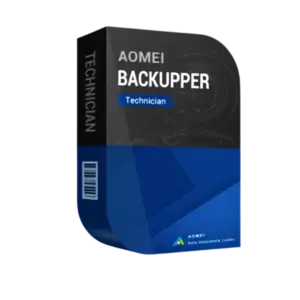
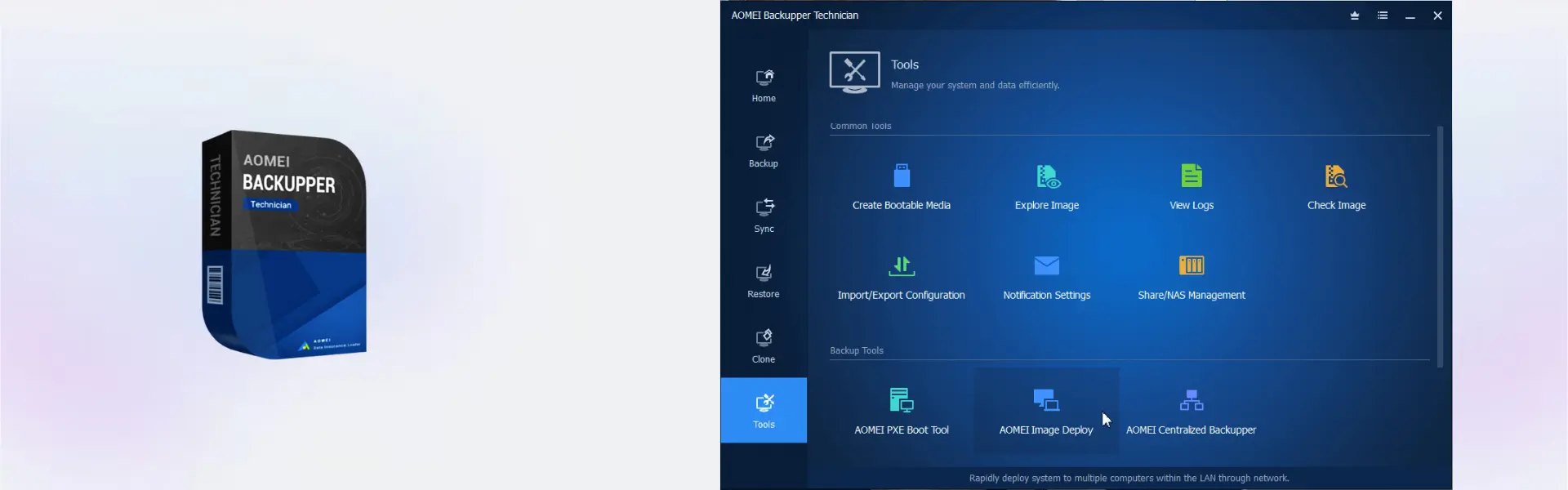
AOMEI Backupper Technician Edition is a professional Windows backup software built for technicians, IT teams, and service providers who manage backup and recovery tasks across unlimited devices. It includes instant digital delivery, so you can activate it quickly and start protecting client or business systems without delay.
With flexible duration options, including lifetime usage, AOMEI Backupper Technician Edition is ideal for users who want advanced backup, restore, and cloning tools with no subscription when choosing the lifetime plan.
Overview of AOMEI Backupper Technician Edition
- Platform: Windows
- Edition: Technician
- License Type: Retail
- Devices: Unlimited Device
- License Duration: 1 Year/ Lifetime
- Activation Method: Online activation
- Delivery: Instant digital delivery via email
- Support: Email and remote assistance
- Language Support: Multi-language
- Compliance: Genuine software licenses sourced through compliant distribution channels in line with U.S. laws and industry standards
Key Features
- Unlimited device support: Designed for technicians who need to protect many Windows systems without buying separate tools for each device.
- System backup: Creates full Windows backups, helping restore devices after crashes, failed updates, or serious errors.
- File and folder backup: Protects business documents, client files, projects, and personal data for faster recovery.
- Disk and partition backup: Saves full drives or selected partitions, making it easier to protect complete storage setups.
- Disk cloning: Helps migrate data to a new drive or SSD, reducing downtime during upgrades.
- Scheduled backup: Automates backup tasks, saving time for IT teams and service providers.
- Recovery tools: Restores systems, files, or disks when data loss or device failure occurs.
Main Features Explained
Technician Backup Workflow
AOMEI Backupper Technician Edition helps IT professionals manage backup and recovery tasks across many Windows devices. This is useful for repair shops, MSPs, and internal IT teams that support multiple users.
System Backup and Restore
The software creates full system images for Windows devices. This helps technicians restore computers faster after system failures, failed updates, malware damage, or hardware problems.
Disk Clone and Migration
Disk cloning helps move data from one drive to another, such as when upgrading from HDD to SSD. This saves time and helps users keep files, apps, and system data available after migration.
Scheduled Backup Plans
Automatic backup scheduling helps users protect systems without manual work. It improves consistency and reduces the risk of missing important backup points.
Why Choose AOMEI Backupper Technician Edition?
AOMEI Backupper Technician Edition is built for professionals who need a reliable Windows backup solution for client systems, office devices, and business environments. It supports practical use cases such as system protection, data recovery, drive upgrades, and disaster recovery planning.
You can explore more backup and data recovery software in our backup data recovery software category. For server-focused environments, AOMEI Backupper Server is made for Windows Server backup, while AOMEI Backupper Technician Edition is better for technicians working across unlimited Windows devices.
For related disk management needs, AOMEI Partition Assistant Technician helps manage partitions across multiple systems, while AOMEI Partition Assistant Server Edition supports server disk management.
AOMEI Backupper Technician Edition vs Alternatives
AOMEI Backupper Technician Edition focuses on backup, restore, cloning, and technician-level device coverage. In comparison, AOMEI Backupper Server is designed for server backup needs, while the Technician Edition is better for professionals supporting many Windows devices.
Compared with manual file copying, this tool offers a safer and more complete backup workflow. It helps reduce downtime, protect client data, and improve service efficiency.
System Compatibility
AOMEI Backupper Technician Edition is designed for Windows environments. For best results, install it on compatible Windows devices, use stable backup storage, and keep enough space available for system images, file backups, and clone tasks.
License Type Explanation
This product is listed as a Retail product. A retail license can be installed only once on one computer, cannot be transferred or used again, and does not expire once activated. If the software is uninstalled or the device is formatted, the license is lost.
Installation & Activation
- Complete your order and check your email for the digital delivery details.
- Download and install AOMEI Backupper Technician Edition on a compatible Windows device.
- Open the software and choose the backup, restore, clone, or sync function.
- Activate the product online using the provided activation details.
- Create a backup plan and choose a secure storage location.
- Run your first backup or set an automatic schedule.
Why Buy From Us
Digital License provides a fast, secure, and professional way to purchase genuine software licenses for personal, business, and technician use.
- Instant digital delivery by email
- Genuine software licenses
- Secure payment process
- Email and remote assistance support
- Compliance with U.S. laws and industry standards
Trust & Reliability
Genuine software licenses sourced through compliant distribution channels in line with U.S. laws and industry standards
FAQ
How is AOMEI Backupper Technician Edition delivered?
It is delivered digitally by email after purchase, so you can access your activation details quickly.
How do I activate AOMEI Backupper Technician Edition?
You activate the software online using the activation details provided with your order.
Which platform does AOMEI Backupper Technician Edition support?
It supports Windows devices.
Can it be used on unlimited devices?
Yes, the supplied product details list Unlimited Device coverage.
Does it include lifetime usage?
Yes, lifetime is one of the available duration options, along with 1 year.
Can this retail license be transferred?
No. A retail license can be installed only once on one computer and cannot be transferred or used again.
Is it legal to use?
Yes, it is supplied as genuine software through compliant distribution channels in line with U.S. laws and industry standards.
Do you provide support after purchase?
Yes, email and remote assistance support are available to help with installation and activation.
| Component | Requirement |
| Processor | 1 GHz or faster CPU |
| RAM | 512 MB or more (1 GB or more recommended) |
| Storage | At least 300 MB of available disk space for installation |
| Operating System | Windows 11 / 10 / 8.1 / 8 / 7 / Vista / XP (32-bit & 64-bit) |
| File System | NTFS, FAT32, FAT16, EXT2/EXT3, ReFS |
| Other | Bootable media support (CD/DVD or USB), keyboard and mouse |
| Specification | Detail |
|---|---|
| Activation | Unlimited PCs (technician use) |
| License options | UNLIMITED PC / LIFETIME UPGRADE UNLIMITED PC / 1 Year |
| License validity | Lifetime or 1 Year (depending on selected plan) |
| Usage | Commercial & technician use (service providers) |
| Delivery method | By email within 15 minutes |
| Languages | Multilingual |
Additional information
| Devices | Unlimited |
|---|---|
| Subscription period | 1 Year, Lifetime |

1 – Buy
Shop securely with SSL encryption.

2 – Receive
You will receive the license key and download link.

3 – Download
Download and install the software.

4 – Activate
Enter the license key to the software.
Ashampoo 3D CAD Professional 11
Parallels Desktop 20 Pro Edition Mac