







- Description
- Minimum Requirements
- Specifications
- Additional information
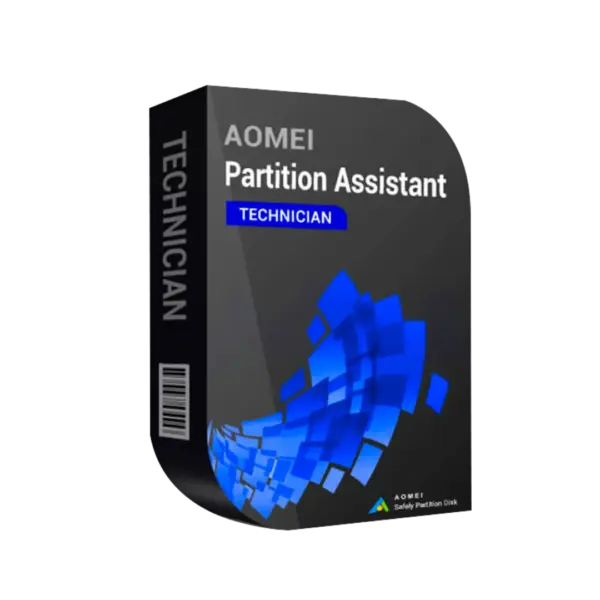
AOMEI Partition Assistant Technician is a professional Windows partition management tool for technicians, IT service providers, and businesses that manage multiple client systems. It includes instant digital delivery, lifetime usage when selected, and no subscription for the lifetime option.
Designed for advanced disk operations, AOMEI Partition Assistant Technician helps resize, move, clone, convert, and manage partitions safely for professional Windows maintenance workflows.
Overview of AOMEI Partition Assistant Technician
- Platform: Windows
- License Type: Technician
- Devices: Technician
- License Duration: 1 Year/ Lifetime
- Activation Method: Online activation
- Delivery: Instant digital delivery via email
- Support: Email and remote assistance 24/7
- Language Support: Multi-language
- Compliance: Genuine software licenses sourced through compliant distribution channels in line with U.S. laws and industry standards
Key Features
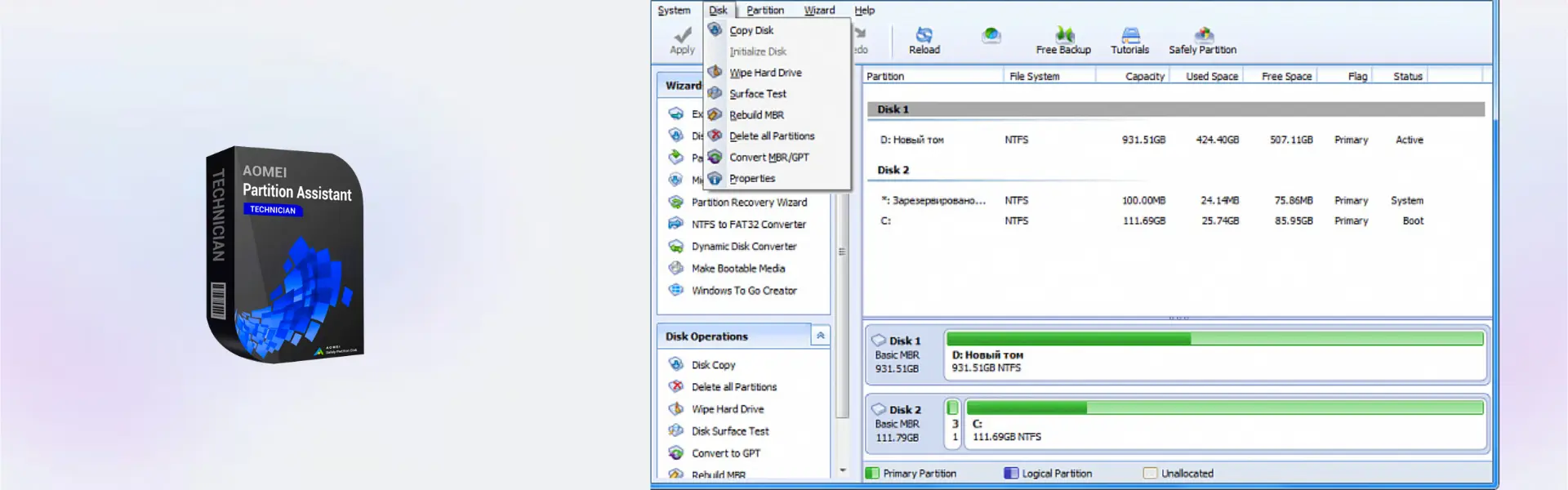
- Partition resizing: Adjust partition size without reinstalling Windows, helping technicians optimize storage quickly.
- Disk cloning: Copy disks for upgrades, replacements, or migrations with less downtime for clients.
- OS migration: Move Windows to another drive, making SSD upgrades faster and more efficient.
- Partition conversion: Convert disk or partition formats when needed for compatibility and storage planning.
- Data-safe management: Perform common disk operations with a structured workflow to reduce operational risk.
- Technician use: Support professional service environments where multiple client systems require maintenance.
Main Features Explained
Partition Resize and Move
Partition resizing helps expand, shrink, or move partitions when storage space is unevenly allocated. This is useful for technicians fixing full system drives or preparing PCs for better performance.
Disk Clone
Disk cloning copies data from one drive to another for hardware upgrades, backup preparation, or drive replacement. It helps reduce downtime when moving clients from old disks to newer storage.
OS Migration
OS migration allows Windows to be moved to another drive, such as an SSD. This matters for businesses and home users who want faster systems without reinstalling everything manually.
Partition Conversion
Partition conversion helps adapt disks for different technical needs. It is valuable when preparing systems for upgrades, compatibility changes, or professional maintenance tasks.
Why Choose AOMEI Partition Assistant Technician?
AOMEI Partition Assistant Technician is ideal for IT technicians, repair shops, service providers, and businesses that need advanced Windows disk management tools. It supports real-world tasks such as resizing partitions, cloning drives, migrating systems, and preparing PCs for upgrades.
As part of our computer programs range, this product focuses on professional partition and disk management. Users who need backup-focused technician tools can compare it with AOMEI Backupper Technician Edition.
For broader backup functionality, AOMEI Backupper Technician Plus Edition may be suitable, while AOMEI Backupper Server is designed for server backup environments.
AOMEI Partition Assistant Technician vs Alternatives
AOMEI Partition Assistant Technician focuses on disk partitioning, resizing, cloning, conversion, and migration for professional Windows systems. AOMEI Backupper Technician Edition is focused more on backup, restore, and system protection tasks.
Compared with server backup tools, this product is better for hands-on partition management and technical disk operations, while backup tools are better for creating recovery copies and restoring data after failure.
System Compatibility
AOMEI Partition Assistant Technician is designed for Windows environments. A stable internet connection is required for online activation, and users should ensure important data is backed up before performing advanced disk operations.
License Type Explanation
This product includes a Technician license type, intended for IT professionals, repair businesses, and service providers. It is designed for technician-focused use rather than basic personal disk management.
This is not a Microsoft Retail, Bind, or LTSC product. Usage rights, transfer options, and activation limits depend on AOMEI technician terms and the selected duration of 1 year or lifetime.
Installation & Activation
- Complete your order and receive instant digital delivery by email.
- Download the software using the instructions provided after purchase.
- Install AOMEI Partition Assistant Technician on your Windows system.
- Open the software and select online activation.
- Enter the activation details provided with your order.
- Start managing partitions, disks, and migration tasks according to your workflow.
Why Buy From Us
Digital License provides AOMEI Partition Assistant Technician with fast digital delivery, secure checkout, professional support, and compliant software sourcing.
- Instant delivery by email after purchase
- Genuine licenses sourced through compliant distribution channels
- Secure payment for safe checkout
- 24/7 support by email and remote assistance
- Compliance with U.S. laws and industry standards
FAQ
How is AOMEI Partition Assistant Technician activated?
It is activated online using the activation details provided after purchase.
How will I receive the product?
You will receive instant digital delivery by email after completing your order.
Is AOMEI Partition Assistant Technician compatible with Windows?
Yes, it is designed for Windows systems.
Who is this product suitable for?
It is suitable for technicians, IT service providers, repair shops, and professional users.
Does the lifetime option require a subscription?
No, the lifetime option provides long-term usage without a subscription.
Can it resize partitions?
Yes, it can resize, move, and manage partitions for storage optimization.
Can it be transferred?
Transfer and reactivation rights depend on AOMEI technician terms and the selected duration.
Is the product legally sourced?
Yes, licenses are sourced through compliant distribution channels in line with U.S. laws and industry standards.
| Component | Requirement |
| Processor | x86 or compatible CPU (1 GHz or faster recommended) |
| RAM | 512 MB minimum (1 GB or more recommended) |
| Storage | ~200 MB of available disk space for installation |
| Operating System | Windows 11 / 10 / 8.1 / 8 / 7 / Vista / XP (32-bit & 64-bit) |
| File System Support | NTFS, FAT32, FAT16, FAT12, exFAT, ReFS |
| Other | Administrator privileges required for installation and disk operations |
| Specification | Detail |
|---|---|
| Activation | Unlimited PCs (technician usage) |
| License validity | Lifetime (permanent) or 1 Year |
| Usage type | Commercial & technician use (service for clients allowed) |
| Delivery method | By email within 15 minutes |
| Languages | Multilingual |
Additional information
| Subscription period | 1 Year, Lifetime |
|---|

1 – Buy
Shop securely with SSL encryption.

2 – Receive
You will receive the license key and download link.

3 – Download
Download and install the software.

4 – Activate
Enter the license key to the software.
Ashampoo 3D CAD Professional 11
Corel Painter Essentials 7 (PC - Mac)