







- Description
- Minimum Requirements
- Specifications
- Additional information
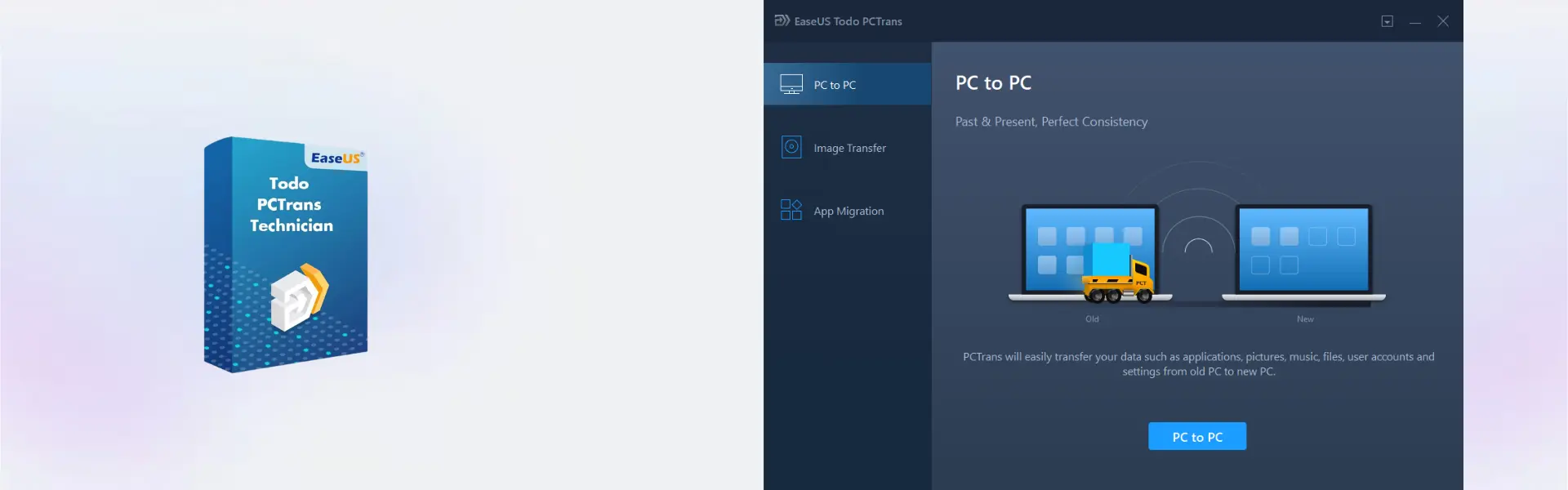
EaseUS Todo PCTrans Technician is a professional PC migration software built for IT technicians and service providers who need to transfer files, applications, and user accounts across multiple Windows computers. It includes instant digital delivery, allowing you to activate the software and begin migrations without delay.
With flexible duration options, including lifetime usage, EaseUS Todo PCTrans Technician is ideal for professionals who want a reliable technician migration tool with no subscription when choosing the lifetime plan.
Overview of EaseUS Todo PCTrans Technician
- Platform: Windows
- License Type: Technician
- Devices: Technician
- License Duration: 1 Years/ 2 Years / Lifetime
- Activation Method: Online activation
- Delivery: Instant digital delivery via email
- Support: Email and remote assistance
- Language Support: Multi-language
- Compliance: Genuine software licenses sourced through compliant distribution channels in line with U.S. laws and industry standards
Key Features
- PC-to-PC migration: Transfers files, applications, and settings between Windows computers, reducing migration time.
- Application transfer: Moves supported software without requiring repeated manual installations.
- User account migration: Transfers user profiles and selected settings for a smoother transition.
- Large file migration: Helps move important business documents, media, and project files efficiently.
- Technician workflow: Designed for IT professionals managing multiple client computers.
- Easy migration process: Guided steps simplify complex transfer tasks.
- Instant delivery: Activation details are sent by email for fast deployment.
Main Features Explained
Professional PC Migration
EaseUS Todo PCTrans Technician helps technicians transfer files, applications, and settings when deploying new computers or replacing existing systems.
Application Migration
The software transfers supported applications between Windows computers, helping reduce setup time and improve productivity.
User Profile Transfer
User account migration helps move selected Windows profiles and settings, allowing users to continue working with familiar configurations.
Business Deployment
The technician edition supports IT service providers who regularly migrate systems for customers, offices, and business environments.
Why Choose EaseUS Todo PCTrans Technician?
EaseUS Todo PCTrans Technician is ideal for IT professionals, repair shops, managed service providers, and businesses that perform frequent Windows migrations. It offers an efficient PC transfer solution for professional deployment projects.
Browse more professional solutions in our backup data recovery software category. For individual users, EaseUS Todo PCTrans Professional is designed for personal PC migration, while the Technician edition is built for commercial service work.
For related business tools, EaseUS Key Finder Business helps recover software keys, while EaseUS Todo Backup Technician provides advanced backup and recovery features.
EaseUS Todo PCTrans Technician vs Alternatives
EaseUS Todo PCTrans Technician focuses on technician-level PC migration and commercial deployment. In comparison, EaseUS Todo PCTrans Professional is intended for individual users transferring a single PC environment.
System Compatibility
EaseUS Todo PCTrans Technician supports Windows computers. Install the software on a compatible system and follow the guided migration process for best results.
License Type Explanation
This product includes a Technician license intended for IT professionals and service providers. It is designed for commercial migration tasks and supports professional deployment workflows.
Installation & Activation
- Complete your purchase and receive the activation details by email.
- Download and install EaseUS Todo PCTrans Technician.
- Activate the software online.
- Select the desired migration mode.
- Choose the files, applications, or accounts to transfer.
- Complete the migration using the guided wizard.
Why Buy From Us
Digital License provides genuine software with fast delivery and dependable technical support.
- Instant digital delivery
- Genuine software licenses
- Secure payment
- 24/7 email and remote assistance
- Compliance with U.S. laws and industry standards
Trust & Reliability
Genuine software licenses sourced through compliant distribution channels in line with U.S. laws and industry standards.
FAQ
How is EaseUS Todo PCTrans Technician delivered?
Your activation details are delivered instantly by email.
How do I activate the software?
Activate it online using the provided activation details.
Which operating system is supported?
It is designed for Windows.
Can it transfer installed applications?
Yes, it can migrate supported applications between Windows computers.
Who is this edition designed for?
It is intended for technicians, IT professionals, and service providers.
Does it include lifetime usage?
Yes, lifetime is available alongside 1-year and 2-year options.
Is it suitable for business use?
Yes, it is specifically designed for professional and commercial migration tasks.
Is the software genuine?
Yes, it is supplied through compliant distribution channels that meet U.S. laws and industry standards.
| Component | Requirement |
| Processor | x86-compatible CPU, 1 GHz or faster |
| RAM | 1 GB minimum (2 GB or more recommended) |
| Storage | At least 200 MB of free disk space for installation |
| Operating System | Windows XP / Vista / 7 / 8 / 8.1 / 10 / 11 (32-bit & 64-bit) |
| Network | Network connection required for PC-to-PC transfer |
| Graphics card | Standard VGA compatible graphics |
| Display | 800 × 600 resolution or higher |
| Specification | Detail |
|---|---|
| Activation | Technician License (For IT Service Providers, ) |
| License validity | 1 Year / 2 Years / Lifetime (one-time purchase) |
| Delivery method | By email within 5–15 minutes |
| Languages | Multilingual |
Additional information
| Subscription period | 1 Year, 2 Years, Lifetime |
|---|

1 – Buy
Shop securely with SSL encryption.

2 – Receive
You will receive the license key and download link.

3 – Download
Download and install the software.

4 – Activate
Enter the license key to the software.
Ashampoo 3D CAD Professional 11