























- Description
- Minimum Requirements
- Specifications
- Additional information
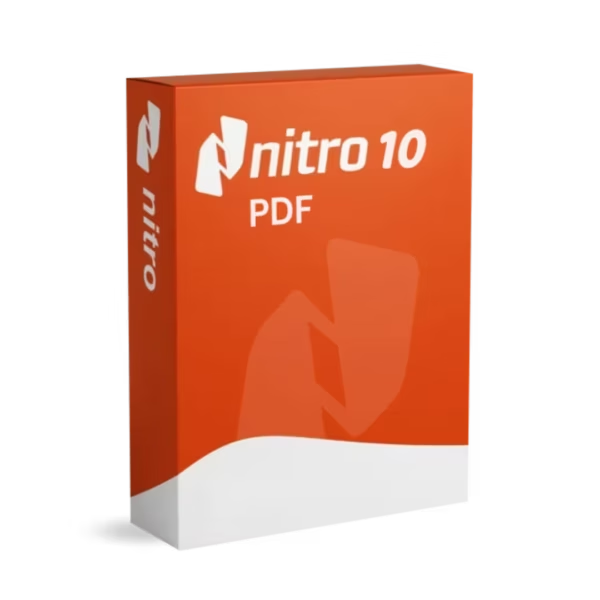
Nitro PDF Pro 10 is a powerful PDF solution designed for professionals who need full control over document creation, editing, and collaboration. With instant delivery and lifetime usage, it eliminates the need for costly subscription-based tools. Ideal for business and productivity, it streamlines PDF workflows with advanced features.
Overview of Nitro PDF Pro 10
- Platform: Windows
- Edition: Professional
- License Type: Retail
- Devices: 1 Device / 5 Devices/ 10 Devices
- License Duration: Lifetime
- Activation Method: Online activation
- Delivery: Instant digital delivery via email
- Support: Email and remote assistance
- Language Support: English
- Compliance: Genuine software licenses sourced through compliant distribution channels in line with U.S. laws and industry standards
Key Features
- Advanced PDF Editing: Modify text, images, and layouts directly within PDFs, allowing professionals to update documents without recreating them.
- Fast PDF Conversion: Convert files between PDF and Word, Excel, or PowerPoint formats, improving workflow efficiency and reducing manual work.
- Secure Document Protection: Apply encryption and permissions to sensitive files, ensuring data security in business environments.
- Digital Signature Integration: Sign and request signatures electronically, speeding up approvals and eliminating paperwork delays.
- Batch Processing Tools: Handle multiple documents at once, saving time for teams managing large volumes of files.
- OCR Technology: Turn scanned documents into editable text, enabling easy reuse of printed or archived content.
- Collaboration Features: Add comments, annotations, and markups to improve communication between teams.
Main Features Explained
PDF Editing and Customization
This feature allows users to directly edit PDF content without converting files. In real-world scenarios, businesses can quickly update contracts, invoices, or reports, saving time and avoiding formatting issues. This improves productivity and reduces document handling complexity.
Document Conversion
Nitro PDF Pro 10 enables seamless conversion between PDFs and editable formats. Students and professionals can easily reuse content without retyping documents, improving efficiency and accuracy.
Optical Character Recognition (OCR)
The OCR functionality converts scanned documents into searchable and editable files. This is essential for digitizing archives and making printed materials accessible for editing and sharing.
Secure Sharing and Signing
With built-in security and digital signature tools, users can protect and validate documents. Businesses benefit from faster approvals and secure document exchange without relying on third-party tools.
Why Choose Nitro PDF Pro 10?
Nitro PDF Pro 10 is ideal for professionals, businesses, and students who need a complete PDF management solution. It combines editing, conversion, and security tools in one platform, making it suitable for everyday productivity and advanced workflows.
Explore more tools in the PDF document management category to find the best solution for your needs. Compared to EaseUS PDF Editor, Nitro offers a more comprehensive set of advanced editing and business-focused features.
For users working with documents alongside productivity suites, combining it with Microsoft Office 2024 Professional Plus enhances overall workflow efficiency.
Nitro PDF Pro 10 vs Alternatives
Compared to basic PDF editors, Nitro PDF Pro 10 provides a full suite of professional tools, including OCR, batch processing, and advanced security. While lighter tools focus on simple editing, Nitro is built for business environments where performance, collaboration, and security are essential.
System Compatibility
This software is designed for Windows systems, supporting modern PCs and laptops. It integrates seamlessly with common business applications, ensuring smooth performance across various workflows and document types.
License Type Explanation
The license offers flexible device options and lifetime usage, eliminating subscription fees. It is a practical long-term investment for individuals and organizations.
Installation & Activation
- Complete your purchase and receive the product instantly via email.
- Download the software from the provided link.
- Install Nitro PDF Pro 10 on your device.
- Launch the application and activate it online.
- Start creating, editing, and managing PDFs.
Why Buy From Us
We provide a secure and reliable purchasing experience backed by professional support.
- Instant digital delivery
- Genuine and verified licenses
- Secure payment methods
- 24/7 customer support
- Compliance with U.S. laws and industry standards
Trust & Reliability
Digital License ensures all products are genuine and sourced through compliant distribution channels. We focus on delivering reliable software solutions with full support, ensuring long-term customer satisfaction.
FAQ
What is Nitro PDF Pro 10 used for?
It is used for creating, editing, converting, and securing PDF documents in professional environments.
How is the product delivered?
The product is delivered instantly via email after purchase.
Does it support multiple devices?
Yes, depending on the selected option, it supports 1, 5, or 10 devices.
Is this a one-time purchase?
Yes, it includes lifetime usage with no subscription fees.
Is internet required for activation?
Yes, internet access is required for online activation.
Does it support scanned documents?
Yes, the OCR feature allows editing and searching within scanned files.
Is the software genuine?
Yes, all licenses are genuine and compliant with U.S. laws and industry standards.
| Component | Requirement |
| Processor | 1 GHz or faster processor |
| RAM | 512 MB minimum (1 GB recommended) |
| Storage | 300 MB of available disk space |
| Operating System | Windows 8.1,Windows 10 ,Windows 11 |
| Graphics card | Standard VGA (no special requirements) |
| Display | 1024 × 768 screen resolution |
| Specification | Detail |
|---|---|
| Activation | 1 Device , 5 Devices , 10 Devices |
| License validity | Lifetime (does not expire after activation) |
| Delivery method | By email within 15 minutes |
| Languages | English |
Additional information
| Devices | 1 Device, 5 Devices, 10 Devices |
|---|

1 – Buy
Shop securely with SSL encryption.

2 – Receive
You will receive the license key and download link.

3 – Download
Download and install the software.

4 – Activate
Enter the license key to the software.
Ashampoo 3D CAD Architecture 10
Vmware vCenter Server 8 Standard
