















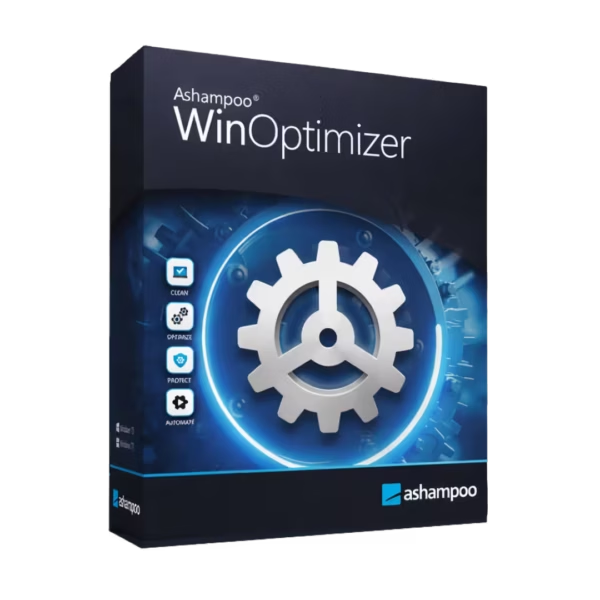








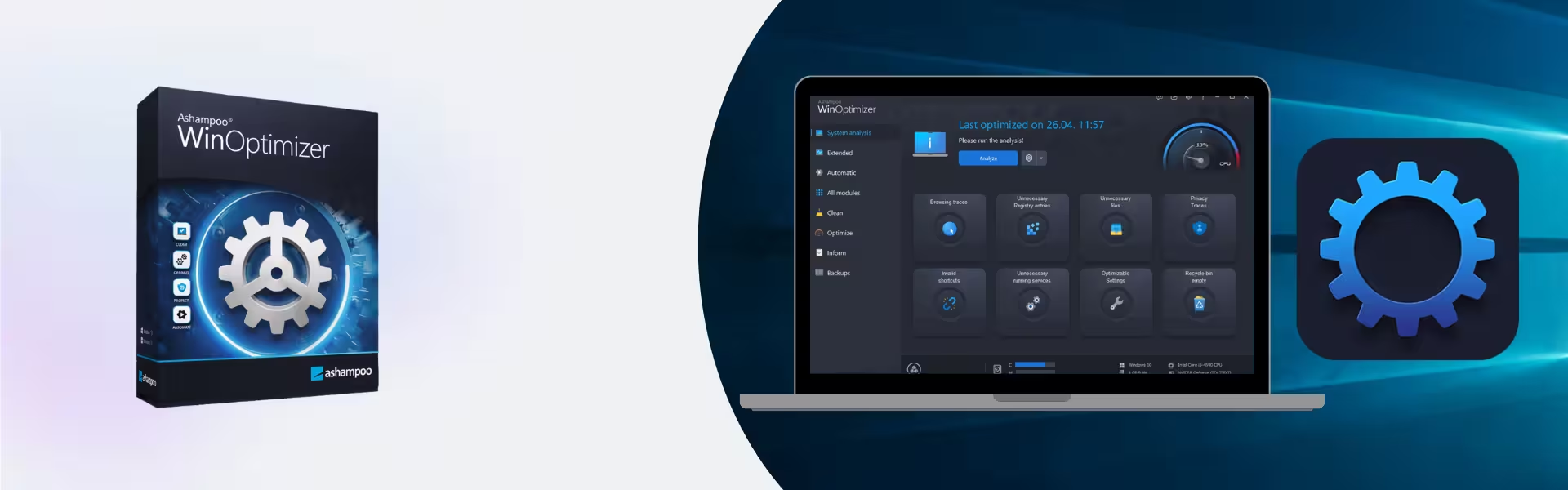
- Description
- Minimum Requirements
- Specifications
- Additional information
Ashampoo Winoptimizer is a powerful system optimization solution designed to enhance performance, clean up unnecessary files, and improve overall system stability. With instant delivery and lifetime usage, it provides a one-time purchase model without recurring subscriptions. Keep your PC running smoothly and efficiently with advanced optimization tools.
Overview of Ashampoo Winoptimizer
- Platform: Windows
- Edition: Winoptimizer
- License Type: Retail
- Devices: 1 Device
- License Duration: Lifetime
- Activation Method: Online activation
- Delivery: Instant digital delivery via email
- Support: Email and remote assistance
- Language Support: Multi-language
- Compliance: Genuine software licenses sourced through compliant distribution channels in line with U.S. laws and industry standards
Key Features
- System Cleanup Tools: Remove unnecessary files and temporary data, freeing up disk space and improving system performance.
- Registry Optimization: Clean and repair registry entries to enhance system stability and reduce errors.
- Startup Manager: Control startup programs to speed up boot times and improve overall responsiveness.
- Privacy Protection: Remove browsing traces and sensitive data, ensuring your privacy and security.
- Performance Optimization: Fine-tune system settings to boost speed and efficiency.
- Automatic Maintenance: Schedule regular system optimization tasks to keep your PC running smoothly without manual effort.
- Disk Analysis Tools: Identify large files and storage usage, helping you manage disk space effectively.
Main Features Explained
System Cleanup and Optimization
Ashampoo Winoptimizer helps users remove junk files and optimize system performance. This is ideal for maintaining a fast and responsive computer for both personal and professional use.
Startup and Process Management
Users can control which applications run at startup, reducing boot times and improving system speed. This ensures a smoother user experience and better resource management.
Privacy and Security Tools
The software removes browsing history, cookies, and sensitive data, protecting user privacy and preventing unauthorized access to personal information.
Automatic Maintenance Features
Schedule automated optimization tasks that run in the background, ensuring your system stays clean and efficient without manual intervention.
Disk and Resource Monitoring
Analyze disk usage and system resources to identify areas for improvement, helping users manage storage and maintain optimal performance.
Why Choose Ashampoo Winoptimizer?
Ashampoo Winoptimizer is ideal for home users, professionals, and businesses that want to maintain peak system performance. It helps improve speed, free up storage, and enhance system reliability with minimal effort.
Discover more tools in our Ashampoo software collection to optimize and protect your system. For data protection, Ashampoo Backup Pro 26 offers reliable backup and recovery features.
For file management and compression, Ashampoo ZIP Pro 4 is a useful addition, while Ashampoo Burning Studio 22 supports media creation and disc burning tasks.
Ashampoo Winoptimizer vs Alternatives
Compared to basic system tools, Ashampoo Winoptimizer provides a comprehensive suite of optimization and maintenance features. While standard utilities offer limited functionality, Winoptimizer delivers advanced cleanup, performance tuning, and privacy protection in one solution.
System Compatibility
Ashampoo Winoptimizer is designed for Windows systems and runs efficiently on both modern and older hardware. It is optimized to improve performance without placing additional strain on system resources.
License Type Explanation
This retail license provides lifetime usage on a single device, eliminating recurring subscription costs. While it is not transferable between multiple users, it ensures long-term value and reliable system optimization.
Installation & Activation
- Purchase Ashampoo Winoptimizer from our website.
- Receive your activation details instantly via email.
- Download the software from the official Ashampoo platform.
- Install it on your Windows device.
- Enter the activation key during setup.
- Start optimizing your system immediately.
Why Buy From Us
We provide a secure and reliable way to access professional software solutions.
- Instant digital delivery via email
- Genuine software licenses
- Secure payment processing
- 24/7 email and remote support
- Compliance with U.S. laws and industry standards
Trusted by Professionals Worldwide
Digital License is trusted by customers for delivering authentic software, fast service, and dependable support. We ensure every purchase meets high standards of quality and security.
FAQ
How do I activate Ashampoo Winoptimizer?
You can activate the software online using the key provided after purchase.
When will I receive the product?
Your product is delivered instantly via email after payment confirmation.
Is this compatible with Mac?
No, this software is designed for Windows systems only.
Can I install it on multiple devices?
No, the license is valid for one device only.
Is this a lifetime license?
Yes, this retail license provides lifetime usage with a one-time purchase.
Is the software legally compliant?
Yes, all licenses are sourced through compliant channels aligned with industry standards.
Do I receive updates?
Updates depend on the vendor policy for this version.
Is support included?
Yes, 24/7 email and remote assistance are available.
| Component | Requirement |
| Processor | Any standard x86/x64 processor |
| RAM | 2 GB or more |
| Storage | 250 MB of available disk space |
| Operating System | Windows 11, Windows 10 |
| Graphics card | Standard graphics adapter (no special requirements) |
| Display | 1024 × 768 resolution or higher |
| Specification | Detail |
|---|---|
| Activation | Single PC (one-time activation) |
| License validity | Lifetime (does not expire after activation) |
| Delivery method | By email within 15 minutes |
| Languages | Multilingual |
Additional information
| Version | 25, 26, 27 |
|---|

1 – Buy
Shop securely with SSL encryption.

2 – Receive
You will receive the license key and download link.

3 – Download
Download and install the software.

4 – Activate
Enter the license key to the software.
Ashampoo 3D CAD Professional 10
Parallels Desktop 20 Pro Edition Mac
Vmware vCenter Server 8 Standard
