







- Description
- Minimum Requirements
- Specifications
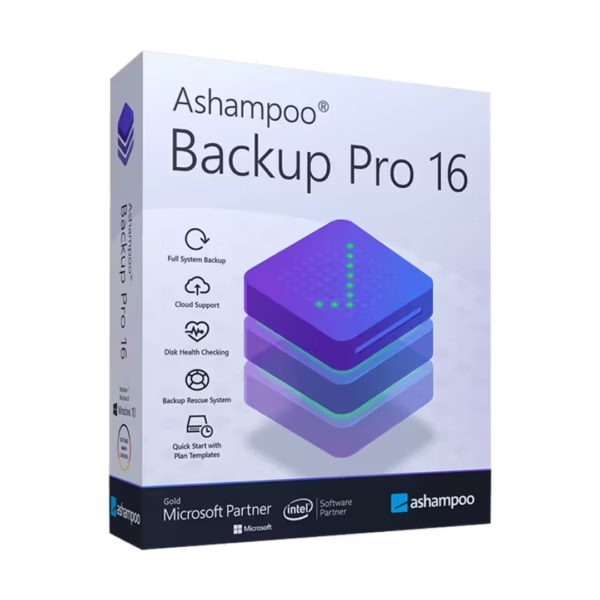
Ashampoo Backup Pro 16 is a powerful data protection solution designed to secure your files, systems, and entire drives with ease. With instant delivery and lifetime usage, it offers a one-time purchase model without recurring subscription costs. Protect your digital assets with reliable backup and recovery tools built for long-term security.
Overview of Ashampoo Backup Pro 16
- Platform: Windows
- Edition: Backup Pro 16
- License Type: Retail
- Devices: 1 Device
- License Duration: Lifetime
- Activation Method: Online activation
- Delivery: Instant digital delivery via email
- Support: Email and remote assistance
- Language Support: Multi-language
- Compliance: Genuine software licenses sourced through compliant distribution channels in line with U.S. laws and industry standards
Key Features
- Automatic Backup Scheduling: Create regular backups without manual intervention, ensuring your data is always protected.
- Full System Backup: Back up entire drives or operating systems, enabling fast recovery in case of failure or data loss.
- Flexible Storage Options: Save backups to external drives, network locations, or cloud storage, increasing security and accessibility.
- Rescue System Creation: Generate bootable recovery media to restore your system even if it fails to start.
- Data Encryption: Protect sensitive files with advanced encryption, ensuring privacy and security.
- Version Management: Keep multiple backup versions, allowing you to restore previous file states when needed.
- Performance Optimization: Efficient resource usage ensures backups run smoothly without slowing down your system.
Main Features Explained
Automated Backup Management
Ashampoo Backup Pro 16 allows users to schedule automatic backups, ensuring important data is continuously protected. This is ideal for both personal users and businesses that need reliable data security without constant manual input.
Full System Recovery
Users can restore entire systems quickly in case of crashes or hardware failure. This minimizes downtime and ensures continuity for critical tasks.
Flexible Storage Integration
The software supports backups to external drives, NAS systems, and cloud platforms. This flexibility ensures that data is always accessible and securely stored.
Secure Encryption and Protection
Built-in encryption protects sensitive files from unauthorized access, making it suitable for users handling confidential information.
Rescue System Functionality
Create bootable recovery media to restore systems even when the operating system fails. This ensures maximum reliability in emergency situations.
Why Choose Ashampoo Backup Pro 16?
Ashampoo Backup Pro 16 is ideal for home users, professionals, and businesses that need dependable data protection. It helps prevent data loss, reduces downtime, and ensures peace of mind with reliable backup solutions.
Explore more tools in our Ashampoo software collection to secure your digital environment. For newer features and enhanced performance, Ashampoo Backup Pro 17 offers an upgraded solution.
If you are looking for the latest versions, consider Ashampoo Backup Pro 25 or Ashampoo Backup Pro 26 for additional improvements and capabilities.
Ashampoo Backup Pro 16 vs Alternatives
Compared to newer versions, Ashampoo Backup Pro 16 provides reliable core backup and recovery features with a simpler interface. While later versions offer additional enhancements, version 16 remains a strong choice for users seeking stability and essential data protection tools.
System Compatibility
Ashampoo Backup Pro 16 is designed for Windows systems and runs efficiently on standard hardware. It is optimized to perform backups without significantly affecting system performance.
License Type Explanation
This retail license provides lifetime usage on a single device, eliminating recurring subscription costs. While it is not transferable between multiple users, it ensures long-term access and reliable performance.
Installation & Activation
- Purchase Ashampoo Backup Pro 16 from our website.
- Receive your activation details instantly via email.
- Download the software from the official Ashampoo platform.
- Install it on your Windows device.
- Enter the activation key during setup.
- Start protecting your data immediately.
Why Buy From Us
We provide a secure and reliable way to access professional software solutions.
- Instant digital delivery via email
- Genuine software licenses
- Secure payment processing
- 24/7 email and remote support
- Compliance with U.S. laws and industry standards
Trusted by Professionals Worldwide
Digital License is trusted by customers for delivering authentic software, fast service, and dependable support. We ensure every purchase meets high standards of quality and security.
FAQ
How do I activate Ashampoo Backup Pro 16?
You can activate the software online using the key provided after purchase.
When will I receive the product?
Your product is delivered instantly via email after payment confirmation.
Is this compatible with Mac?
No, this software is designed for Windows systems only.
Can I install it on multiple devices?
No, the license is valid for one device only.
Is this a lifetime license?
Yes, this retail license provides lifetime usage with a one-time purchase.
Is the software legally compliant?
Yes, all licenses are sourced through compliant channels aligned with industry standards.
Do I receive updates?
Updates depend on the vendor policy for this version.
Is support included?
Yes, 24/7 email and remote assistance are available.

| Component | Requirement |
| Processor | Dual-core processor or better |
| RAM | 2 GB or more |
| Storage | 500 MB for installation, additional space for backups |
| Operating System | Windows 11, Windows 10 (64-bit) |
| Graphics card | Standard graphics adapter, minimum resolution 1280×1024 |
| Internet | Internet connection required for activation and updates |
| Specification | Detail |
|---|---|
| Activation | Single PC (one-time activation) |
| License validity | Lifetime (does not expire after activation) |
| Delivery method | By email within 15 minutes |
| Languages | Multilingual |

1 – Buy
Shop securely with SSL encryption.

2 – Receive
You will receive the license key and download link.

3 – Download
Download and install the software.

4 – Activate
Enter the license key to the software.

Ashampoo 3D CAD Architecture 10