







- Description
- Minimum Requirements
- Specifications
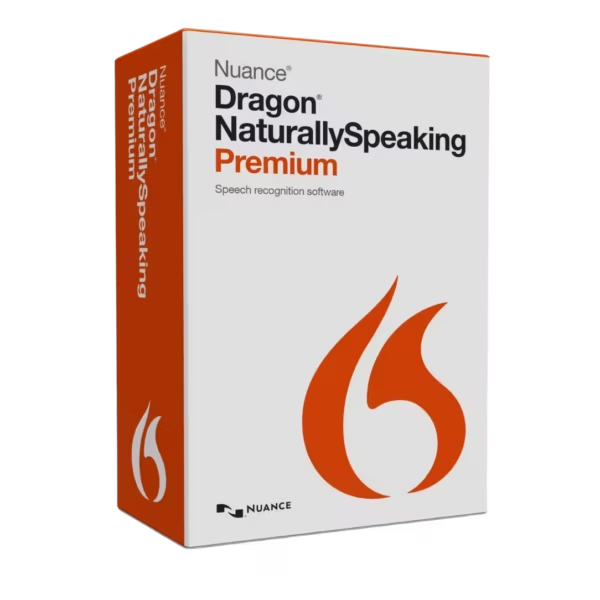
Nuance Dragon NaturallySpeaking Premium 13 is a powerful speech recognition software that transforms your voice into accurate text in real time. With instant digital delivery and lifetime usage, it provides a professional solution without any subscription requirements.
Designed for productivity and efficiency, it allows users to dictate documents, control applications, and streamline workflows using voice commands.
Overview of Nuance Dragon NaturallySpeaking Premium 13
- Platform: Windows
- Edition: Premium 13
- License Type: Retail
- Devices: 1 Device
- License Duration: Lifetime
- Activation Method: Online activation
- Delivery: Instant digital delivery via email
- Support: Email and remote assistance
- Language Support: English, French, German
- Compliance: Genuine software licenses sourced through compliant distribution channels in line with U.S. laws and industry standards
Key Features
- Accurate Speech Recognition: Convert spoken words into text with high precision, reducing typing time and increasing productivity.
- Voice Command Control: Navigate applications and perform tasks using voice commands, improving workflow efficiency.
- Dictation for Documents: Create emails, reports, and documents quickly without manual typing.
- Custom Vocabulary: Add specialized words and phrases, ensuring accuracy in professional or technical fields.
- Transcription Capability: Convert recorded audio into text, ideal for meetings, interviews, and research.
- Hands-Free Operation: Control your PC without a keyboard or mouse, enhancing accessibility and comfort.
- Learning and Adaptation: The software adapts to your voice over time, improving recognition accuracy.
Main Features Explained
Voice-to-Text Dictation
This feature allows users to dictate text directly into documents and applications. It is essential for professionals who need to create content quickly and efficiently.
Voice Command Automation
Control your computer using voice commands to open programs, navigate files, and execute tasks. This improves productivity and reduces reliance on manual input.
Audio Transcription
Convert recorded speech into written text. This is particularly useful for journalists, researchers, and business professionals handling interviews or meetings.
Custom Vocabulary Training
Teach the software specific terminology or industry language. This ensures accurate transcription in specialized environments.
Adaptive Learning Technology
The software improves accuracy by learning from your voice patterns and usage habits, providing a more personalized experience.
Why Choose Nuance Dragon NaturallySpeaking Premium 13?
Nuance Dragon NaturallySpeaking Premium 13 is ideal for professionals, students, writers, and businesses that want to increase productivity and reduce manual typing. It offers a fast and efficient way to create content and manage tasks using voice commands.
Explore more productivity tools in our Nuance software collection to optimize your workflow.
Compared to document-focused tools like Nuance Power PDF Advanced 2.1, which specializes in PDF editing, this software focuses on voice recognition and dictation.
For basic document handling, Corel PDF Fusion offers simpler PDF tools, while Dragon NaturallySpeaking provides advanced speech-based productivity.
Nuance Dragon NaturallySpeaking Premium 13 vs Alternatives
Compared to basic speech tools, this version offers higher accuracy, customization, and advanced transcription features. It is more suitable for professional use where precision and efficiency are critical.
System Compatibility
This software is designed for Windows systems and runs efficiently on modern PCs. It integrates with popular applications to enable seamless voice-based workflows.
License Type Explanation
This retail license provides lifetime usage on one device, eliminating recurring subscription costs.
Installation & Activation
- Receive your product via email instantly after purchase
- Download the installation file on your Windows device
- Install Nuance Dragon NaturallySpeaking Premium 13
- Enter your activation details
- Complete online activation
- Start dictating and controlling your PC with voice
Why Buy From Us
We provide a secure and reliable purchasing experience with professional support.
- Instant digital delivery
- Genuine software licenses
- Secure payment processing
- 24/7 customer support
- Compliance with U.S. laws and industry standards
Trust & Reliability
All products are sourced through compliant distribution channels, ensuring authenticity and legal compliance. Our support team is available 24/7 to assist with installation and activation.
FAQ
How will I receive Nuance Dragon NaturallySpeaking Premium 13?
You will receive your product via email instantly after purchase.
Is this a lifetime product?
Yes, it is a one-time purchase with lifetime usage.
Can I control my PC with voice commands?
Yes, the software allows full control of your PC using voice commands.
Does it support transcription of audio files?
Yes, it can convert recorded audio into text.
Is internet required for activation?
Yes, online activation is required.
Is it compatible with macOS?
No, this version is designed for Windows systems only.
Is the software legally compliant?
Yes, all licenses are sourced through compliant channels in line with U.S. laws.
| Component | Requirement |
| Processor | Intel® Dual Core™ processor or equivalent AMD processor, 2.2 GHz or faster |
| Memory (RAM) | Minimum 4 GB RAM (8 GB recommended for optimal performance) |
| Storage | Approximately 4 GB of available disk space for installation and user profiles |
| Operating System | Windows 7, Windows 8.1, Windows 10 (64-bit versions recommended) |
| Sound Card | 16-bit sound card required |
| Microphone | Nuance-approved noise-canceling microphone recommended for best accuracy |
| Display | Minimum screen resolution of 1024 × 768 |
| Internet Connection | Required for activation, updates, and product registration |
| Specification | Detail |
|---|---|
| Activation | Single PC (one-time activation) |
| License validity | Lifetime (does not expire after activation) |
| Delivery method | By email within 15 minutes |
| Language | English, French, German |

1 – Buy
Shop securely with SSL encryption.

2 – Receive
You will receive the license key and download link.

3 – Download
Download and install the software.

4 – Activate
Enter the license key to the software.
Parallels Desktop Standard 20 Mac
VMware vCenter Server 7 Standard