























- Description
- Minimum Requirements
- Specifications
- Additional information
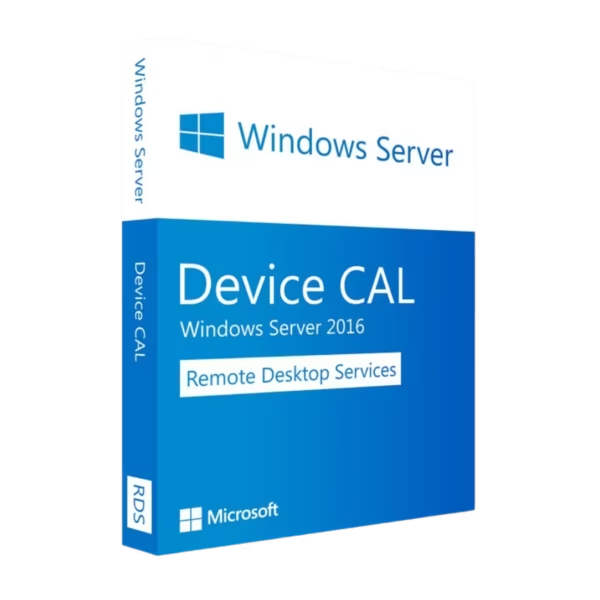
Windows Server 2016 RDS 50 Device CALs is a practical and cost-efficient solution for organizations that rely on shared workstations. With instant delivery, lifetime usage, and no subscription, it enables secure and stable remote access for multiple users through licensed devices.
Overview of Windows Server 2016 RDS 50 Device CALs
- Platform: Windows
- Edition: RDS
- License Type: Retail
- Devices: 1 device
- License Duration: Lifetime
- Activation Method: Online activation
- Delivery: Instant digital delivery via email
- Support: Email and remote assistance
- Language Support: Multi-language
- Compliance: Genuine software licenses sourced through compliant distribution channels in line with U.S. laws and industry standards
Key Features
- 50 Device-Based Licenses: Allows up to 50 devices to connect to the server, ideal for shared environments like offices and training centers.
- Centralized Remote Access: Enables devices to connect to a unified server, simplifying system control and improving efficiency.
- Secure Connection Protocols: Protects remote sessions with encryption, ensuring safe access to business data.
- Stable Multi-Session Performance: Maintains smooth and responsive connections even during high usage.
- Cost-Effective Licensing Model: Reduces expenses in environments where multiple users share the same devices.
- Application Hosting: Run applications from the server, eliminating the need for local installations and reducing maintenance.
- Scalable Infrastructure Support: Easily supports growth without requiring major changes to your IT setup.
Main Features Explained
Remote Desktop Services (RDS)
RDS allows multiple devices to access a centralized server environment. Businesses use it to provide shared workstations with consistent access to applications and systems.
Device Session Management
Manages connections from multiple devices efficiently, ensuring stable performance in busy environments such as offices and service centers.
Secure Remote Connectivity
Uses encryption and authentication protocols to protect remote sessions, helping businesses maintain data security.
Application Virtualization
Applications are hosted on the server and accessed remotely, reducing installation requirements and simplifying updates.
Load Balancing Support
Distributes workloads across servers to maintain performance and prevent system overload during peak usage.
Why Choose Windows Server 2016 RDS 50 Device CALs?
Windows Server 2016 RDS 50 Device CALs is ideal for organizations that use shared computers, such as offices, educational institutions, and customer service environments. It offers efficient licensing, centralized control, and reliable performance for daily operations.
Explore additional options in our Windows Server 2016 RDS collection to find the right licensing solution.
If your organization requires user-based flexibility instead of device-based licensing, consider Windows Server 2016 RDS 50 User CALs for multi-device access per user.
For similar device-based setups, you may also review Windows Server 2016 RDS 50 Device CALs as part of your deployment strategy.
Windows Server 2016 RDS 50 Device CALs vs Alternatives
Device CALs vs User CALs:
Device CALs are assigned to devices, making them ideal for shared environments, while User CALs are assigned to individuals who need access from multiple devices.
2016 vs Newer Versions:
Newer versions offer enhanced performance and security, but Windows Server 2016 remains a stable and cost-effective solution for many organizations.
System Compatibility
Windows Server 2016 RDS 50 Device CALs is designed for Windows Server 2016 environments and supports a wide range of enterprise hardware. It integrates seamlessly with existing IT infrastructures.
License Type Explanation
This Retail license provides a one-time purchase with lifetime usage. It eliminates recurring costs and offers flexibility.
Installation & Activation
- Complete your purchase and receive your CALs instantly via email.
- Access your Windows Server 2016 system.
- Open the Remote Desktop Licensing Manager.
- Enter the provided activation information.
- Activate the licenses through the online process.
- Assign licenses to devices and begin usage.
Why Buy From Us
We provide trusted software solutions designed for professional environments.
- Instant digital delivery
- Genuine licenses
- Secure payment methods
- 24/7 support
- Compliance with U.S. laws and industry standards
Digital License Is a Verified Microsoft Partner
Digital License is an official Microsoft Partner
(ID: 7033487), recognized for delivering genuine software
licenses and verified solutions worldwide. You can verify our
partnership directly on the Microsoft Partner Directory. This ensures
every license you purchase is authentic, secure, and fully compliant with
Microsoft standards and applicable U.S. laws and industry standards.
FAQ
What are Device CALs?
Device CALs allow a specific device to access the server, regardless of how many users use that device.
How is the product delivered?
The product is delivered instantly via email after purchase.
How do I activate the CALs?
Activation is completed through the online activation process using the provided information.
Is this a lifetime license?
Yes, it is a one-time purchase with lifetime validity.
Can Device CALs be converted to User CALs?
No, Device and User CALs are separate and cannot be converted.
Is this software legally compliant?
Yes, all licenses are sourced through compliant distribution channels aligned with U.S. laws and industry standards.
What systems are supported?
It is designed for Windows Server 2016 environments and compatible enterprise hardware.
Do you provide support?
Yes, 24/7 email and remote assistance support is included.
| Component | Requirement |
| Processor | 1.4 GHz 64-bit (x64) processor with SSE2 support |
| RAM | Minimum 2 GB (4 GB or more recommended for RDS environments) |
| Storage | Minimum 32 GB free space for installation (additional required for RDS session load) |
| Network | Gigabit Ethernet recommended for multi-device access |
| Graphics | DirectX 9-compatible GPU (RemoteFX optional) |
| Additional Requirements for RDS (50 Device CALs) | High-performance CPU, 8–16 GB+ RAM, and SSD strongly recommended for handling concurrent device connections |
| Specification | Detail |
|---|---|
| Activation | Single PC (one-time activation) |
| License validity | Lifetime (does not expire after activation) |
| Delivery method | By email within 15 minutes |
| Languages | Multilingual |
Additional information
| Cal | 5, 10, 20, 50 |
|---|

1 – Buy
Shop securely with SSL encryption.

2 – Receive
You will receive the license key and download link.

3 – Download
Download and install the software.

4 – Activate
Enter the license key to the software.
Microsoft Exchange Server 2019 Standard
Windows Server 2012 R2 Datacenter
Windows Server 2025 RDS User CAL
