







- Description
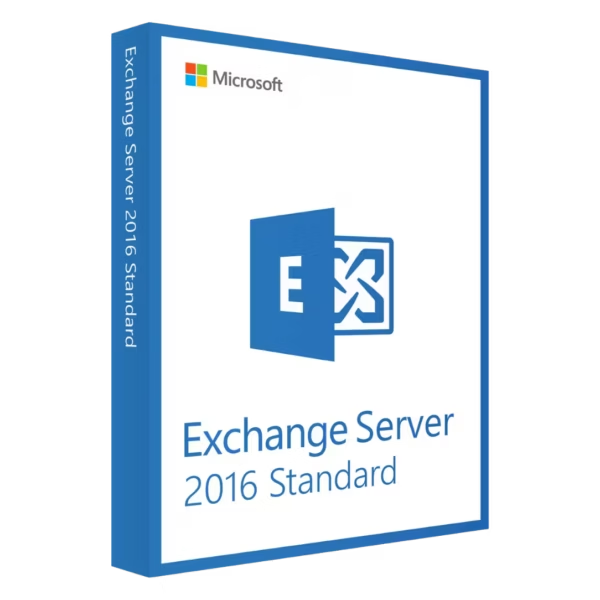
Microsoft Exchange Server 2016 Standard is a reliable and efficient communication platform designed for businesses that need secure email and collaboration tools. With instant delivery, lifetime usage, and no subscription, it provides a cost-effective and long-term solution for professional environments.
Overview of Microsoft Exchange Server 2016 Standard
- Platform: Windows
- Edition: Standard
- License Type: Retail
- Devices: 1 device
- License Duration: Lifetime
- Activation Method: Online activation
- Delivery: Instant digital delivery via email
- Support: Email and remote assistance
- Language Support: Multi-language
- Compliance: Genuine software licenses sourced through compliant distribution channels in line with U.S. laws and industry standards
Key Features
- Centralized Email Management: Streamlines communication by managing all emails in one secure system.
- Integrated Calendars: Helps teams schedule meetings and manage time more efficiently.
- Built-in Security Tools: Protects against spam, malware, and data breaches for safer communication.
- Reliable Performance: Ensures stable email delivery and system responsiveness for daily operations.
- Mobile Access Support: Allows users to access emails and calendars from anywhere using mobile devices.
- Scalable Deployment: Adapts to growing business needs without complex infrastructure changes.
- Simplified Administration: Centralized control reduces IT workload and improves management efficiency.
Main Features Explained
Business Email Hosting
Provides a centralized platform for managing company emails, enabling consistent communication across teams and departments.
Calendar and Scheduling
Facilitates meeting organization and resource planning, helping teams coordinate effectively.
Security and Threat Protection
Protects sensitive information through anti-malware and filtering features, ensuring secure communication.
Remote and Mobile Access
Allows employees to access their emails and schedules from different locations, supporting flexible work environments.
Data Organization Tools
Keeps emails, contacts, and schedules structured for better workflow and productivity.
Why Choose Microsoft Exchange Server 2016 Standard?
Microsoft Exchange Server 2016 Standard is ideal for businesses seeking a dependable and secure communication platform. It is widely used in small to medium-sized organizations that need efficient email management and collaboration tools.
Explore more solutions in our Exchange Server 2016 collection to find the best fit for your business.
If you require higher scalability and advanced features, consider Microsoft Exchange Server 2016 Enterprise as an alternative.
For newer systems with enhanced performance, you may also explore Microsoft Exchange Server 2019 Standard as an upgrade option.
Microsoft Exchange Server 2016 Standard vs Alternatives
Standard vs Enterprise:
The Standard edition is suitable for smaller environments, while Enterprise supports larger mailbox databases and advanced scalability.
2016 vs 2019:
Exchange Server 2019 offers improved performance and hardware utilization, while 2016 remains a stable and cost-effective solution.
System Compatibility
Microsoft Exchange Server 2016 Standard is compatible with Windows Server environments and supports a wide range of enterprise hardware configurations.
License Type Explanation
This Retail license provides a one-time purchase with lifetime usage. It eliminates recurring costs and offers flexibility.
Installation & Activation
- Complete your purchase and receive the product via email instantly.
- Download and install Microsoft Exchange Server 2016 Standard.
- Run the installation setup and follow the configuration steps.
- Enter the provided activation details.
- Complete the online activation process.
- Configure your mailboxes and start using the system.
Why Buy From Us
We provide reliable and compliant software solutions tailored for professional environments.
- Instant digital delivery
- Genuine licenses
- Secure payment methods
- 24/7 support
- Compliance with U.S. laws and industry standards
Digital License Is a Verified Microsoft Partner
Digital License is an official Microsoft Partner
(ID: 7033487), recognized for delivering genuine software
licenses and verified solutions worldwide. You can verify our
partnership directly on the Microsoft Partner Directory. This ensures
every license you purchase is authentic, secure, and fully compliant with
Microsoft standards and applicable U.S. laws and industry standards.
FAQ
What is Microsoft Exchange Server 2016 Standard used for?
It is used for managing business email, calendars, and contacts in a centralized system.
How is the product delivered?
The product is delivered instantly via email after purchase.
How do I activate the software?
Activation is completed online using the provided details.
Is this a lifetime license?
Yes, it is a one-time purchase with lifetime validity.
Can I upgrade later?
Yes, you can upgrade by purchasing a newer version when needed.
Is this software compliant?
Yes, it is sourced through compliant distribution channels aligned with U.S. laws and industry standards.
What systems are supported?
It is compatible with supported Windows Server environments and enterprise hardware.
Do you provide support?
Yes, 24/7 email and remote assistance support is included.

1 – Buy
Shop securely with SSL encryption.

2 – Receive
You will receive the license key and download link.

3 – Download
Download and install the software.

4 – Activate
Enter the license key to the software.
Microsoft Exchange Server 2019 Standard
Windows Server 2012 R2 Datacenter
Windows Server 2016 Datacenter
Windows Server 2022 Essentials