























- Description
- Minimum Requirements
- Specifications
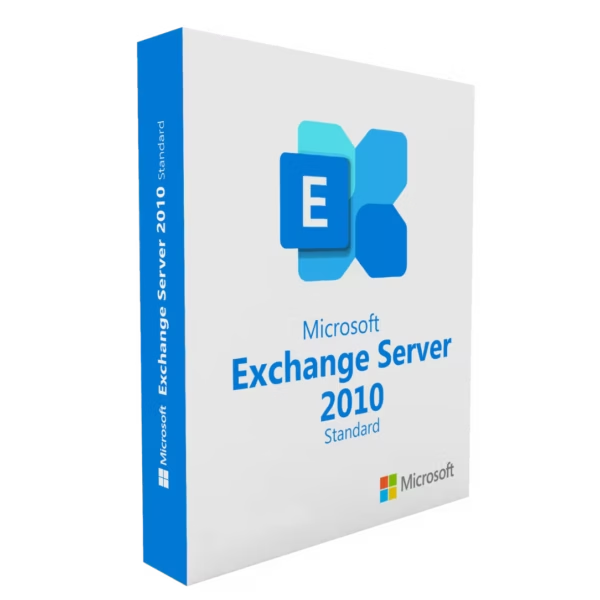
Microsoft Exchange Server 2010 Standard is a dependable email and collaboration platform designed for businesses that need stable communication tools. With instant delivery, lifetime usage, and no subscription required, it offers a practical and cost-efficient solution for managing emails and calendars.
Overview of Microsoft Exchange Server 2010 Standard
- Platform: Windows
- Edition: Standard
- License Type: Retail
- Devices: 1 device
- License Duration: Lifetime
- Activation Method: Online activation
- Delivery: Instant digital delivery via email
- Support: Email and remote assistance
- Language Support: Multi-language
- Compliance: Genuine software licenses sourced through compliant distribution channels in line with U.S. laws and industry standards
Key Features
- Centralized Email System: Consolidates all business emails into one platform, improving organization and communication flow.
- Integrated Calendar Management: Helps teams coordinate meetings and schedules efficiently, reducing delays.
- Outlook Web Access: Enables secure email access from any browser, supporting remote work and flexibility.
- Built-in Anti-Spam Protection: Filters unwanted emails and enhances overall system security.
- Reliable Performance: Ensures stable operation for everyday business communication needs.
- Mailbox Storage Management: Allows structured email storage for better control over data usage.
- User-Friendly Administration: Simplifies server management for IT teams and administrators.
Main Features Explained
Email Hosting and Management
Provides businesses with a centralized platform to send, receive, and organize emails, improving daily communication workflows.
Calendar and Scheduling Tools
Allows teams to plan meetings, manage appointments, and share schedules for better collaboration.
Outlook Web Access
Gives users the ability to access emails and calendars through a web browser, making it ideal for remote or mobile work environments.
Security and Filtering
Protects users from spam and malicious emails, ensuring a safer communication environment.
Collaboration Features
Supports shared contacts and calendars, enabling teams to work more efficiently together.
Why Choose Microsoft Exchange Server 2010 Standard?
Microsoft Exchange Server 2010 Standard is ideal for small to medium-sized businesses that need a reliable and straightforward email server solution. It delivers essential communication tools while maintaining performance and security for everyday operations.
Explore more options in the Exchange Server 2010 collection to find the right solution for your business.
If you are looking for a newer version with enhanced capabilities, consider Microsoft Exchange Server 2013 Standard.
For client-side email management, you can also use Microsoft Outlook licenses alongside your server setup.
Microsoft Exchange Server 2010 Standard vs Alternatives
2010 vs 2013:
Exchange Server 2013 introduces improved performance, modern interface updates, and better scalability, while 2010 remains a stable and cost-effective solution.
Standard vs Enterprise:
The Standard edition is suited for smaller environments, while Enterprise versions offer greater scalability and advanced database support.
System Compatibility
Microsoft Exchange Server 2010 Standard is compatible with Windows Server environments and can be deployed on systems that meet standard server hardware requirements.
License Type Explanation
This Retail license provides lifetime usage through a one-time purchase, offering flexibility and eliminating recurring subscription costs.
Installation & Activation
- Complete your purchase and receive the product via email instantly.
- Download and install Microsoft Exchange Server 2010 Standard.
- Run the setup and follow installation instructions.
- Enter the activation details provided.
- Complete the online activation process.
- Configure your email environment and begin use.
Why Buy From Us
We provide trusted software solutions tailored for businesses and professionals worldwide.
- Instant digital delivery
- Genuine licenses
- Secure payment methods
- 24/7 support
- Compliance with U.S. laws and industry standards
Digital License Is a Verified Microsoft Partner
Digital License is an official Microsoft Partner
(ID: 7033487), recognized for delivering genuine software
licenses and verified solutions worldwide. You can verify our
partnership directly on the Microsoft Partner Directory. This ensures
every license you purchase is authentic, secure, and fully compliant with
Microsoft standards and applicable U.S. laws and industry standards.
FAQ
What is Microsoft Exchange Server 2010 Standard used for?
It is used to manage business emails, calendars, and communication within an organization.
How is the product delivered?
The product is delivered instantly via email after purchase.
How do I activate the software?
You activate it online using the provided activation details.
Is this a lifetime license?
Yes, it is a one-time purchase with lifetime validity.
Can I upgrade later?
Yes, you can upgrade to newer versions such as Exchange Server 2013 or later.
Is the license genuine?
Yes, all licenses are sourced through compliant channels and are fully legitimate.
What systems are supported?
It works with compatible Windows Server environments and standard server hardware.
Do you provide support?
Yes, 24/7 email and remote assistance support is included.
| Component | Requirement |
| Processor | 64-bit processor (Intel EM64T or AMD64) |
| RAM | Minimum 2 GB plus 5 MB per mailbox |
| Storage | 1.2 GB for installation; additional space for databases, logs, and queues |
| Operating System | Windows Server 2008 or Windows Server 2008 R2 (64-bit) |
| .NET Framework | .NET Framework 3.5 SP1 |
| Display | Minimum resolution 1024 × 768 |
| Specification | Detail |
|---|---|
| Activation | Single PC (one-time activation) |
| License validity | Lifetime (does not expire after activation) |
| Delivery method | By email within 15 minutes |
| Languages | Multilingual |

1 – Buy
Shop securely with SSL encryption.

2 – Receive
You will receive the license key and download link.

3 – Download
Download and install the software.

4 – Activate
Enter the license key to the software.
Windows Server 2016 Essentials
Windows Server 2019 RDS User CAL
