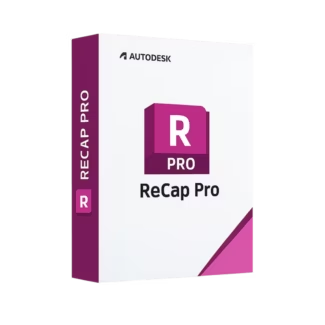








- Description
- Minimum Requirements
- Specifications
- Additional information
Autodesk Recap Pro is a powerful reality capture solution that transforms laser scans and photos into accurate 3D models. With instant delivery and a flexible subscription model, it ensures long-term productivity and reliable performance. Unlock lifetime value during your subscription with advanced tools for precise data visualization and analysis.
Overview of Autodesk Recap Pro
- Platform: Windows / Mac
- Edition: Recap Pro
- License Type: Educational
- Devices: 1 Device
- License Duration: 1 Year / 3 Years
- Activation Method: Online activation
- Delivery: Instant digital delivery via email
- Support: Email and remote assistance
- Language Support: Multi-language
- Compliance: Genuine software licenses sourced through compliant distribution channels in line with U.S. laws and industry standards
Key Features
- Reality Capture Technology: Convert laser scans and images into accurate 3D models, improving design precision and reducing manual measurements.
- Point Cloud Processing: Handle large datasets efficiently, allowing users to visualize and analyze complex environments with ease.
- Integration with Autodesk Tools: Seamlessly connect with design platforms, enabling smoother workflows from capture to design.
- Photo-to-3D Conversion: Generate 3D models from photographs, making it easier to document and recreate real-world environments.
- Measurement and Analysis Tools: Extract precise measurements directly from scan data, improving decision-making accuracy.
- Cloud Collaboration: Share and access project data remotely, enhancing teamwork and project coordination.
- Visualization and Editing: Clean, edit, and enhance scan data for clearer results and improved usability in design workflows.
Main Features Explained
Laser Scan Processing
Autodesk Recap Pro allows users to import and process laser scan data into structured point clouds. This is widely used in construction and surveying to capture real-world conditions accurately and reduce errors in project planning.
Photo-Based Modeling
Users can create 3D models from photographs, making it ideal for documenting existing structures or landscapes. This feature saves time compared to manual modeling and improves efficiency in early project stages.
Point Cloud Editing and Cleanup
The software provides tools to refine and clean scan data, ensuring accurate and usable models. This improves data quality and helps professionals deliver reliable results.
Integration with BIM and CAD Workflows
Recap Pro integrates seamlessly with design software, allowing users to move from reality capture to modeling without data loss. This enhances productivity and ensures consistency across projects.
Measurement and Analysis
Users can measure distances, areas, and volumes directly within the software. This is essential for engineers and architects who need precise data for planning and validation.
Why Choose Autodesk Recap Pro?
Autodesk Recap Pro is ideal for architects, engineers, surveyors, and students who need accurate 3D representations of real-world environments. It helps reduce manual work, improve project accuracy, and accelerate workflows.
Explore more solutions in our CAD & engineering software collection to enhance your design capabilities. For BIM workflows, Autodesk Revit integrates perfectly with Recap Pro for modeling based on real-world data.
For infrastructure design, Autodesk Civil 3D offers advanced tools, while Autodesk AutoCAD supports precise drafting and documentation.
Autodesk Recap Pro vs Alternatives
Compared to traditional modeling tools, Autodesk Recap Pro focuses specifically on reality capture and point cloud processing. While other tools handle design and drafting, Recap Pro provides the foundation by converting real-world data into accurate digital models, making it essential for modern workflows.
System Compatibility
Autodesk Recap Pro is compatible with both Windows and Mac systems, ensuring flexibility for different users. It performs best on modern hardware with sufficient memory to handle large point cloud datasets efficiently.
License Type Explanation
This educational subscription is designed for single-device use, providing full access to all features during the selected duration. While it is not transferable between multiple users, it ensures stable performance and continuous updates throughout the subscription period.
Installation & Activation
- Purchase Autodesk Recap Pro from our website.
- Receive activation details instantly via email.
- Download the software from the official Autodesk platform.
- Install it on your device.
- Log in with your Autodesk account.
- Activate using the provided credentials.
Why Buy From Us
We provide a secure and professional experience for accessing industry-standard software.
- Instant digital delivery via email
- Genuine software sourced through compliant channels
- Secure payment processing
- 24/7 email and remote support
- Compliance with U.S. laws and industry standards
Trusted by Professionals Worldwide
Digital License is trusted by professionals and students for delivering authentic software, fast access, and reliable support. We ensure every purchase meets high standards of quality and compliance.
FAQ
How do I activate Autodesk Recap Pro?
Activation is completed online using the credentials provided after purchase.
When will I receive the software?
Your product is delivered instantly via email after payment confirmation.
Is Autodesk Recap Pro compatible with Mac?
Yes, it supports both macOS and Windows platforms.
Can I install it on multiple devices?
No, this subscription is valid for one device only.
Is this software legally compliant?
Yes, all licenses are sourced through compliant distribution channels aligned with U.S. standards.
Can the license be transferred?
This license is intended for a single user and is not transferable.
Are updates included?
Yes, updates are included during the subscription period.
Do I get support?
Yes, 24/7 email and remote assistance are available.
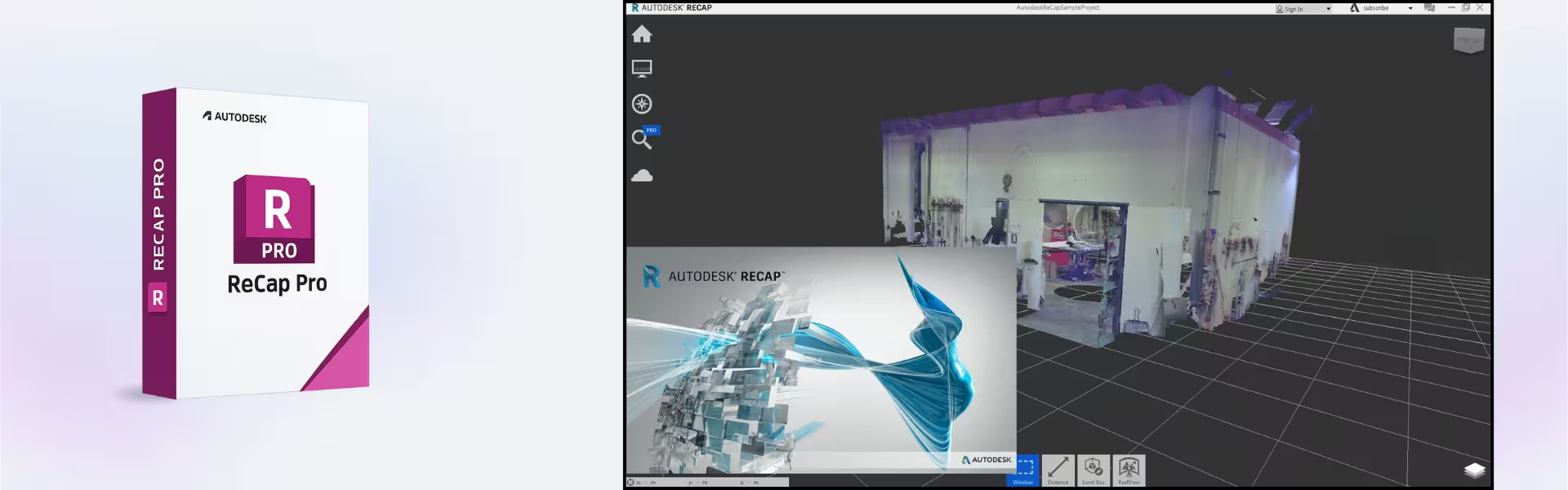
| Component | Requirement |
| Processor | Multicore Intel or AMD processor (64-bit), 2.5 GHz or higher |
| RAM | 8 GB minimum (16 GB recommended) |
| Storage | 10 GB of free disk space for installation |
| Operating System | Windows 10 or Windows 11 (64-bit) |
| Graphics card | DirectX 11 or higher compatible GPU with 1 GB VRAM or more |
| Display | 1280 × 1024 resolution or higher |
| Specification | Detail |
|---|---|
| Activation | Single PC (one-time activation) |
| License validity | 1 year / 3 years (renewable annually) |
| Delivery method | By email within 15 minutes |
| Languages | Multilingual |
Additional information
| Operating systems | Mac, Windows |
|---|---|
| Year version | 2024, 2025, 2026, 2027 |
| Subscription period | 1 Year, 3 Years |

1 – Buy
Shop securely with SSL encryption.

2 – Receive
You will receive the license key and download link.

3 – Download
Download and install the software.

4 – Activate
Enter the license key to the software.
Ashampoo 3D CAD Professional 10

Parallels Desktop 20 Pro Edition Mac