























- Description
- Minimum Requirements
- Specifications
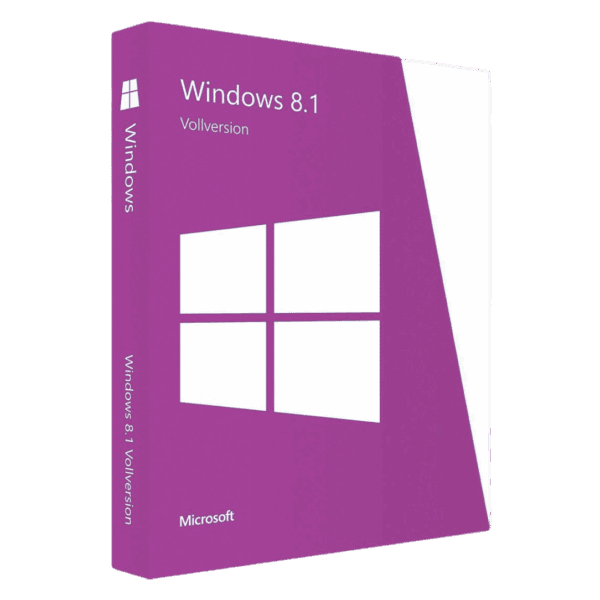
Windows 8.1 Home is a reliable and user-friendly operating system built for everyday computing. Enjoy instant digital delivery, lifetime usage, and a one-time purchase with no subscription required.
Overview of Windows 8.1 Home
- Platform: Windows
- Edition: Home
- License Type: Retail
- Devices: 1 device
- License Duration: Lifetime
- Activation Method: Online activation
- Delivery: Instant digital delivery via email
- Support: Email and remote assistance
- Language Support: Multi-language
- Compliance: Genuine software licenses sourced through compliant distribution channels in line with U.S. laws and industry standards
Key Features
- Optimized Performance: Faster startup and smoother system operation help you complete daily tasks without delays.
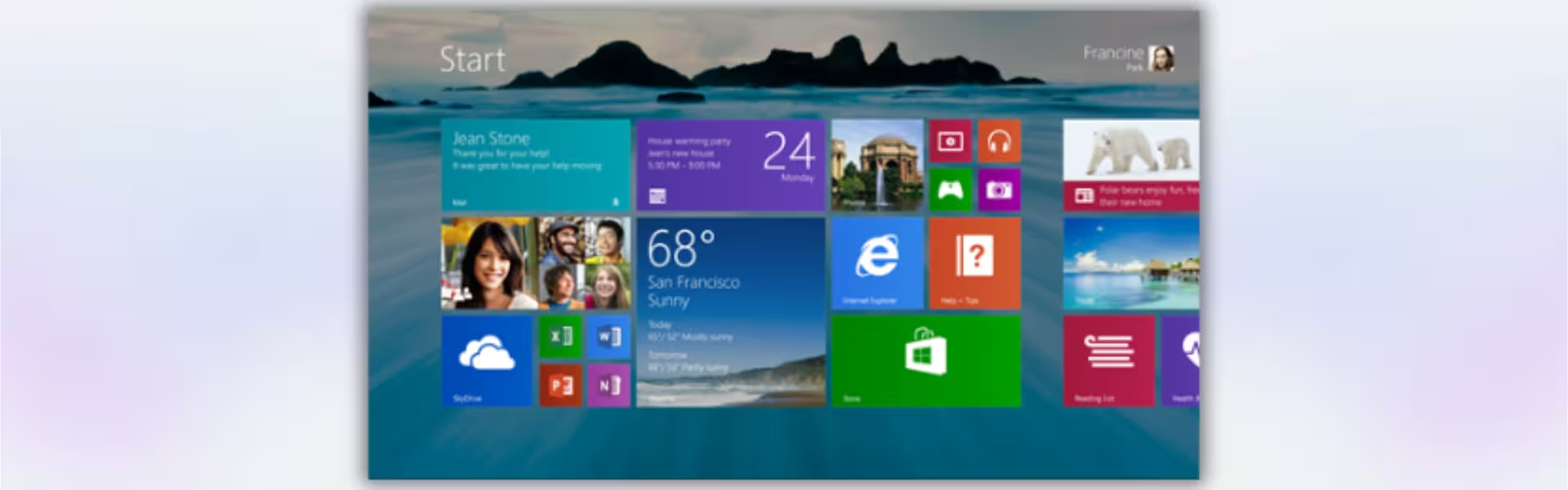
- User-Friendly Interface: Designed for simplicity, making navigation easy for both new and experienced users.
- Integrated Security Tools: Built-in protection helps safeguard your files and personal data from threats.
- App Compatibility: Supports a wide range of applications, ensuring flexibility for work, study, and entertainment.
- Cloud Integration: Seamlessly sync files and settings across devices for better accessibility.
- Touch and Desktop Support: Works efficiently on both traditional PCs and touch-enabled devices.
Main Features Explained
Windows Defender
Windows Defender provides real-time protection against viruses and malware, helping you maintain a secure system without additional tools.
Windows Store Access
Access a wide variety of apps and software directly from the Windows Store, allowing you to expand functionality easily.
File Explorer Enhancements
Improved file management tools help you organize, search, and manage your files more efficiently.
OneDrive Integration
Save your files to the cloud and access them from anywhere, ensuring flexibility and data accessibility.
Why Choose Windows 8.1 Home?
Windows 8.1 Home is ideal for home users, students, and everyday computing needs. It offers a stable and efficient environment for browsing, streaming, and working with documents.
Explore more options in our Windows 8.1 category to find the right version for your needs.
If you need advanced features for business or remote work, consider Windows 8.1 Pro for additional capabilities.
For users looking for a more recent operating system, Windows 10 Home offers modern features and ongoing updates.
Windows 8.1 Home vs Alternatives
Windows 8.1 Home focuses on essential features for personal use, while Windows 8.1 Pro adds business tools such as Remote Desktop and BitLocker. Compared to Windows 10 Home, this version is lighter on system resources and better suited for older hardware.
System Compatibility
Windows 8.1 Home runs efficiently on a wide range of devices, including older computers with moderate specifications, making it a practical upgrade option.
License Type Explanation
This Retail license allows installation on one device and can be transferred to another if needed. It is a one-time purchase with lifetime usage, without recurring fees.
Installation & Activation
- Purchase and receive your product via email instantly.
- Download the Windows 8.1 installation files.
- Install the system on your device.
- Enter your product key during setup.
- Activate online through Microsoft servers.
- Begin using your activated system.
Why Buy From Us
Digital License provides a secure and efficient purchasing experience with professional support.
- Instant digital delivery
- Genuine software licenses
- Secure payment methods
- Reliable customer support
- Compliance with U.S. laws and industry standards
Digital License Is a Verified Microsoft Partner
Digital License is an official Microsoft Partner
(ID: 7033487), recognized for delivering genuine software licenses and
verified solutions across Europe. You can verify our partnership
directly on the Microsoft Partner Directory. This ensures every
license you purchase is authentic, secure, and fully compliant with
Microsoft standards and applicable U.S. laws and industry standards.
FAQ
I have a very old PC (4–8GB RAM, HDD). Will installing Windows 8.1 Home actually improve performance or slow it down?
In most real-world cases, Windows 8.1 Home performs noticeably better than newer operating systems on older hardware. It has lower system requirements and fewer background processes than Windows 10, which often results in faster boot times and smoother everyday usage—especially on systems with HDDs instead of SSDs.
I share my computer with family members. Can multiple users have separate profiles and files?
Yes, Windows 8.1 Home allows you to create multiple user accounts on the same device. Each user gets their own desktop, files, and settings, which is ideal for shared home environments where privacy and personalization are important.
I mainly use my PC for streaming, browsing, and light work. Is this version enough or will I miss important features?
For everyday activities like streaming, browsing, office work, and light multitasking, Windows 8.1 Home is more than sufficient. The additional features in Pro are mainly designed for business use, so most home users will not benefit from them.
If I upgrade my hardware (like changing motherboard or CPU), will I lose activation?
Major hardware changes, especially motherboard replacements, may require reactivation. However, since this is a Retail license, you can reactivate it on the updated system or transfer it to a new device if needed, ensuring long-term flexibility.
I download a lot of software from the internet. Is the built-in security enough, or do I need extra protection?
Windows Defender provides solid baseline protection for everyday use, including real-time threat detection. However, if you frequently download files from unknown sources, adding an additional security layer such as advanced antivirus software is recommended for maximum protection.
| Component | Requirement |
| Processor | 1 GHz or faster with support for PAE, NX, and SSE2 |
| RAM | 1 GB for 32-bit or 2 GB for 64-bit |
| Storage | 16 GB for 32-bit or 20 GB for 64-bit |
| Operating System | Windows 8.1 Home |
| Graphics Card | Microsoft DirectX 9 graphics device with WDDM driver |
| Display | 800 × 600 resolution or higher |
| Specification | Detail |
|---|---|
| Activation | Single PC (one-time activation) |
| License validity | Lifetime (does not expire after activation) |
| Delivery method | By email within 15 minutes |
| Languages | Multilingual |

1 – Buy
Shop securely with SSL encryption.

2 – Receive
You will receive the license key and download link.

3 – Download
Download and install the software.

4 – Activate
Enter the license key to the software.
Windows 11 Enterprise LTSC 2024
Windows 10 Pro for Workstations
Office 2024 Professional Plus + Windows 10 Pro
Office 2021 Professional Plus + Windows 10 Pro
