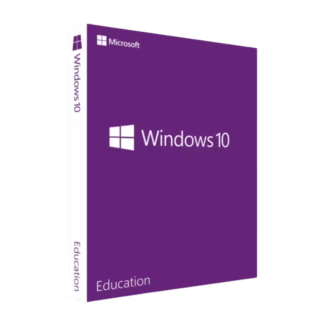









- Description
- Minimum Requirements
- Specifications
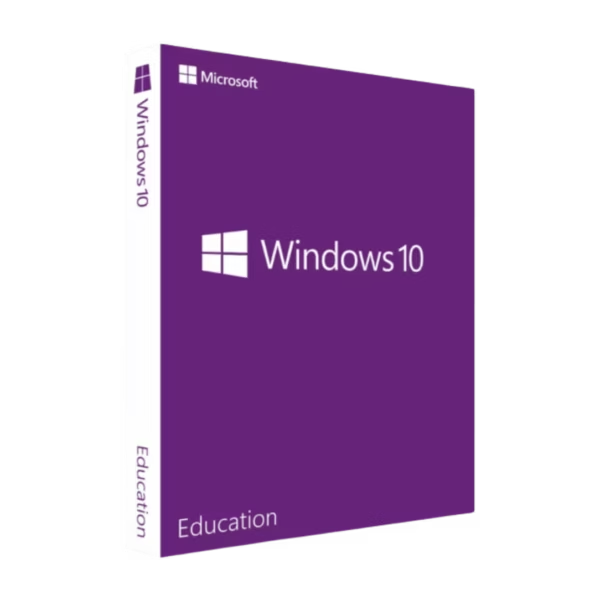
Windows 10 Education is a powerful and secure operating system tailored for academic environments and advanced users. It includes instant digital delivery, lifetime usage, and a one-time purchase with no subscription required.
Designed to combine performance, security, and flexibility, this edition provides a stable platform for learning, teaching, and professional tasks.
Overview of Windows 10 Education
- Platform: Windows
- Edition: Education
- License Type: Retail
- Devices: 1 device
- License Duration: Lifetime
- Activation Method: Online activation
- Delivery: Instant digital delivery via email
- Support: Email and remote assistance
- Language Support: Multi-language
- Compliance: Genuine software licenses sourced through compliant distribution channels in line with U.S. laws and industry standards
Key Features
- Enterprise-level security: Includes advanced protection features to safeguard sensitive data in academic and professional environments.
- Group Policy management: Allows centralized control over system settings, ideal for schools and institutions managing multiple devices.
- Remote Desktop access: Enables secure remote connections, supporting flexible learning and remote collaboration.
- BitLocker encryption: Protects data with full disk encryption, reducing the risk of unauthorized access.
- Optimized for educational software: Compatible with a wide range of academic tools and platforms.
- Virtualization support: Run multiple environments using Hyper-V, useful for labs and technical courses.
- Controlled updates: Manage updates to maintain stability in structured learning environments.
Main Features Explained
BitLocker Encryption
BitLocker protects your data by encrypting the entire drive, ensuring that sensitive information remains secure in shared or institutional devices.
Remote Desktop
Remote Desktop allows students and staff to access systems remotely, enabling flexible work and study environments.
Group Policy Management
This feature enables administrators to control system settings across multiple devices, improving consistency and security in educational institutions.
Hyper-V Virtualization
Hyper-V allows users to create virtual environments for testing, development, and learning purposes without affecting the main system.
Why Choose Windows 10 Education?
Windows 10 Education is ideal for students, educators, and institutions that require a secure and flexible operating system. It supports a wide range of academic applications while providing enterprise-level features for better system control and data protection.
Explore other available versions in our Windows 10 operating systems category to find the best fit for your needs.
If you need a more business-oriented solution, you can compare it with Windows 10 Pro, which is widely used in professional environments.
Windows 10 Education vs Alternatives
Compared to Windows 10 Pro, the Education edition includes additional management and security features tailored for academic institutions and shared environments.
Compared to Windows 11 Education, this version offers better compatibility with older hardware while maintaining strong performance and stability.
System Compatibility
Windows 10 Education is compatible with a wide range of devices, including older systems that may not support newer operating systems. It is suitable for both modern and legacy hardware configurations.
License Type Explained
This Retail license allows installation on one device and can be transferred if needed. It provides lifetime usage with a one-time purchase, offering flexibility compared to OEM licenses tied to a single device.
Installation & Activation
- Complete your purchase and receive activation details via email.
- Download the Windows 10 installation media from Microsoft.
- Install the system on your device.
- Enter the activation details during or after installation.
- Complete online activation.
Why Buy From Us
Digital License ensures a reliable and secure purchasing experience with fast delivery and dedicated support.
- Instant digital delivery via email
- Genuine software licenses
- Secure payment processing
- Email and remote assistance
- Compliance with U.S. laws and industry standards
Digital License Is a Verified Microsoft Partner
Digital
License is an official Microsoft Partner
(ID: 7033487), recognized for delivering genuine software licenses and
verified solutions worldwide. You can verify our partnership directly
on the Microsoft Partner Directory. This ensures every license you
purchase is authentic, secure, and fully compliant with Microsoft
standards and applicable U.S. laws and industry standards.
Frequently Asked Questions
I manage computers in a school lab — can I keep all systems consistent without constant manual setup?
Yes. Windows 10 Education allows centralized configuration using policies, so you can standardize settings, restrict access where needed, and maintain consistency across all devices without reconfiguring each one manually.
Students often install software or change settings — can I control or limit this?
Yes. This version is commonly used in controlled environments where administrators can restrict installations, manage permissions, and prevent unwanted system changes, helping maintain stability and security across shared devices.
I need a system that works both for studying and more advanced tasks like programming or design — is this suitable?
Yes. Windows 10 Education combines everyday usability with advanced capabilities, making it suitable for both general study tasks and more demanding activities such as coding, virtual labs, and design software.
Can this handle remote or hybrid learning setups effectively?
Yes. It supports remote access and integrates well with common collaboration and learning tools, allowing students and educators to work from different locations without losing access to their systems or files.
If I set up a system for long-term use, will it remain stable over time?
Yes. This edition is designed for structured environments where stability is important, allowing systems to remain consistent and predictable over long periods without frequent disruptive changes.

| Component | Requirement |
| Processor | 1 GHz or faster with at least 2 cores or system-on-a-chip (SoC) |
| RAM | 1 GB for 32-bit or 2 GB for 64-bit |
| Storage | 16 GB for 32-bit or 20 GB for 64-bit |
| Operating System | Windows 10 Education |
| Graphics Card | DirectX 9 or later with WDDM 1.0 driver |
| Display | 800 × 600 resolution or higher |
| Specification | Detail |
|---|---|
| Activation | Single PC (one-time activation) |
| License validity | Lifetime (does not expire after activation) |
| Delivery method | By email within 15 minutes |
| Languages | Multilingual |

1 – Buy
Shop securely with SSL encryption.

2 – Receive
You will receive the license key and download link.

3 – Download
Download and install the software.

4 – Activate
Enter the license key to the software.
Windows 11 Enterprise IoT LTSC 2024
Windows 10 Enterprise IoT LTSC 2021