








- Description
- Minimum Requirements
- Specification
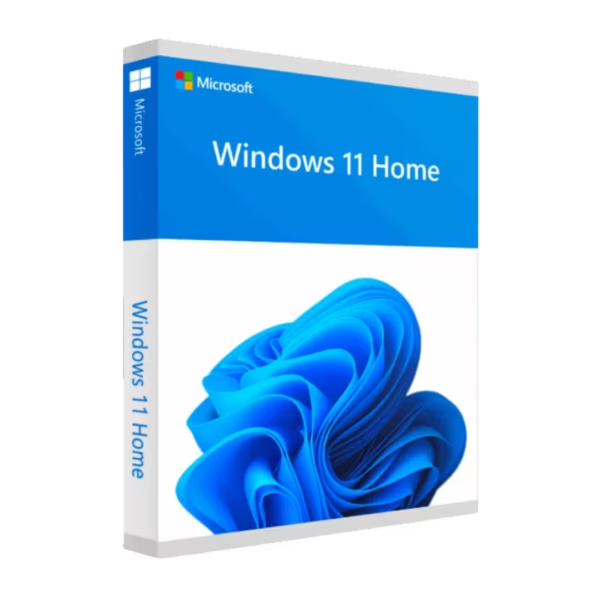
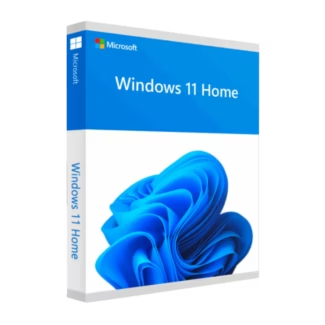
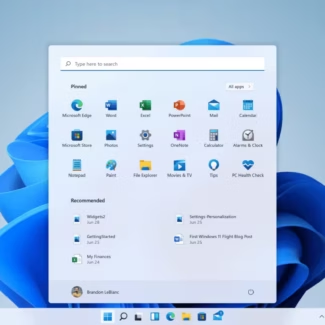
Windows 11 Home is the perfect operating system for everyday users who want a smooth, modern, and reliable experience. With instant delivery, lifetime usage, and a one-time purchase, it offers everything you need without any subscription.
Designed for home use, entertainment, and daily productivity, it delivers speed, simplicity, and a clean user interface.
Overview of Windows 11 Home
- Platform: Windows
- Edition: Home
- License Type: Retail
- Devices: 1 device
- License Duration: Lifetime
- Activation Method: Online activation
- Delivery: Instant digital delivery via email
- Support: Email and remote assistance
- Language Support: Multi-language
- Compliance: Genuine software licenses sourced through compliant distribution channels in line with U.S. laws and industry standards
Key Features
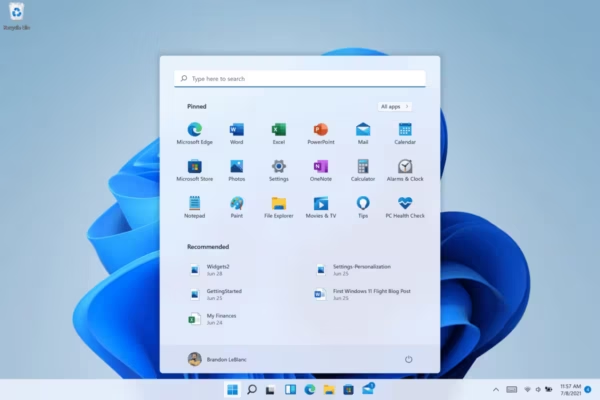
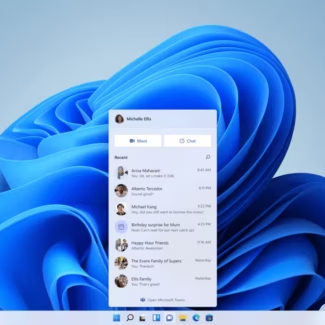
- Modern User Interface: A redesigned layout makes navigation intuitive, improving usability for everyday tasks.
- Optimized Performance: Faster startup times and smoother performance help you work and browse efficiently.
- Integrated Microsoft Store: Access a wide range of apps, tools, and entertainment in one place.
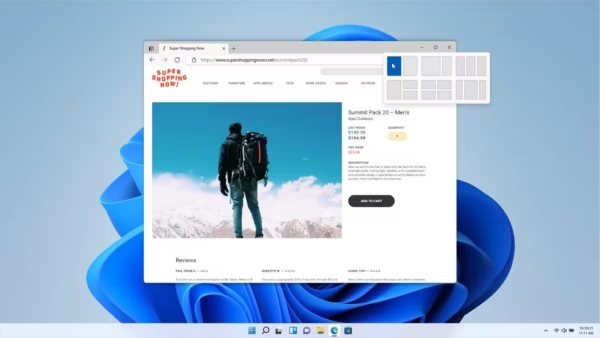
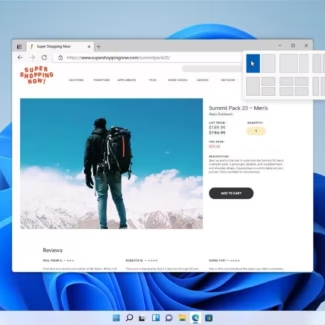
- Enhanced Multitasking: Snap layouts allow you to organize windows easily, improving productivity at home or work.
- Gaming Improvements: Supports the latest gaming technologies for better graphics and performance.
- Regular Updates: Stay secure and up to date with automatic system updates.
- Touch & Device Integration: Works seamlessly across laptops, tablets, and touchscreen devices.
Main Features Explained
Snap Layouts
Snap layouts allow you to organize multiple windows quickly. This makes multitasking easier, especially when working with several applications at once.
Microsoft Store Integration
The built-in Microsoft Store gives you access to applications, tools, and entertainment. It simplifies installing and managing software securely.
Gaming Enhancements
Windows 11 Home supports advanced gaming features such as DirectX 12, providing smoother gameplay and improved graphics performance.
Automatic Updates
The system keeps itself updated with the latest features and security improvements, helping you stay protected without manual intervention.
Why Choose Windows 11 Home?
Windows 11 Home is ideal for students, families, and everyday users who need a reliable and easy-to-use operating system. It is perfect for browsing, streaming, office tasks, and casual gaming.
Explore more options in our Windows 11 operating system licenses category to find the right version for your needs. If you require advanced business tools, you can compare it with Windows 11 Pro, which offers additional professional features.
For users upgrading from previous versions, such as Windows 10 Home, Windows 11 Home delivers a more modern design and improved performance.
Windows 11 Home vs Alternatives
Compared to Windows 11 Pro, the Home edition focuses on simplicity and everyday usability. It does not include advanced features like BitLocker or Remote Desktop, making it more suitable for personal use rather than business environments.
Compared to Windows 10 Home, this version introduces a refreshed interface, improved multitasking, and better performance for modern hardware.
System Compatibility
Windows 11 Home is compatible with modern PCs that meet Microsoft’s requirements, including TPM 2.0, supported processors, and adequate RAM. It works efficiently on laptops and desktops designed for everyday performance.
License Type Explanation
This product uses a Retail license, which allows you to transfer it to another device if needed. Unlike OEM licenses, it is not permanently tied to a single machine.
It is a one-time purchase that provides lifetime usage, making it a practical and long-term solution for personal computing.
Installation & Activation
- Complete your purchase and receive the product via email.
- Download or install Windows 11 Home on your device.
- Open system settings and go to activation.
- Enter your product key.
- Finish the online activation process.
- Start using your system immediately.
Why Buy From Us
We focus on delivering reliable software solutions with fast service and customer support.
- Instant digital delivery
- Authentic software licenses
- Secure payment processing
- Professional customer support
- Compliance with U.S. laws and industry standards
Digital License Is a Verified Microsoft Partner
Digital License is an official Microsoft Partner
(ID: 7033487), recognized for delivering genuine software
licenses and verified solutions across Europe. You can verify our
partnership directly on the Microsoft Partner Directory. This ensures
every license you purchase is authentic, secure, and fully compliant
with Microsoft standards and applicable U.S. laws and industry standards.
FAQ
Can I install Windows 11 Home on a new PC without an operating system?
Yes. You can install Windows 11 Home from a bootable USB drive on a new or empty system. Once installed, you can activate it using the product key provided via email.
I already have Windows 10 Home. Will my files be preserved during upgrade?
In most cases, upgrading from Windows 10 Home to Windows 11 Home keeps your files and applications. However, creating a backup before upgrading is always recommended.
Does Windows 11 Home support gaming performance improvements?
Yes. It includes modern gaming technologies such as DirectX 12, which improves graphics performance and overall gaming experience.
Is an internet connection required after installation?
An internet connection is required for activation and updates, but once installed, many features can be used offline.
Is this version suitable for business use?
Windows 11 Home is designed for personal use. For business environments requiring advanced security and management tools, Windows 11 Pro is more suitable.
Can I change the system language after installation?
Yes. Windows 11 Home supports multiple languages, and you can switch between them in the language system settings.

| Component | Requirement |
| Processor | 1 GHz or faster, with at least 2 cores on a compatible 64-bit processor or SoC (System on a Chip) |
| RAM | 4 GB or more |
| Storage | 64 GB or more of available space |
| Operating System | Windows 11 Home |
| Graphics card | Compatible with DirectX 12 and WDDM 2.0 driver |
| Display | Minimum resolution of 720p, 9″ or larger screen |
| Specification | Detail |
| Activation | Single PC (one-time activation) |
| License validity | Lifetime (does not expire after activation) |
| Delivery method | By email within 15 minutes |
| Languages | Multilingual |

1 – Buy
Shop securely with SSL encryption.

2 – Receive
You will receive the license key and download link.

3 – Download
Download and install the software.

4 – Activate
Enter the license key to the software.
Windows 11 Pro for Workstations
Windows 10 Pro for Workstations