























- Description
- Minimum Requirements
- Specifications
- Additional information
“`html
Microsoft Windows Server 2012 User CAL gives an authorized user access to an existing Windows Server 2012 environment from multiple compatible devices. Benefit from instant digital delivery, lifetime usage, and a one-time purchase with no subscription or recurring renewal charges.
Overview of Microsoft Windows Server 2012 User CAL
- Platform: Windows Server 2012
- Edition:
- License Type: Retail
- Users: 1/ 5/ 10/ 25/ 50 Users
- License Duration: Lifetime
- Activation Method: Online activation
- Delivery: Instant digital delivery via email
- Support: Email and remote assistance 24/7
- Language Support: Multi-language
- Compliance: Genuine software licenses sourced through compliant distribution channels in line with U.S. laws and industry standards
Key Features
- User-based server access: Access is assigned to one authorized person, allowing that user to connect from multiple approved computers without purchasing separate access for each device.
- Ideal for mobile employees: Staff can access server resources from office desktops, laptops, or other approved workstations, supporting flexible and remote working arrangements.
- Flexible user quantities: Choose access for 1, 5, 10, 25, or 50 users to match your current workforce and simplify future expansion.
- Lifetime usage: The product does not require annual renewals or monthly payments, helping organizations maintain predictable long-term costs.
- Efficient multi-device access: One authorized user can work across several approved devices, improving productivity for managers, consultants, technicians, and field employees.
- Centralized business resources: Authorized users can connect to shared files, printers, applications, and network services managed through Windows Server 2012.
- Instant digital fulfillment: Product information and activation instructions are delivered by email after payment confirmation, eliminating physical shipping delays.
Main Features Explained
User-Based Server Access
User-based access assigns Windows Server access rights to one designated person instead of one fixed computer. An employee can connect from an office desktop, business laptop, or another approved workstation. This is especially useful for hybrid teams and professionals who regularly move between devices.
Active Directory Management
Active Directory allows administrators to manage users, groups, permissions, computers, and security policies from one central location. Businesses can control who may access shared folders, printers, internal applications, and network resources. This reduces repetitive IT work and improves security across the organization.
Centralized File and Resource Sharing
Windows Server 2012 can host shared files, applications, printers, and business data for authorized users. Employees can access consistent information from multiple approved devices instead of storing separate copies on each computer. This supports better collaboration, version control, and operational efficiency.
Hyper-V Virtualization
Hyper-V enables organizations to create and manage virtual machines on compatible Windows Server 2012 systems. Businesses can use virtualization to consolidate workloads, test applications, and make more efficient use of available hardware. This can reduce infrastructure complexity and improve resource management.
Remote Desktop Services Compatibility
Remote Desktop Services enables access to remote desktops and server-hosted applications. It is useful for centralized software delivery and remote working environments. A separate RDS User CAL is required because a standard User CAL does not independently provide Remote Desktop Services access rights.
Why Choose Microsoft Windows Server 2012 User CAL?
Microsoft Windows Server 2012 User CAL is designed for organizations whose employees need to access server resources from more than one device. It is suitable for managers, consultants, sales teams, IT administrators, remote employees, field technicians, and other professionals with flexible working arrangements.
Assigning access to the individual user instead of one fixed workstation allows employees to move between approved devices more efficiently. It can also reduce unnecessary costs when the same person regularly uses several computers.
Explore the available Windows Server 2012 CAL options to compare access models and find the right quantity for your organization.
If several employees share one terminal, workstation, or computer, Microsoft Windows Server 2012 Device CAL may be the more economical choice because access is assigned to the shared device.
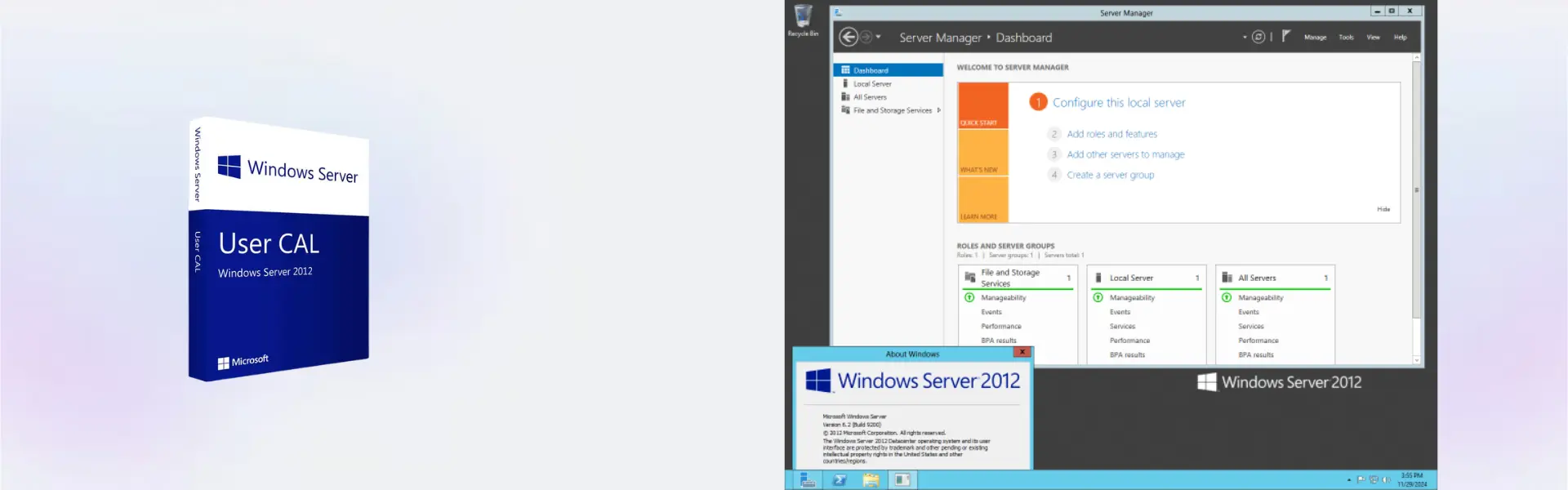
This product does not include the server operating system. Organizations that still require the core platform can deploy Windows Server 2012 Standard for centralized applications, file sharing, networking, and business workloads.
Businesses that need named employees to access remote desktops or server-hosted applications should consider Windows Server 2012 RDS 50 User CALs for the additional Remote Desktop Services permissions.
Microsoft Windows Server 2012 User CAL vs Alternatives
- User CAL: Access is assigned to one designated user who can connect from multiple approved devices.
- Device CAL: Access is assigned to one designated device that can be shared by multiple authorized users.
- RDS User CAL: Provides the additional authorization required for one named user to access Remote Desktop Services.
Microsoft Windows Server 2012 User CAL is generally the better option when employees regularly use several computers or work from different locations. A Device CAL may be more cost-effective when many people share a limited number of workstations. Remote desktop sessions and server-hosted applications require the appropriate RDS CALs.
System Compatibility
This product is intended for an existing Windows Server 2012 environment. Before purchasing, confirm that your organization uses Windows Server 2012 and that user-based access matches how employees connect to shared files, applications, printers, and network services.
Microsoft Windows Server 2012 User CAL provides server access rights only. It does not include the Windows Server operating system or Remote Desktop Services access. Separate RDS User CALs are required for remote desktop sessions and centrally hosted applications.
License Type Explained
Retail provides lifetime usage through a one-time purchase. There are no monthly subscriptions, annual renewal fees, or recurring payments.
The activation can only be completed once and cannot be reused after activation. It is intended for the selected number of authorized users under the applicable product conditions. Official Microsoft download links are supplied when required.
An OEM product is generally tied to the first device on which it is activated. Retail products are supplied separately from the original hardware. However, this product remains non-transferable after activation according to its activation terms.
- Transferability: The activation cannot be transferred or reused after completion.
- Lifetime usage: The product remains valid under the original activation conditions without an expiration date.
- One-time purchase: Pay once with no subscription or renewal charges.
Installation and Activation
- Complete your purchase through the secure checkout process.
- Receive the product information and activation instructions by email.
- Confirm that Windows Server 2012 is installed and correctly configured.
- Follow the provided instructions to complete online activation.
- Assign the required server access rights to the designated users.
- Contact our support team if you require email or remote assistance.
Why Buy From Us?
Digital License provides fast digital fulfillment, secure payment processing, genuine products, and professional assistance for a dependable purchasing and activation experience.
- Instant delivery: Product information and activation instructions are delivered by email after payment confirmation.
- Genuine licenses: Products are sourced through verified and compliant distribution channels.
- Secure payment: Protected checkout methods help keep every transaction safe and reliable.
- Professional support: Email and remote assistance are available 24/7 when technical guidance is required.
- Legal compliance: Products are distributed in accordance with applicable U.S. laws and recognized industry standards.
Digital License Is a Verified Microsoft Partner
Digital
License is an official Microsoft Partner
(ID: 7033487), recognized for delivering genuine software licenses and
verified solutions worldwide. You can verify our partnership
directly on the Microsoft Partner Directory. This ensures every
license you purchase is authentic, secure, and fully compliant with
Microsoft standards and applicable U.S. laws and industry standards.
Frequently Asked Questions
What does Microsoft Windows Server 2012 User CAL provide?
It provides one designated user with authorized access to an existing Windows Server 2012 environment from multiple approved devices.
How is the product activated?
Activation is completed online by following the instructions delivered by email after payment confirmation.
When will my order be delivered?
Your product information and activation instructions are delivered digitally by email after your payment has been confirmed.
Does this product include Windows Server 2012?
No. It provides user access rights only and does not include the Windows Server 2012 operating system.
Can one authorized user connect from multiple devices?
Yes. The designated user can access the server from multiple approved computers, making user-based access suitable for mobile and hybrid employees.
Can several employees share one User CAL?
No. Each User CAL is assigned to one designated user. A Device CAL may be more appropriate when several employees share one workstation.
Can the activation be transferred or reused?
No. The Retail activation cannot be transferred or reused after it has been completed.
Do I need a separate RDS User CAL?
Yes. A separate RDS User CAL is required when an authorized user needs access to Remote Desktop Services or server-hosted applications.
Is Microsoft Windows Server 2012 User CAL a subscription?
No. It is a one-time purchase that provides lifetime usage under the stated activation conditions.
Is the product legally compliant?
Yes. It is sourced through compliant distribution channels in accordance with applicable U.S. laws and recognized industry standards.
| Component | Requirement |
| Server operating system | Windows Server 2012 or Windows Server 2012 R2 |
| Server license | A valid Windows Server license is required |
| User requirement | One User CAL is required for each named user accessing the server |
| Device access | The licensed user may access the server from multiple devices |
| Network | A working local network or internet connection is required to access the server |
| Remote Desktop access | Separate RDS User CALs are required for Remote Desktop Services |
| Specification | Detail |
|---|---|
| Product | Microsoft Windows Server 2012 User CAL |
| License type | User Client Access License |
| Available quantities | 1 CAL, 5 CALs, 10 CALs, 25 CALs, 50 CALs |
| License validity | Lifetime |
| Delivery method | Digital delivery by email within 15 minutes |
| Languages | Multilingual |
Additional information
| Cal | 5, 10, 20, 50 |
|---|

1 – Buy
Shop securely with SSL encryption.

2 – Receive
You will receive the license key and download link.

3 – Download
Download and install the software.

4 – Activate
Enter the license key to the software.
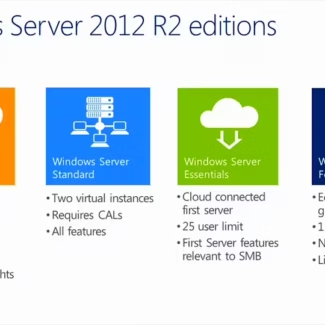
Windows Server 2012 R2 Standard
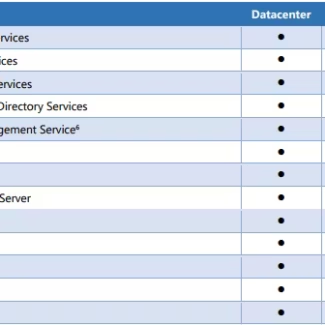
Windows Server 2016 Essentials
Windows Server 2019 Datacenter
Windows Server 2025 Datacenter
Windows Server 2022 RDS User CAL
