







- Description
- Minimum Requirements
- Specifications
- Additional information
CorelDRAW Technical Suite is a professional-grade design solution tailored for technical illustration, engineering visuals, and precise documentation. With instant digital delivery and lifetime usage, it offers a reliable alternative to subscription-based design tools.
Create detailed technical graphics, schematics, and visual communications with accuracy and efficiency using a complete suite built for professionals.
Overview of CorelDRAW Technical Suite
- Platform: Windows (64-bit)
- Edition: Technical Suite
- License Type: Retail
- Devices: 1 Device
- License Duration: Lifetime
- Activation Method: Online activation
- Delivery: Instant digital delivery via email
- Support: Email and remote assistance
- Language Support: Multi-language
- Compliance: Genuine software licenses sourced through compliant distribution channels in line with U.S. laws and industry standards
Key Features
- Advanced vector illustration tools allow precise creation of technical drawings, improving clarity and accuracy in professional documentation.
- Dedicated technical design features enable the creation of schematics, diagrams, and blueprints, streamlining engineering workflows.
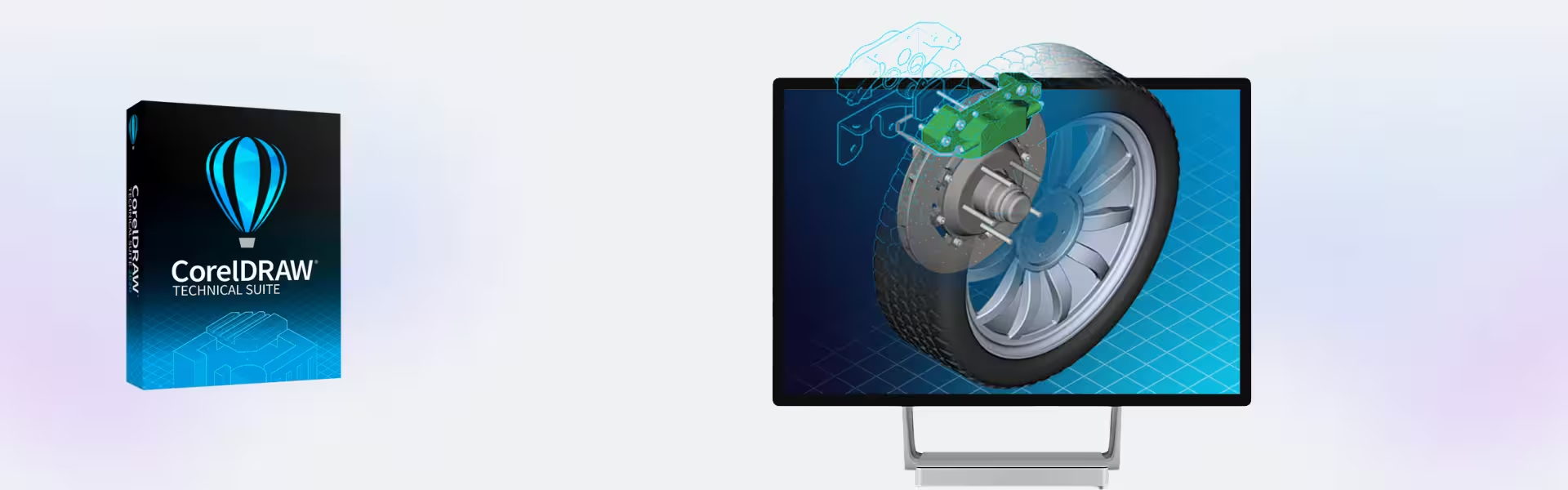
- 3D visualization capabilities help transform complex models into detailed 2D illustrations, making technical communication more effective.
- File compatibility with industry-standard formats ensures seamless collaboration across teams and software platforms.
- Object control and precision alignment tools provide exact positioning, reducing design errors in technical projects.
- Layer management and symbol libraries simplify handling complex designs, saving time and improving organization.
- Integrated publishing tools support output for print, web, and digital formats, making it easy to share technical content.
Main Features Explained
Technical Illustration Tools
This feature enables users to create highly detailed technical drawings such as manuals, schematics, and product diagrams. Engineers and designers can clearly communicate complex information, improving documentation quality and user understanding.
3D to 2D Conversion
CorelDRAW Technical Suite allows users to convert 3D models into accurate 2D illustrations. This is particularly useful in manufacturing and product design, where visual clarity is essential for assembly instructions and technical guides.
Precision Design Environment
With advanced measurement and alignment tools, users can ensure exact positioning of every element. This is critical for industries requiring high accuracy, such as engineering and architecture.
File Compatibility & Collaboration
The suite supports a wide range of file formats, enabling seamless collaboration between teams using different design tools. This improves workflow efficiency and reduces compatibility issues.
Why Choose CorelDRAW Technical Suite?
CorelDRAW Technical Suite is ideal for engineers, technical illustrators, product designers, and businesses that require accurate and professional visual documentation. It helps transform complex data into clear visuals, improving communication and productivity.
Explore more professional tools in our 3D Design & Animation Software category to expand your creative and technical capabilities.
Compared to creative-focused tools like Corel Painter, which emphasizes digital painting and artistic expression, this suite is built specifically for precision, structure, and technical workflows.
For additional design and editing capabilities, you may also consider Corel PaintShop Pro X9 for image editing or Corel AfterShot Pro 3 for photo management.
CorelDRAW Technical Suite vs Alternatives
Unlike standard graphic design software, CorelDRAW Technical Suite focuses on technical accuracy and engineering workflows. While general design tools prioritize creativity, this suite is optimized for precision, making it the preferred choice for technical documentation and industrial use.
System Compatibility
This software is designed for Windows 64-bit systems, ensuring stable performance for professional workloads. It integrates smoothly with modern hardware and supports high-resolution displays for detailed design work.
Installation & Activation
- Receive your product details instantly via email after purchase.
- Download the CorelDRAW Technical Suite installer.
- Run the installation on your Windows system.
- Follow the setup instructions to configure the software.
- Activate using the provided online activation method.
- Start creating technical designs and illustrations.
Why Buy From Us
We offer a reliable and secure purchasing experience for professionals and businesses.
- Instant digital delivery via email
- Genuine software licenses sourced through compliant channels
- Secure payment processing
- 24/7 email and remote assistance support
- Compliance with U.S. laws and industry standards
Trust & Reliability
All products are sourced through verified distribution channels, ensuring authenticity, compliance, and dependable long-term usage for professional environments.
FAQ
How is CorelDRAW Technical Suite delivered?
The product is delivered instantly via email with download and activation instructions.
Is activation completed online?
Yes, activation is done securely through an online process.
Does this require a subscription?
No, it includes lifetime usage without ongoing subscription fees.
Is it compatible with all Windows systems?
It is compatible with Windows 64-bit systems designed for modern hardware.
Is this software legally compliant?
Yes, it is sourced through compliant distribution channels aligned with U.S. laws and industry standards.
Do you provide support?
Yes, support is available via email and remote assistance 24/7.
Does it support multiple languages?
Yes, the software includes multi-language support.
| Component | Requirement |
| Processor | Intel Core i3/AMD Ryzen 3 or better |
| RAM | 8 GB RAM minimum (16 GB recommended) |
| Storage | 5 GB of available disk space (SSD recommended) |
| Operating System | Windows 10, Windows 11 (64-bit) |
| Graphics | OpenCL 1.2–compatible graphics card |
| Display | Minimum resolution: 1280 × 720 (1920 × 1080 recommended) |
| Specification | Detail |
|---|---|
| Activation | Single PC (one-time activation) |
| License validity | Lifetime (does not expire after activation) |
| Delivery method | By email within 15 minutes |
| Languages | Multilingual |
Additional information
| Year version | 2020, 2021, 2022, 2023, 2024, 2025, 2026 |
|---|

1 – Buy
Shop securely with SSL encryption.

2 – Receive
You will receive the license key and download link.

3 – Download
Download and install the software.

4 – Activate
Enter the license key to the software.